6 IP 710 Manual
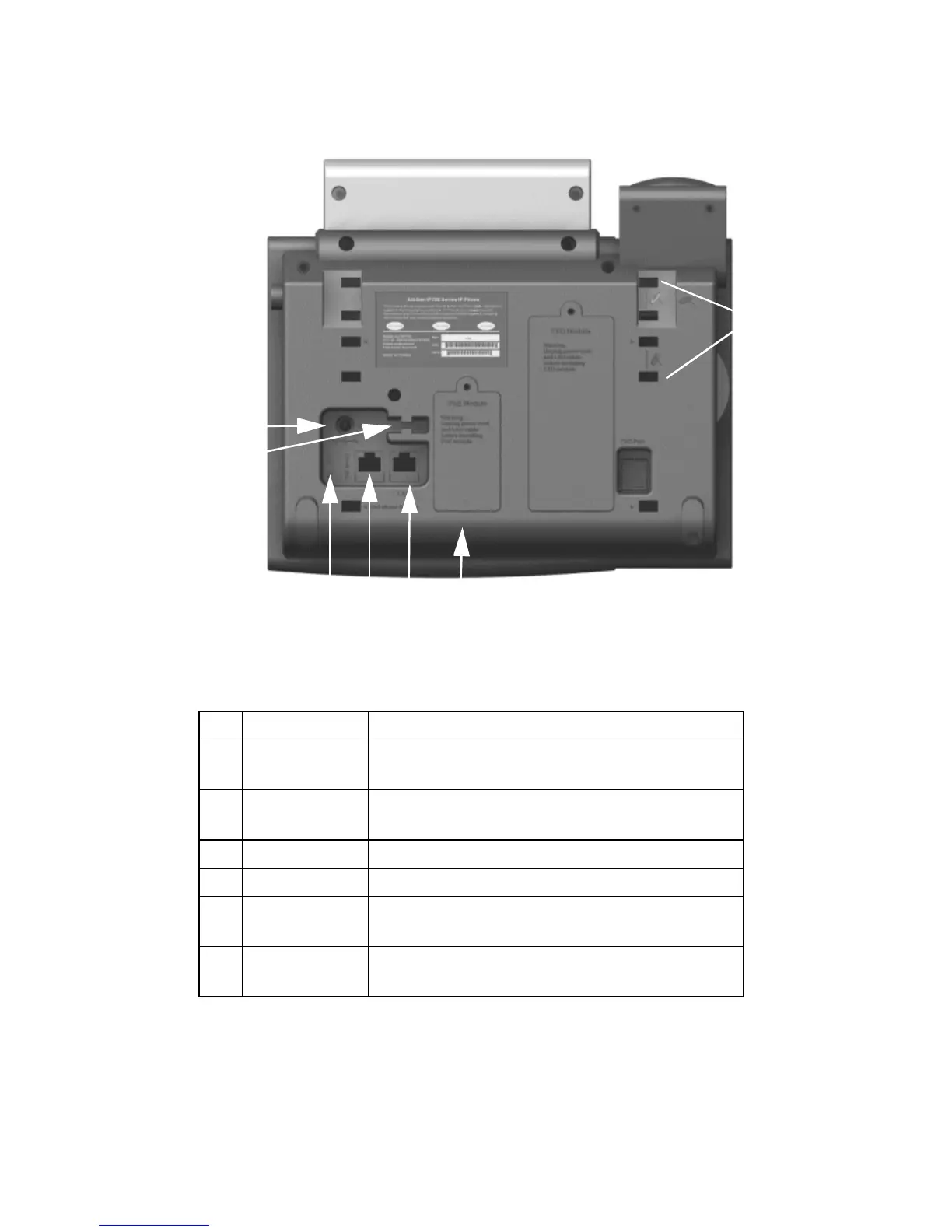
Figure 2. IP 710 Phone, Bottom View
1 DC Port Connects to power outlet
2 Power Cable
Restraint
Secures the power cable, preventing it from
accidentally being pulled out
3 DC/PoE Switch Switches between DC power and Power over
Ethernet
4 PC Access Port Connects to PC (10/100 Base T)
5 LAN Port Connects to network (10/100 Base T)
6 PoE Module
Cover
Covers the optional Power over Ethernet Module
7 Slots for the
Phone Stand
Four slots on each side for inserting the phone
stand to set the phone at the desired angle



 To Next Page