OPERATION
Combitherm® CT PROformance™ Series ? Operator’s Manual ? MN-35948 ? Rev 0 ? 3/17
24
Continued from previous page
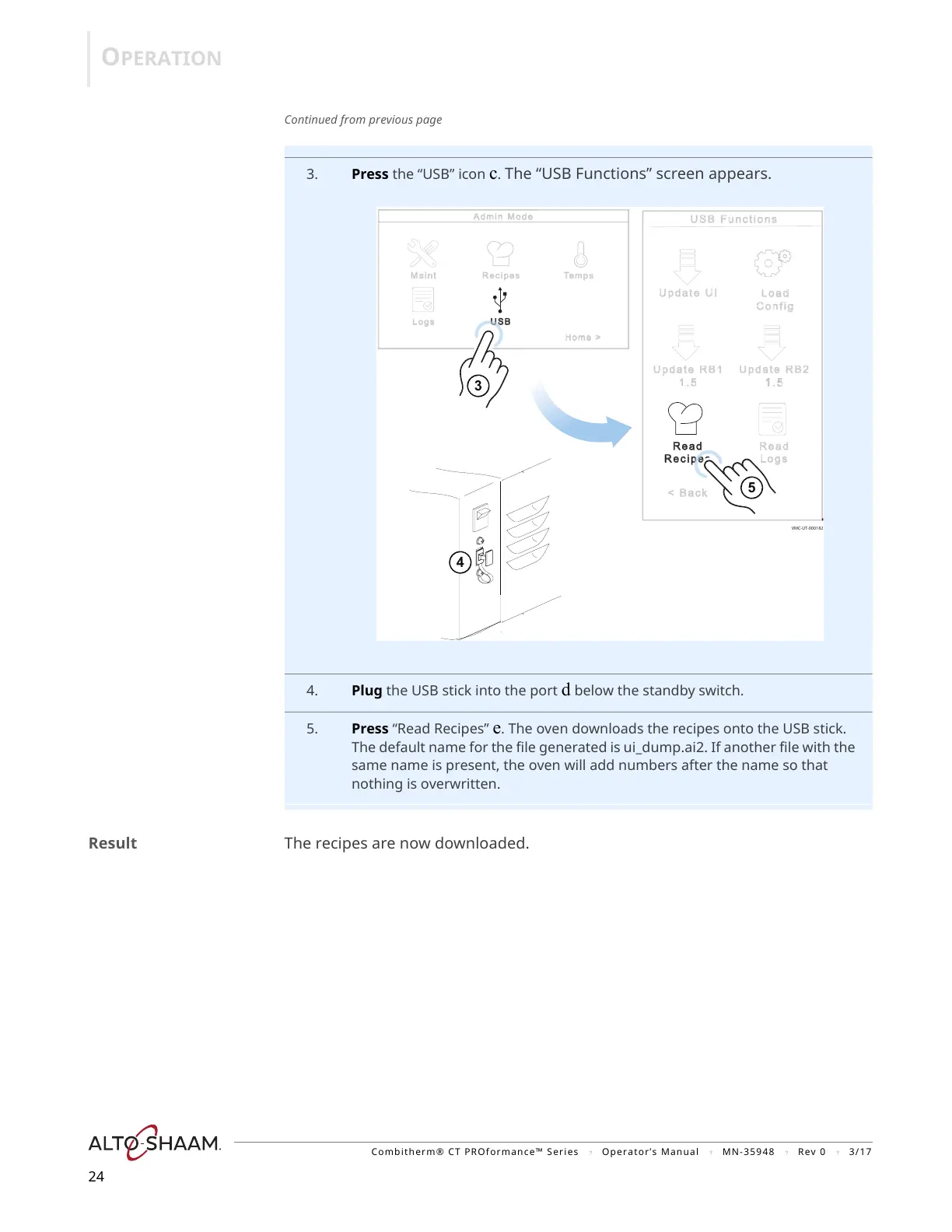
3. Press the “USB” icon c. The “USB Functions” screen appears.
4. Plug the USB stick into the port d below the standby switch.
5. Press “Read Recipes” e. The oven downloads the recipes onto the USB stick.
The default name for the file generated is ui_dump.ai2. If another file with the
same name is present, the oven will add numbers after the name so that
nothing is overwritten.
Result The recipes are now downloaded.


 To Next Page
 Loading...