OPERATION
Combitherm® CT PROformance™ Series ? Operator’s Manual ? MN-35948 ? Rev 0 ? 3/17
26
Continued from previous page
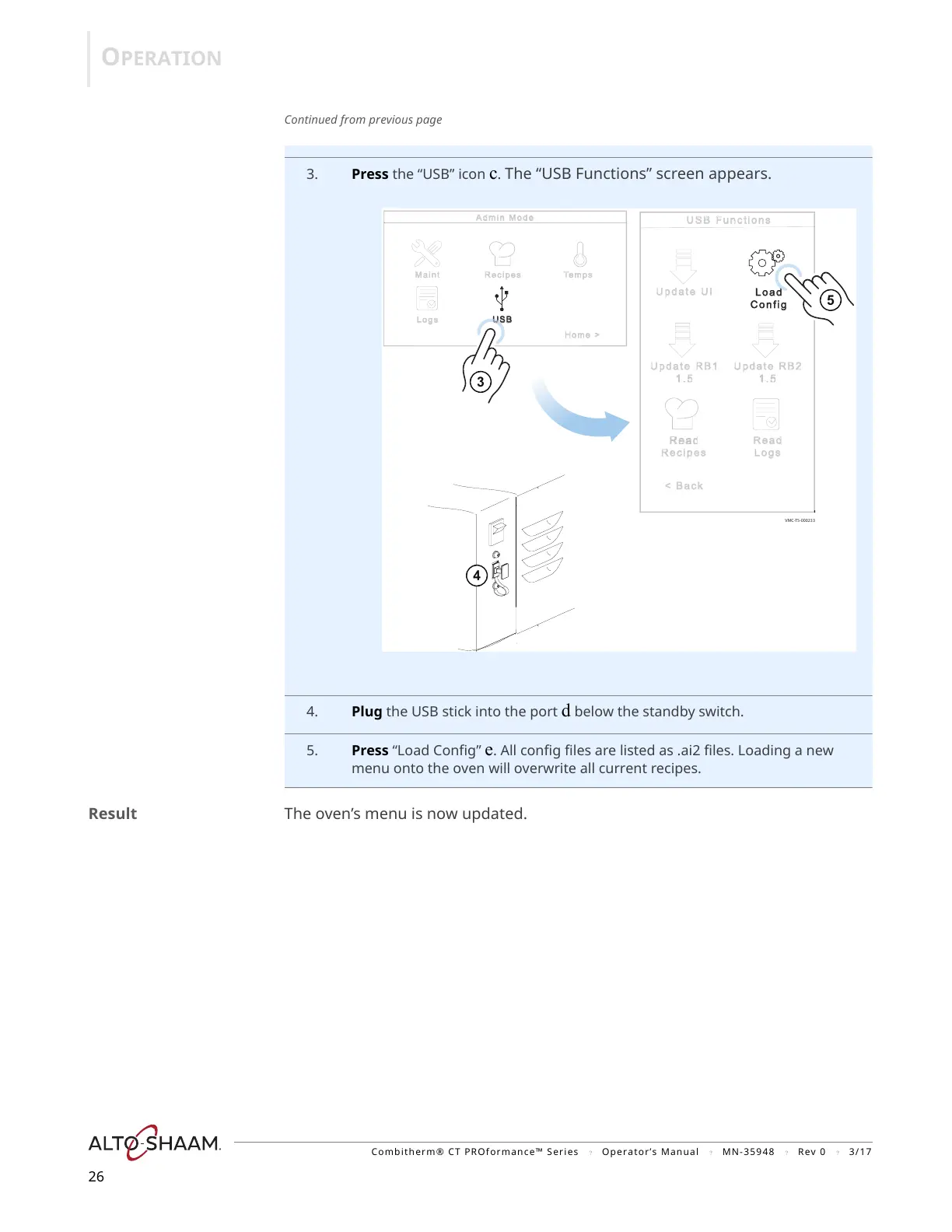
3. Press the “USB” icon c. The “USB Functions” screen appears.
4. Plug the USB stick into the port d below the standby switch.
5. Press “Load Config” e. All config files are listed as .ai2 files. Loading a new
menu onto the oven will overwrite all current recipes.
Result The oven’s menu is now updated.


 To Next Page
 Loading...