EasyManua.ls Logo

Alutech LG-500 - User Manual

Alutech LG-500
82 pages
Go to English
Print Icon
To Next Page IconTo Next Page
Loading...
01.2019
www.alutech-group.com

   
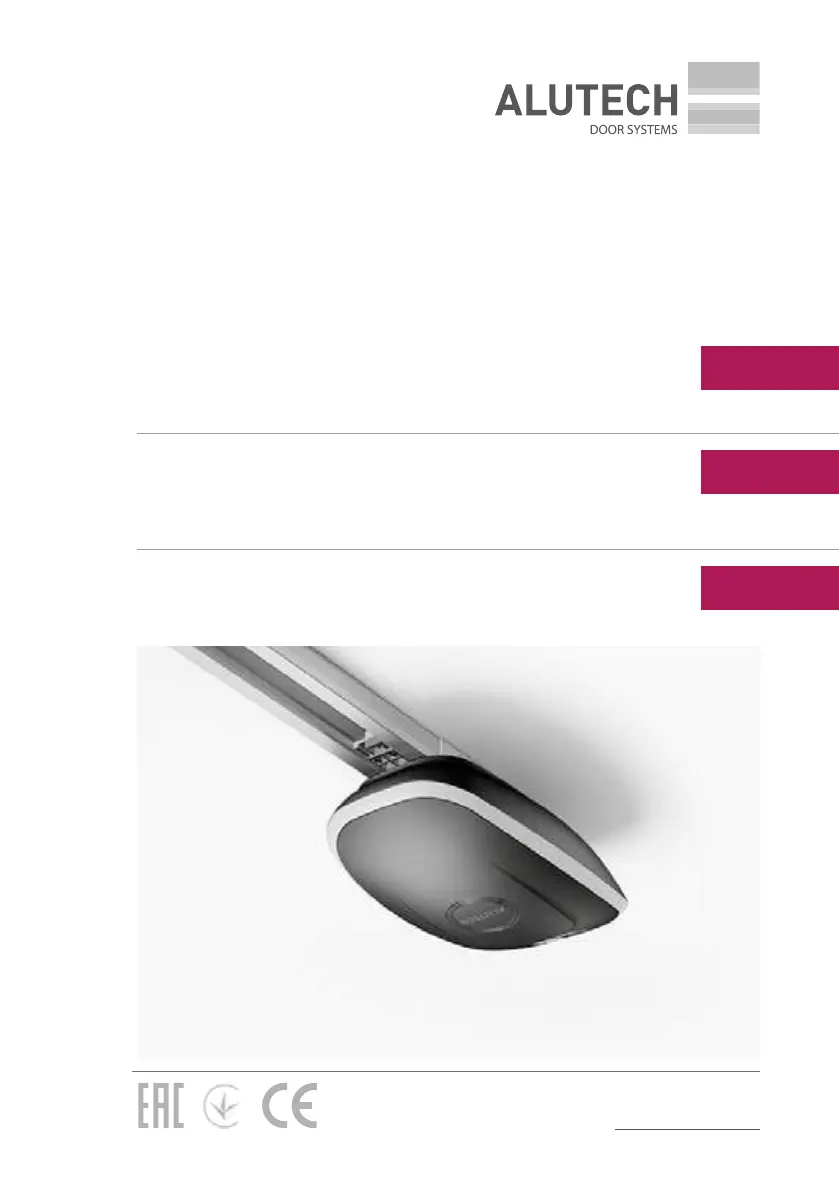
Привод LG-500 для гаражных ворот
Русский

   
Привод LG-500 для гаражних воріт
Українська
Assembly and operation manual
Drive LG-500 for garage doors
English

Table of Contents

Questions and Answers

  • E
    Elizabeth MendezAug 14, 2025
    What to do if my Alutech Garage Door Opener stops and reverses, showing error ‘E1’?
    • C
      Carol FoxAug 14, 2025
      If your Alutech Garage Door Opener stops and reverses with error ‘E1’, it indicates an obstacle is causing excessive force. Ensure there are no obstructions and that the door operates smoothly without jamming. Check the door's balance. If problems persist, contact a qualified specialist or service provider.
  • M
    Matthew KnightAug 17, 2025
    What to do if Alutech LG-500 doesn't detect obstacles?
    • T
      Tanya RobbinsAug 17, 2025
      If your Alutech Garage Door Opener isn't detecting obstacles, it could be due to malfunctioning photocells or an incorrect operating mode. Check the photocells' performance and replace them if necessary. Also, verify the selected photocell mode in the menu.
  • D
    dominic59Aug 21, 2025
    What does error ‘E2’ mean on my Alutech LG-500?
    • L
      Lisa HarrisAug 21, 2025
      Error ‘E2’ on your Alutech Garage Door Opener indicates that the photocells have been activated. Check the performance of photocells, replace them if necessary, and check the selected photocells mode in the menu.
  • X
    xjacksonAug 25, 2025
    Why does my Alutech Garage Door Opener stop with error ‘E5’?
    • L
      Lisa CohenAug 25, 2025
      If your Alutech Garage Door Opener stops and shows error ‘E5’, it means tripping occurs based on the signal on input STOP. Check the working condition of the safety elements connected to the STOP input (or crossover presence), replace them, if necessary.
  • M
    Mason RayAug 27, 2025
    What does error ‘E3’ on Alutech LG-500 mean?
    • C
      Cole ChaseAug 27, 2025
      Error ‘E3’ on your Alutech Garage Door Opener indicates that the optical sensors of safety margin are activated. Check the performance of the safety margin, replace the failing components if necessary, and check the selected safety margin mode in the menu.
  • J
    Julia JacksonAug 30, 2025
    What does error ‘E4’ mean on Alutech Garage Door Opener?
    • T
      tracigreenAug 30, 2025
      Error ‘E4’ on your Alutech Garage Door Opener indicates an error occurred during the phototest. Check the performance of photocells, replace them if necessary, and check the selected photocells mode in the menu.
  • A
    Andrew BergerSep 3, 2025
    What does error ‘E8’ mean on Alutech LG-500 Garage Door Opener during final position setting?
    • K
      Katie ReyesSep 3, 2025
      Error ‘E8’ during final position setting on your Alutech Garage Door Opener means that either support is not installed on the rail, or the support is installed at a larger distance from the OPEN position, than required. Set the support at a distance ~ 20 mm from the OPEN position and repeat the final positions adjustment procedure.
  • A
    Anthony ColonSep 6, 2025
    What to do if my Alutech LG-500 motor runs but the door doesn't move?
    • C
      Courtney StewartSep 6, 2025
      If your Alutech Garage Door Opener motor runs but the door doesn't move, the drive rail carriage is not blocked. Block the drive rail carriage.
  • S
    Samuel WrightSep 9, 2025
    Why is the light flashing on my Alutech LG-500?
    • S
      Stephen DoyleSep 9, 2025
      If the drive light flashes after a control command, it indicates an error in the drive's operation. Check the error display on the drive display. Repair the drive according to the error description.

Summary

General Warnings and Safety Rules

Product Description and Specifications

Delivery Scope

Lists all components included in the drive set and rail kit.

Technical Specifications

Details technical parameters like force, speed, power, and temperature range.

Installation and Mounting

Preparation for Assembly

General checks and readiness for installation of the drive system.

Drive Rail and Drive Mounting

Step-by-step instructions for installing the drive rail and the drive unit.

Manual Release Procedure

Procedure for manually releasing the drive carriage for door operation.

Electrical Interfaces and Drive Configuration

Electrical Interfaces and Wiring

Describes drive connector contacts for accessories and their functions.

Drive Adjustment and Settings

How to set door positions, configure radio controls, and adjust operation values.

Operation, Testing, and Troubleshooting

Testing and Commissioning

Important stage of drive system installation and verification.

Operation and Troubleshooting

Guidelines for safe use and solutions for common drive issues.

Alutech LG-500 Specifications

General IconGeneral
ManufacturerAlutech
ModelLG-500
Max. lifting force, N / Lifting Capacity500
Motor TypeDC
Power supply / Voltage230V AC
Operating temperature range, °C-20 to +50
ControlRemote
Safety FeaturesAutomatic reverse

Related product manuals