EasyManua.ls Logo

Alutech LG Series - User Manual

Alutech LG Series
84 pages
Go to English
Print Icon
To Next Page IconTo Next Page
Loading...
04.2018
www.alutech-group.com
Руководство
по монтажу и эксплуатации
Приводы Levigato (серия LG) для гаражных ворот
Русский
Керівництво
з монтажу та експлуатації
Приводи Levigato (серія LG) для гаражних воріт
Українська
Assembly and operation manual
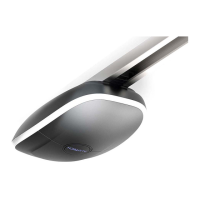
Drives Levigato (LG series) for garage doors
English

Table of Contents

Questions and Answers

  • H
    Hayden YoungAug 18, 2025
    Why is my Alutech Garage Door Opener remote control not working or has a short range?
    • A
      Austin MarksAug 18, 2025
      The remote control might not be working or have a short range because of a low battery. Check the remote-control battery and replace it if necessary.
  • J
    Jonathan CookAug 20, 2025
    What to do if my Alutech LG stops while opening and reverses when closing (error E1)?
    • M
      Misty RussellAug 20, 2025
      This issue occurs when an obstacle is detected, causing excess force. Ensure there are no obstructions and verify the door operates smoothly without jamming. Also, check the balance of the door. If needed, increase the permissible force values using the ‘P5’–F1 and ‘P5’–F2 functions.
  • B
    Bryan MatthewsAug 23, 2025
    How to fix an Alutech LG that doesn't work at all?
    • P
      Paula PerezAug 23, 2025
      If the Alutech logo on the drive isn't lit and the display doesn't respond when pressing buttons, the issue is likely due to no supply voltage or a blown fuse. Check the supply voltage and inspect the fuse. If necessary, replace the fuse, ensuring the replacement matches the specified parameters.
  • K
    Kathy PrestonAug 26, 2025
    What does error E2 mean on my Alutech Garage Door Opener?
    • S
      Sandra FreyAug 26, 2025
      Error ‘E2’ indicates that the photocells are activated. Check the performance of photocells, replace, if necessary; check the selected photocells mode in the menu.
  • T
    Tammy GrayAug 28, 2025
    Why Alutech LG doesn't start and shows error E5?
    • C
      Caroline KingAug 28, 2025
      Error ‘E5’ indicates tripping based on the signal on input STOP. Check the working condition of the safety elements, connected to the STOP input (or crossover presence), replace them, if necessary.
  • T
    Terry LozanoAug 30, 2025
    Why does my Alutech Garage Door Opener reverse when closing and shows error E1?
    • M
      Mckenzie ScottAug 30, 2025
      The error ‘E1’ during closing, causing a reverse movement, indicates that the optical sensors of the safety margin are activated. You should check the performance of the safety margin, and replace the failing components if needed. Also, check the selected safety margin mode in the menu.
  • S
    Sophia PriceSep 2, 2025
    Why doesn't my Alutech LG Garage Door Opener react to photocells?
    • W
      Wanda SalazarSep 2, 2025
      If the drive isn't reacting to obstacles on the optical axis of the photocells, it means that the photocells are malfunctioning or the incorrect operating mode of the photocells is selected. Check the performance of photocells, replace them if necessary, and check the selected photocells mode in the menu.
  • J
    Jodi CunninghamSep 4, 2025
    What does error E4 mean on my Alutech LG?
    • J
      John PenningtonSep 4, 2025
      Error ‘E4’ indicates that an error occurred during the phototest. Check the performance of photocells, replace them if necessary, and check the selected photocells mode in the menu.
  • N
    Nicole StewartSep 7, 2025
    What to do if my Alutech Garage Door Opener shows error E6?
    • W
      Wanda FrostSep 7, 2025
      Error ‘E6’ indicates that the drive overheats due to excessive heating or excessively intensive operation. Take a break in drive operation for 10 to 15 minutes to allow the internal elements to cool down. Avoid operating the drive with intensity exceeding the stated limits.
  • E
    Emma McgeeSep 9, 2025
    What does Alutech LG Garage Door Opener error E8 mean?
    • M
      Michelle LowerySep 10, 2025
      Error ‘E8’ during the setting of final positions indicates that either the support is not installed on the rail, or the support is installed at a larger distance from the OPEN position than required. Set the support at a distance of approximately 20 mm from the OPEN position and repeat the final positions adjustment procedure.

Summary

1. General Warnings and Safety Rules

2. Product Description

2.1. Delivery Scope

Lists all items included in the drive set and drive rail kit.

2.2. Technical Specifications

Provides technical data for different drive models and rail types.

3. Preparation for Assembly

4. Mounting

4.1. Drive Rail and Drive Mounting

Step-by-step guide for installing the drive rail and the drive unit.

4.2. Manual Release

Explains how to manually release and operate the drive carriage.

5. Electrical Interfaces

6. Adjustment

6.1. Adjustment of the Door Position

Explains how to manually and automatically set the door's open and closed positions.

6.2. Radio Control Setup

Details setting up and recording remote controls for the drive.

Remote Control Deletion

Explains how to delete individual or all recorded remote controls from the drive's memory.

6.3. Settings of Operation Values

Describes how to enter the settings menu and adjust operational parameters.

6.4. Factory Reset

Explains how to restore the drive's settings to their default factory values.

7. Testing and Commissioning

8. Operation

9. Troubleshooting

10. Storage, Transportation and Disposal

11. Warranty Obligations

12. Commissioning Certificate

13. Information on Repairs During Warranty Period

14. Statement of Compliance

Alutech LG Series Specifications

General IconGeneral
Operating Temperature-20°C to +50°C
Warranty2 years
Power SupplyAC
Max. opening speed0.2 m/s
Drive TypeChain
Remote ControlYes
Safety FeaturesObstacle detection

Related product manuals