IPB-5000B
6. Description of Display Screens
6-10
(d) OFFSET
Set the upper and lower limit of Envelope Waveform.
(e) ON/OFF
Set the activation or inactivation of the function.
ON: Envelope function works
OFF: Envelope function does not work
(f) NEW
Selects a standard waveform.
(g) EDIT
Changes INTERVAL, OFFSET or ON/OFF one another.
(h) COPY
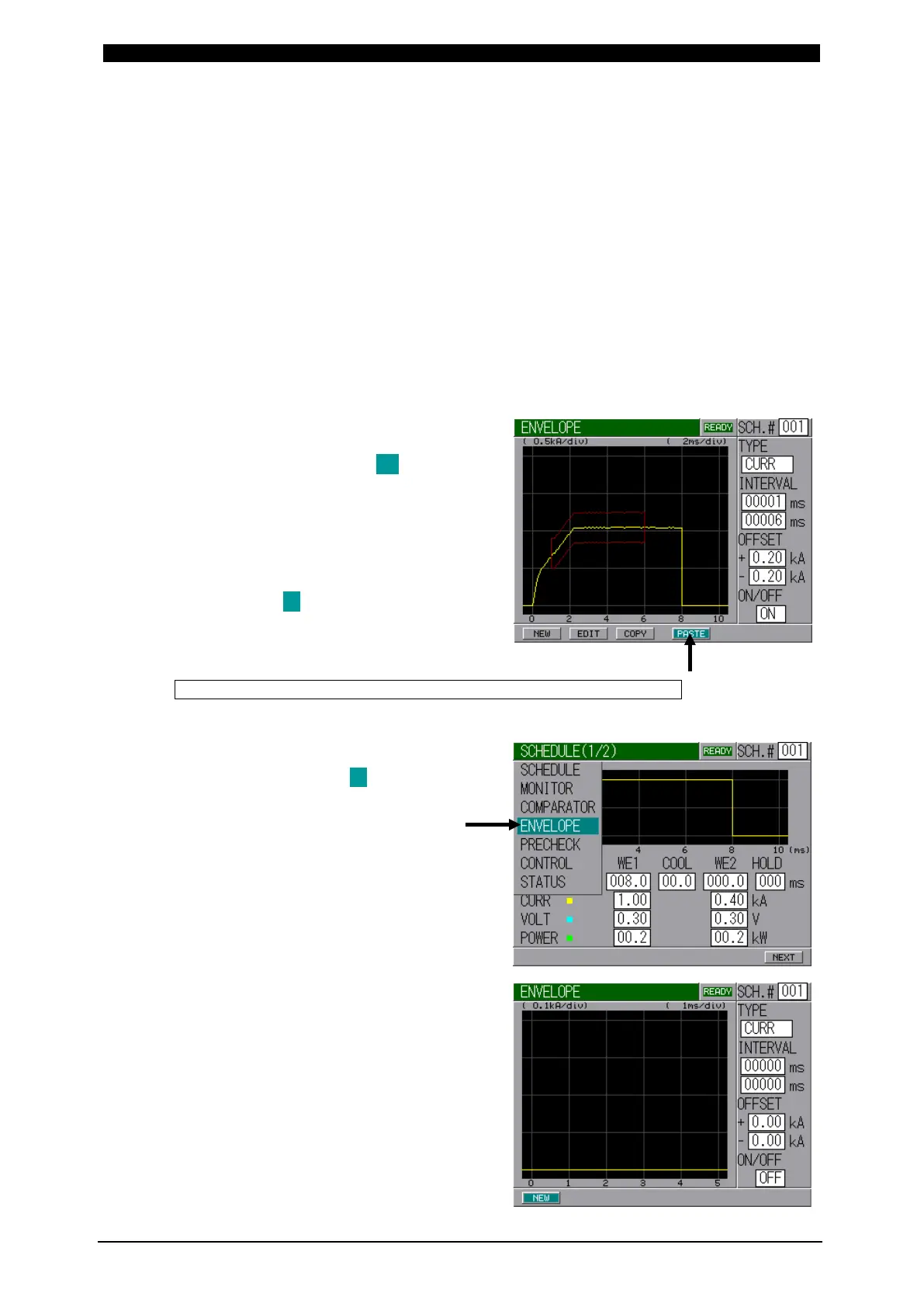
Makes a copy of the data of
Envelope Waveform.
Move the cursor ( ) to COPY
Button when COPY Button is
displayed and press ENTER Key to
show PASTE Button.
After changing SCH. # to be copied
(source) into new SCH. # to be
overwritten (destination), move the
cursor ( ) to PASTE Button and
press ENTER Key to copy the data
of Envelope Waveform.
How to Draw Standard Waveform and ENVELOPE Waveform
Here, the way how standard waveforms and ENVELOPE waveforms are drawn is
described.
Move the cursor ( ) to ENVELOPE
on MENU Screen (selecting) and
press ENTER Key.
(The right-hand screen is described
of Constant Current Control.)
The screen for drawing Envelope
Waveform is prepared.
When modifying the existing
waveforms, take steps , , ,
and ( to is omitted).


 To Next Page
 Loading...



