IPB-5000B
6. Description of Display Screens
6-9
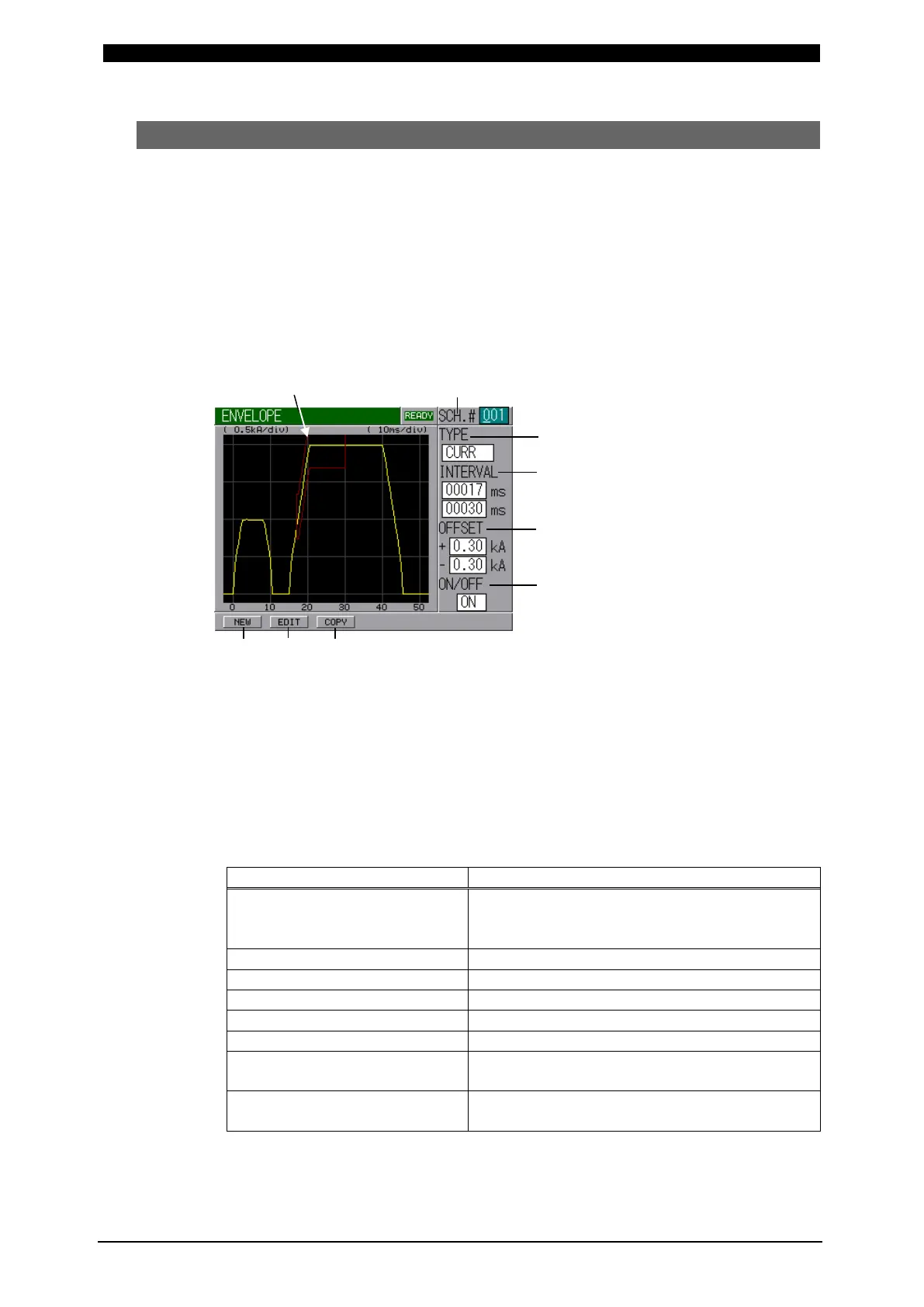
(6) ENVELOPE Screen
Here, the envelope waveform is prepared.
The function of Envelope is to draw a waveform (here, calling Envelope Waveform)
having allowable criteria based on a standard waveform (an average actual weld
waveform) and compare a monitored actual weld waveform with the Envelope
Waveform in order to judge “Good” or “No Good” weld.
If the measured value is inside the Envelope Waveform, “Good” is determined. If it is
outside, “No Good” is determined. If the monitored value equals to the Envelope
Waveform value, “Good” is determined.
If No Good is determined, an error signal of “NG” or “Caution” is output, so it can be
used to activate an alarm buzzer, alarm lamp, and so on.
Envelope Waveform (a)
(a) SCH. #
Input No. of SCHEDULE to set the schedule.
(b) TYPE
Indicates the type of selected standard waveforms, CURR, VOLT, POWER,
RESIST and DISPLC. Only one standard waveform can be selected among the
following 8 types of waveform.
When setting the envelope based on the standard waveform from the monitor,
flow the current before setting.
Set Current Waveform
Press NEW Button, next press SCH(C)
Button on the displayed screen. (From now
on, the word of Button is omitted here.)
Monitored Current Waveform
Monitored Voltage Waveform
NEW, next MON, next POWER
Monitored Resistance
Waveform
NEW, next MON, next RESIST
Monitored Displacement
Waveform
NEW, next MON, next DISPLC
(only for model with Displacement Sensor)
(c) INTERVAL
Set the period of Envelope Waveform.
(c)
(d)
(e)


 To Next Page
 Loading...



