IPB-5000B
6. Description of Display Screens
6-16
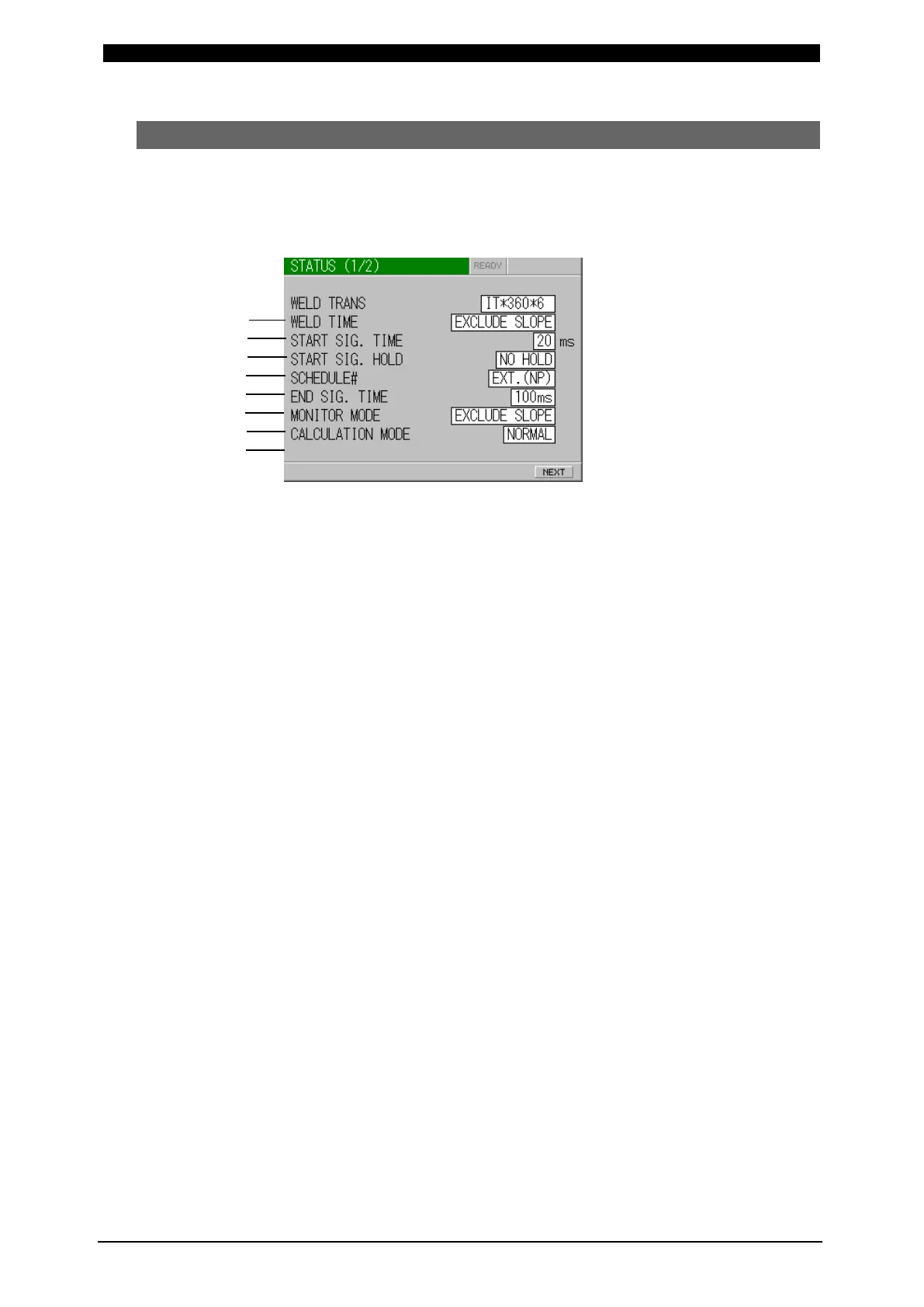
(9) STATUS Screen
Change the initial setting of IPB-5000B here in this screen.
According to customer’s preference, precise setting can be obtained.
STATUS (1/2) Screen
(a) WELD TRANS
Set a transformer.
Select it between IT
*-360*6 and IT*-780*6.
Since IT
*-142*6 is used for adjustment, do not select it.
(“*” indicates any letter of the alphabet A to Z.)
(b) WELD TIME
Set whether or not upslope/downslope is included in WELD TIME.
EXCLUDE SLOPE: upslope/downslope is not included
INCLUDE SLOPE: upslope/downslope is included
(c) START SIG. TIME
Set a delay time defined as the time period which elapses from an input of
Start Signal to a beginning of weld sequence.
The setting can eliminate the chattering movement of a start switch.
Select the set value among 20 ms, 10 ms, 5 ms and 1 ms.
If a chattering-proof switch can be used, shortest Delay Time can be
obtained.
(d) START SIG. HOLD
A self-sustaining timing at starting can be selected.
SQ HOLD: Self-sustaining action works from the starting of squeeze
sequence
WE HOLD: Self-sustaining action works from the starting of weld
sequence
NO HOLD: NO self-sustaining action works. Input a start signal until
the end of sequence.
(a)
(b)
(c)
(d)
(e)
(f)
(g)
(h)



 To Next Page