-14-
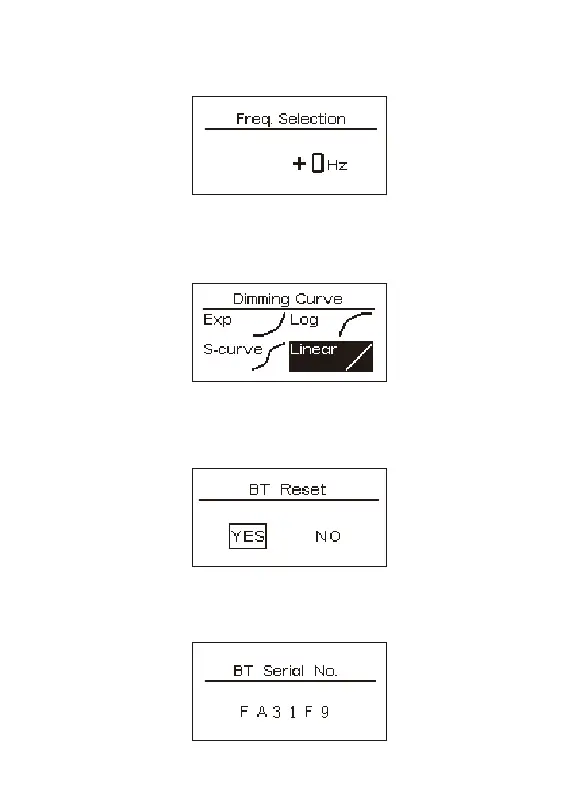
2.3.2 Frequency Selection
Press the INT knob to enter the Frequency Selection, Rotate the INT knob to select the
frequency (+0~2000Hz).
2.3.3 Dimming Curve
Press the INT knob to enter the dimming curve menu, rotate the INT knob to select
“Exp; Log; S-curve; Linear”Dimming curve, then press the INT knob to confirm the
selection.
2.3.4 BT Reset
Press the INT knob to enter the BT Reset, rotate the INT knob to select "Yes", press the
INT knob to reset the Bluetooth; select "No" to return to the main menu.
2.3.5 BT Serial NO.
Rotate the INT knob to select the BT serial NO, press the INT knob to enter the BT serial
NO. interface to display the Bluetooth serial number.


 To Next Page