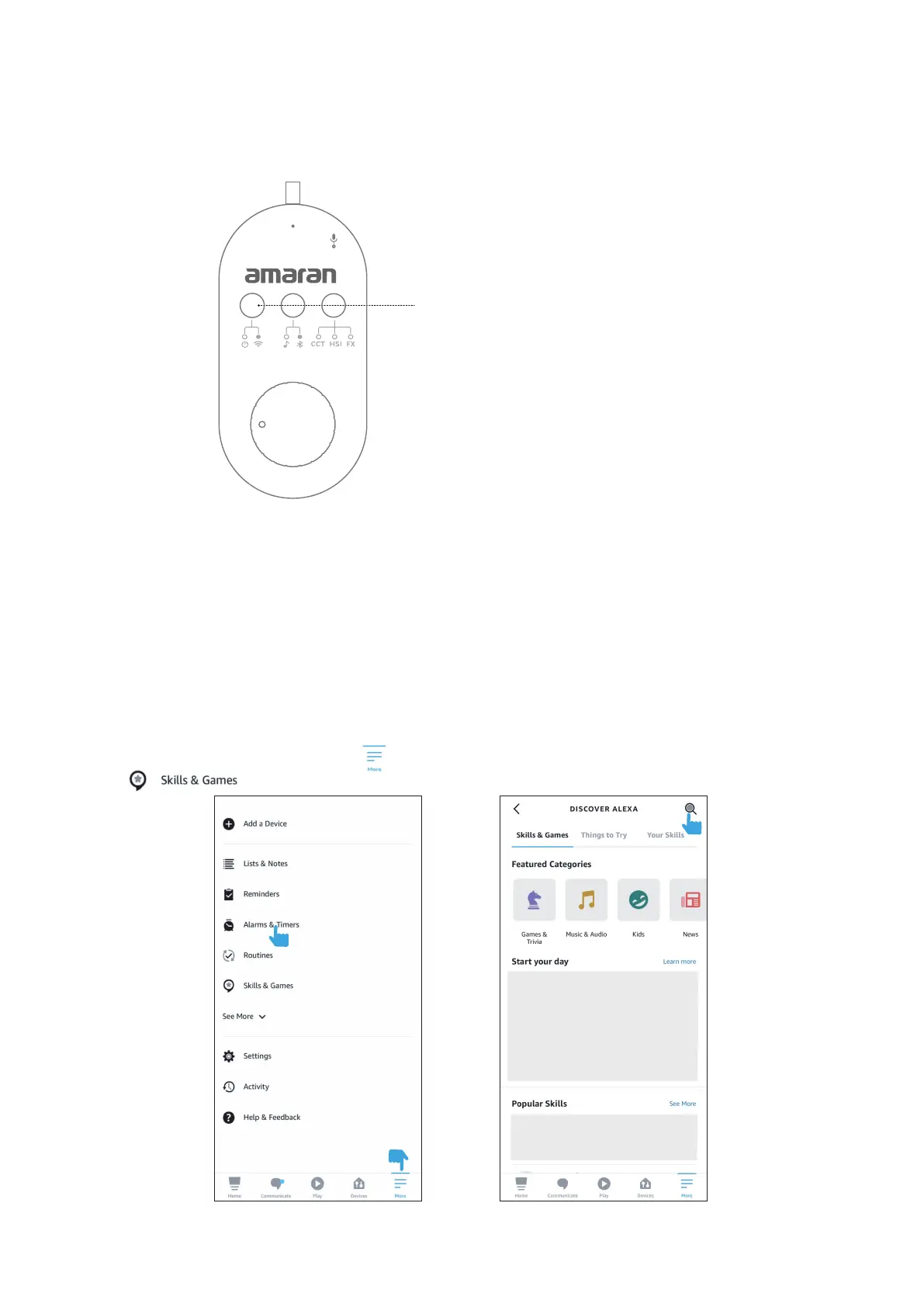
4.1.1. In the Amazon Alexa APP, tap the in the bottom right corner of the Home page, and select the
tab.
3. Connecting Smart Speaker Control
4. Binding "Tuya Smart" Account and Smart Speaker Account
The SM5c supports voice control through smart speakers using "Amazon Alexa" and "Google Assistant." Pair
smart speakers with strip light using the following instructions:
4.1 Link an "Amazon Alexa" account and "Tuya"
- 7 -
Press and hold “Power On/WiFi Reset” button
for 3 seconds to reset the WiFi Connection.
3.2 Connect your phone or tablet to a stable Wi-Fi wireless network. Download the “Tuya Smart” APP with a
smartphone or tablet and register an account.
3.3 Open the "Tuya Smart" APP, and follow the instructions to add the SM5c strip light. After successfully
connecting to the SM5c, you can control the strip light through the "Tuya Smart" APP.


 To Next Page