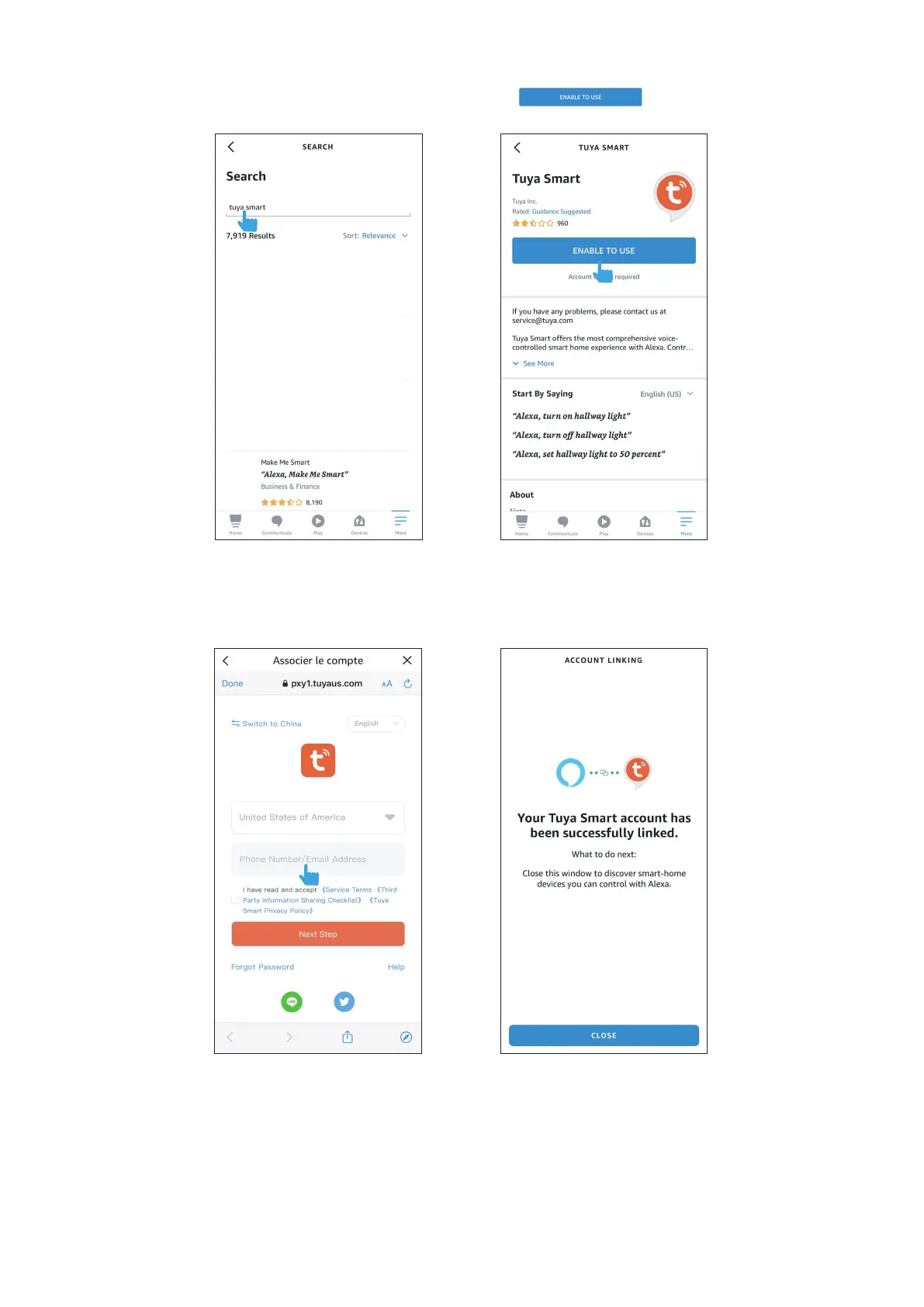
4.1.1. In the Amazon Alexa APP, tap the in the bottom right corner of the Home page, and select the
tab.
4.1.2. Search for "Tuya Smart" in the search box, and then tap
- 8 -
4.1.3. Select the country your account belongs to and enter the account and password of your "Tuya Smart"
account, and complete the linking process.


 To Next Page