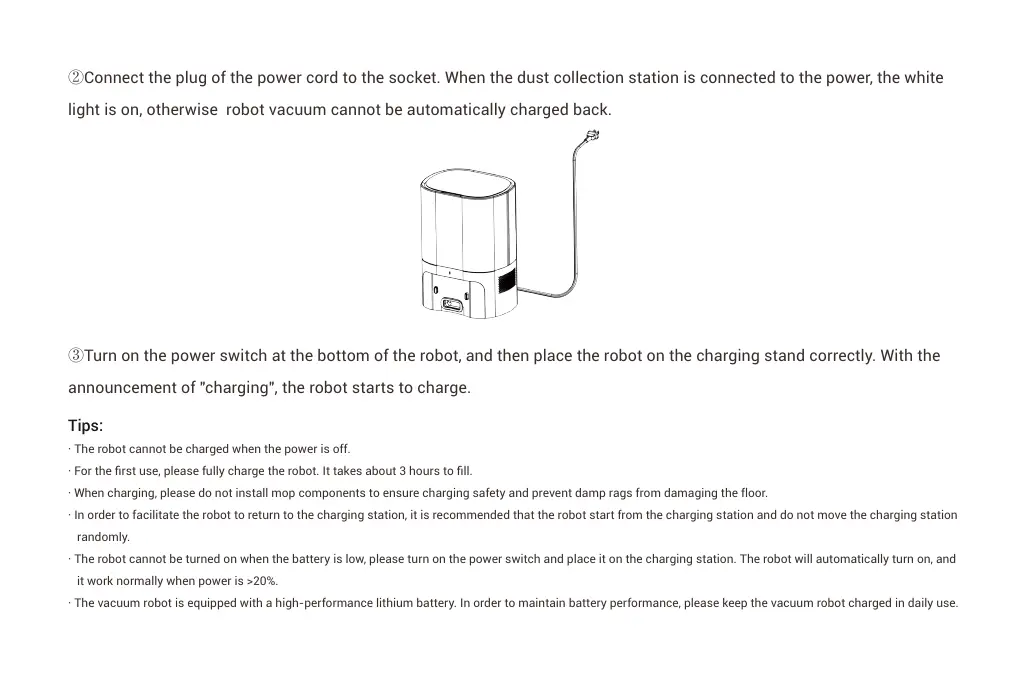
②Connect the plug of the power cord to the socket. When the dust collection station is connected to the power, the white
light is on, otherwise robot vacuum cannot be automatically charged back.
③Turn on the power switch at the bottom of the robot, and then place the robot on the charging stand correctly. With the
announcement of "charging", the robot starts to charge.
Tips:
· The robot cannot be charged when the power is off.
· For the first use, please fully charge the robot. It takes about 3 hours to fill.
· When charging, please do not install mop components to ensure charging safety and prevent damp rags from damaging the floor.
· In order to facilitate the robot to return to the charging station, it is recommended that the robot start from the charging station and do not move the charging station
randomly.
· The robot cannot be turned on when the battery is low, please turn on the power switch and place it on the charging station. The robot will automatically turn on, and
it work normally when power is >20%.
· The vacuum robot is equipped with a high-performance lithium battery. In order to maintain battery performance, please keep the vacuum robot charged in daily use.


 To Next Page