7
Basic Operations
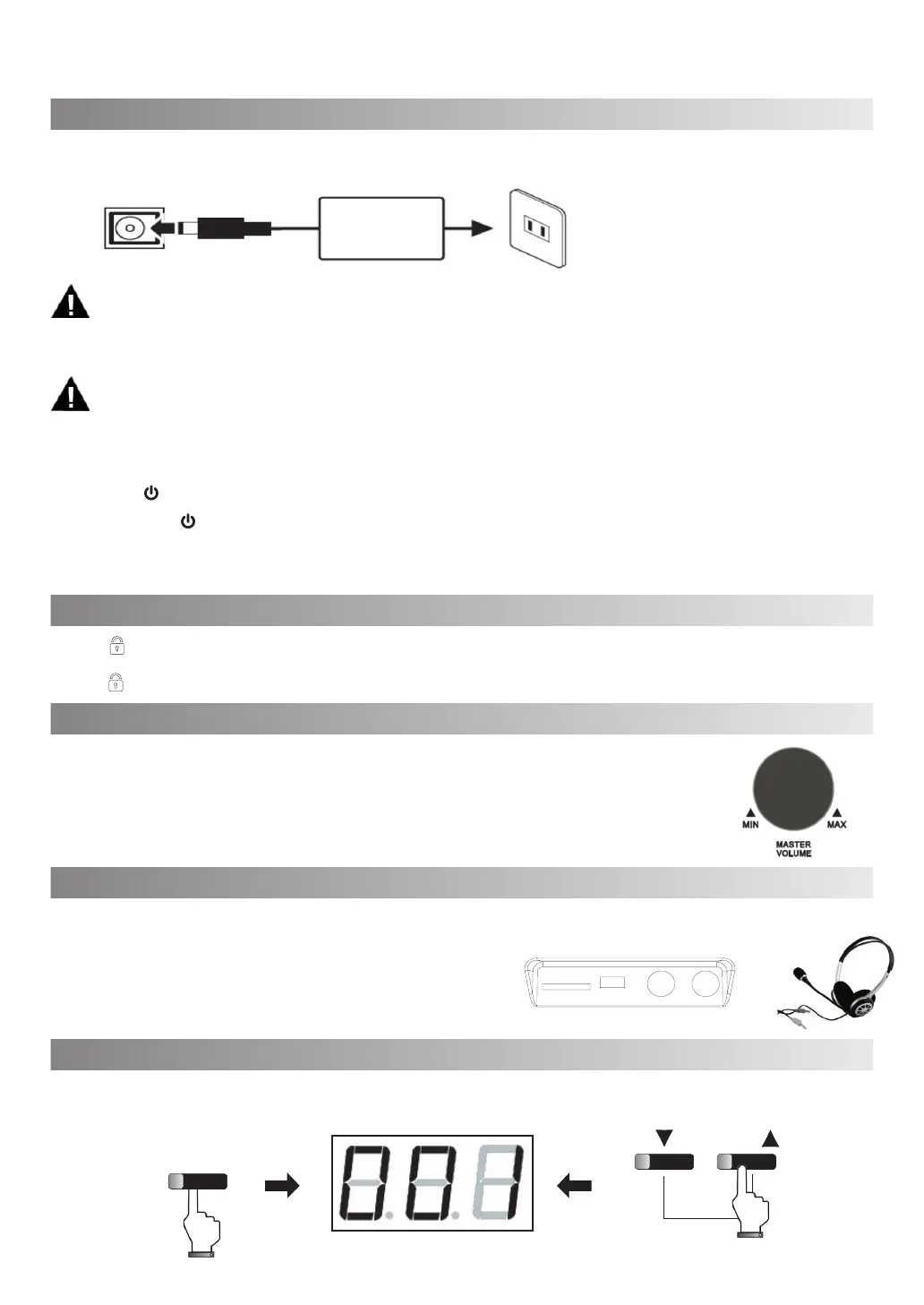
Turning the Power On
Panel locking
Volume adjustment
Connecting Headphone
Accompany Volume
1.Connect the plugs of the AC power adapter in the order shown in the illustration.
Use the specified adapter only. The used of other adapters may result in irreparable damage to both the adapter and the
instrument.
Remove the AC plug from the AC outlet when the instrument is not to be used for extended periods of time, or during
electrical storms.
NOTE:Follow this procedure in reverse order when disconnecting the power adapter.
CAUTION
WARNING
When you start playing, adjust the [MASTER VOLUME] on control panel to set the volume.
Do not used this instrument at a high volume level (Especially when using headphone) or your
hearing may be damaged.
Press [ACCOMPANY VOLUME] button for a second, indicator light on, then press (DATA/TEMPO)button,
indicator light on, then you can adjust the accompany volume; (range: 0-32, default: 20)
Since the instrument is equipped with two sets of standard stereo
headphones jack at the lower left, One is mute interface which
automatically shuts off the speakers when using it. The other one
is headphone interface that the headphone and speaker sound in
the same time. You can use the master volume knob to adjust the
sound level.
3. The instrument will turns the power off automatically if the instrument is not operated for approximately 30 minutes.
2. Even when the [ ](Off/On)switch is on standby, electricity is still flowing to the instrument at a minimum level.
Please remove the AC plug from the wall AC outlet if the instrument will not be used for a period of time.
ACCOMPANY
VOLUME
CHORD ON/OFF
START/TOP
SYN START
PRELUDE/CODA A/FILL1 B/FILL2
MIN MAX
MASTER
VOLUME
AUTO ACCOMP-
1. Press the [ ]button for a second. The sound will be default tone.
ACCOMPANY
VOLUME
CHORD ON/OFF
START/TOP
SYN START
PRELUDE/CODA A/FILL1 B/FILL2
MIN MAX
MASTER
VOLUME
AUTO ACCOMP-
1.Press[ ]button, the panel will be in locked mode, only the unlock key can be used. The sound of counterclockwise
rotation will be turned down.
2.Press[ ]button can unlock the panel.
ACCOMPANY
VOLUME
CHORD ON/OFF
START/TOP
SYN START
PRELUDE/CODA A/FILL1 B/FILL2
MIN MAX
MASTER
VOLUME
AUTO ACCOMP-
ACCOMPANY
VOLUME
CHORD ON/OFF
START/TOP
SYN START
PRELUDE/CODA A/FILL1 B/FILL2
MIN MAX
MASTER
VOLUME
AUTO ACCOMP-
ACCOMPANY
VOLUME
DATA/TEMPO
SONG/TEACHING
AC power adapter AC power plug



 To Next Page