EasyManua.ls Logo

Amazon Eco - User Manual

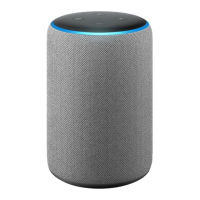
Amazon Eco
15 pages
Print Icon
To Next Page IconTo Next Page
Loading...
Quick&Guide&of& &
Using&Amazon&Echo&To&Control&Tuya&Smart&Devices&
&
1. Preparation&content&
!" #$%&'()#*+,%)#--)
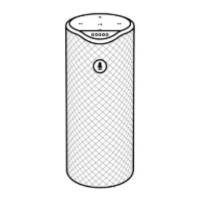
." #$%&'()#*+,%)%//'0(102+32)(++4)1')3+5621+3)17+63)'8()%//'0(1)
9" :0;%)<$%31)#--)
=" :0;%)<$%31)#--)%//'0(102+32)(++4)1')3+5621+3)17+63)'8()%//'0(1)
>" ?/7'@)?/7')A'1)@:%B)%(4)'17+3)#$%&'()C'6/+D'B+3%1+4)4+C6/+2")
E" :0;%)2$%31)4+C6/+F'3)+,%$B*+@)<$%31)G0*H)
)
2. Add&device&
2.1.
Download+Tuya+Smart+APP+
-*+%2+)4'8(*'%4):0;%)<$%31)#--)F6321)
)
-*+%2+)2/%()17+)IJ)K'4+)@)'3)5+1):0;%)<$%31)4'8(*'%4+4)F3'$)#BB)<1'3+)@)#(43'64)L%3M+1")
)
Question and Answer IconNeed help?

Do you have a question about the Amazon Eco and is the answer not in the manual?

Summary

Preparation Content

Add Tuya Smart Device

Download Tuya Smart APP

Guides users on downloading the Tuya Smart APP from app stores or via QR code.

Register USA Account in Tuya Smart

Details the process of creating a Tuya Smart account, specifying USA region.

Add Smart Bulb Device

Explains how to add a Tuya Smart Bulb, covering EZ and AP modes.

Configure Wi-Fi for Device

Instructs on connecting the device to the Wi-Fi network by providing credentials.

Rename Device in Tuya Smart App

Guides on renaming the device for easier identification and voice control.

Set Up Amazon Echo Speaker

Connect Echo to Wi-Fi Network

Details the steps to connect an Amazon Echo device to a Wi-Fi network via the Alexa app.

Enable Tuya Smart Skill in Alexa

Link Tuya Account with Alexa

Explains how to enable the Tuya Smart skill and link user accounts for integration.

Control Tuya Devices with Voice

Discover Added Devices via Echo

Instructs on how to discover Tuya smart devices through voice commands or the Alexa app.

Voice Commands for Device Control

Provides examples of voice commands for controlling smart bulbs and creating device groups.

Supported Voice Control Commands

Lists various voice commands supported for controlling different Tuya smart devices like lights and heaters.

Summary

Preparation Content

Add Tuya Smart Device

Download Tuya Smart APP

Guides users on downloading the Tuya Smart APP from app stores or via QR code.

Register USA Account in Tuya Smart

Details the process of creating a Tuya Smart account, specifying USA region.

Add Smart Bulb Device

Explains how to add a Tuya Smart Bulb, covering EZ and AP modes.

Configure Wi-Fi for Device

Instructs on connecting the device to the Wi-Fi network by providing credentials.

Rename Device in Tuya Smart App

Guides on renaming the device for easier identification and voice control.

Set Up Amazon Echo Speaker

Connect Echo to Wi-Fi Network

Details the steps to connect an Amazon Echo device to a Wi-Fi network via the Alexa app.

Enable Tuya Smart Skill in Alexa

Link Tuya Account with Alexa

Explains how to enable the Tuya Smart skill and link user accounts for integration.

Control Tuya Devices with Voice

Discover Added Devices via Echo

Instructs on how to discover Tuya smart devices through voice commands or the Alexa app.

Voice Commands for Device Control

Provides examples of voice commands for controlling smart bulbs and creating device groups.

Supported Voice Control Commands

Lists various voice commands supported for controlling different Tuya smart devices like lights and heaters.

Overview

This document outlines the process of integrating Tuya Smart devices with Amazon Echo for voice control. It covers the necessary preparation, device setup within the Tuya Smart application, and the configuration of the Amazon Alexa application to enable voice commands.

Function Description

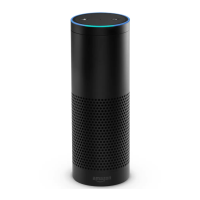
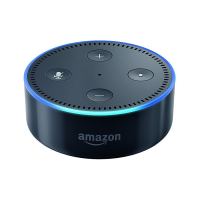
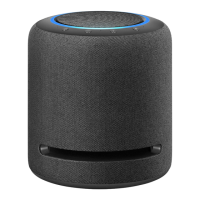
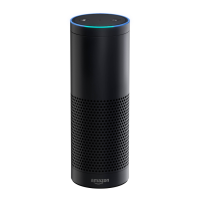
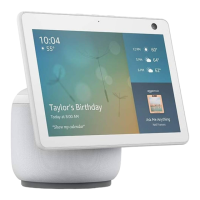
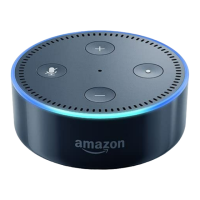
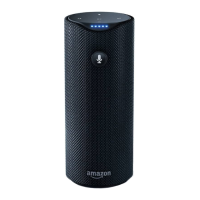
The primary function of this integration is to allow users to control their Tuya Smart devices, such as smart bulbs, using voice commands through Amazon Echo, Echo Dot, Tap, and other Amazon voice-operated devices. This enables hands-free operation of smart home appliances, enhancing convenience and accessibility. The system supports basic controls like turning devices on/off, adjusting brightness (for lights), and setting specific percentages for certain devices. It also allows for grouping multiple devices to be controlled simultaneously with a single voice command.

Usage Features

  1. Preparation and Account Setup:

    • Users need to have both the Amazon Alexa APP and Tuya Smart APP installed on their mobile devices.
    • Separate accounts for Amazon Alexa and Tuya Smart are required. Users must register their own accounts for both platforms.
    • For Tuya Smart, it is crucial to register a USA account. The registration process involves opening the Tuya Smart APP, navigating to the registration page, and selecting "United States" as the country/region.
    • Amazon Echo devices (Echo, Echo Dot, Tap) and the specific Tuya smart device (e.g., Smart Bulb) are also necessary.
  2. Adding Devices to Tuya Smart APP:

    • After logging into the Tuya Smart APP, users add new devices by clicking the "+" icon.
    • The Tuya Smart APP supports two network distribution modes: EZ mode (default) and AP mode.
    • EZ mode: The smart device (e.g., Smart Bulb) should be in a state of fast flashing (approximately two times per second).
    • AP mode: The smart device should be in a state of slow flashing (approximately once every two seconds).
    • If the device is not in EZ mode, users can switch it by continuously cycling the power "on-off-on-off-on".
    • Once the device is in the correct mode, users confirm "indicator light is flashing fast" to proceed with adding the device.
    • During the setup, users select the Wi-Fi network for the device and enter the password. The Tuya Smart APP communicates the router's SSID and password to the device, allowing it to connect to the internet.
    • Upon successful addition, a confirmation message will be displayed.
  3. Renaming Devices:

    • After a device is successfully added, its name can be modified within the Tuya Smart APP.
    • It is highly recommended to use easily pronounceable English words for device names, as Amazon Echo currently supports English commands. This ensures accurate voice recognition.
  4. Setting Up Echo Speaker by Alexa APP:

    • The Wi-Fi network for the Echo speaker can be configured either via a PC version (http://alexa.amazon.com/spa/index.html) or the Alexa APP.
    • For users in regions where the China Store APP market does not offer the Alexa APP, the PC version can be used for domestic testing.
    • The Amazon Alexa APP can be downloaded from Google Play or the App Store. Note that these are foreign markets, and a foreign account may be required for download.
    • After installing and opening the Alexa APP, users sign in with their Amazon Alexa account (or register if they don't have one).
    • From the main menu, users navigate to "Settings" and then "Set up a new device."
    • They select their specific Echo device (e.g., Echo, Echo Dot, Tap).
    • During setup, users will be prompted to long-press a small dot on their Echo device until the light turns yellow, then click "Continue" on the app.
    • Important: During this step, the mobile phone should not have any VPN software active.
    • Users then choose their Wi-Fi network and wait for the Echo to connect.
    • After a brief introductory video, the app will automatically navigate to the Home page, indicating a successful Wi-Fi connection for the Echo.
  5. Enabling Tuya Smart Skill in Alexa APP:

    • Within the Alexa APP, users access the "Skills" option from the navigation bar.
    • They search for "Tuya Smart" in the input box.
    • From the search results, users select "Tuya Smart" and click "Enable Skill."
    • If the account has been previously bound (e.g., during testing), an interface indicating this will appear. Users can click "Disable Skill" to remove the existing binding and then "Enable Skill" again to bind a new Tuya Smart account.
    • Users then input their previously registered Tuya Smart username and password (only USA accounts are supported).
    • Upon successful linking, a confirmation page will appear, stating "Alexa has been successfully linked with Tuya Smart."
  6. Controlling Smart Bulbs by Voice:

    • After the skill is enabled and accounts are linked, users must instruct Echo to discover devices. This is done by saying: "Echo (or Alexa), Discover my devices."
    • Echo will search for devices added in the Tuya Smart APP, a process that takes approximately 20 seconds, after which Echo will announce the results.
    • Alternatively, users can manually click "Discover devices" within the Alexa APP to find successfully added devices.
    • Once devices are discovered, they can be controlled using specific voice commands. Examples include:
      • "Echo (or Alexa), turn on bedroom light"
      • "Echo (or Alexa), turn off bedroom light"
      • "Echo (or Alexa), set bedroom light to 50 percent"
      • "Echo (or Alexa), increase bedroom light to 50 percent"
      • "Echo (or Alexa), decrease bedroom light to 50 percent"
      • Similar commands apply to other device types like "fridge socket" and "smart heater," with options for turning on/off, setting specific values, and raising/lowering by increments.
    • Crucial: The device name used in the voice command must exactly match the name assigned in the Tuya Smart APP.
    • Device Grouping: Users can group multiple bulbs together within the Alexa APP to control them with a single command, for example, "Echo, turn off my smart lights."
    • Wake-up Names: "Alexa," "Echo," and "Amazon" are the supported wake-up names for the Amazon voice-operated devices.

Maintenance Features

  • Firmware Updates: The Tuya Smart APP includes a "Check for Firmware Update" option, allowing users to keep their smart devices up-to-date with the latest software and features.
  • Restore Manufacture Defaults: Users can restore devices to their factory settings through the Tuya Smart APP, which can be useful for troubleshooting or reconfiguring devices.
  • Remove Device: Devices can be easily removed from the Tuya Smart APP if they are no longer in use or need to be re-added.
  • Account Unlinking: The Alexa APP allows users to "Disable Skill" for Tuya Smart, which unlinks the Tuya Smart account from Alexa. This is useful for security, troubleshooting, or switching to a different Tuya Smart account.
  • Sharing: The "Add Sharing" feature in the Tuya Smart APP allows users to share control of their devices with other family members or authorized users.
  • Feedback: A "Feedbacks" option is available in the Tuya Smart APP, enabling users to report issues or provide suggestions, contributing to potential improvements and maintenance.
  • Troubleshooting Wi-Fi: The system provides clear instructions for connecting devices to Wi-Fi, including specific requirements for 2.4GHz channels and warnings about VPN usage during Echo setup, which helps in self-troubleshooting connectivity issues.
  • Device Status Indicators: The flashing patterns of the smart bulb (fast for EZ mode, slow for AP mode) serve as visual indicators for device status, aiding in the setup and troubleshooting process.

Amazon Eco Specifications

General IconGeneral
Voice ControlAmazon Alexa
Wi-Fi ConnectivityYes
Bluetooth ConnectivityYes
Speaker1.6-inch
Dimensions3.9” x 3.9” x 3.5” (99 x 99 x 89 mm)

Related product manuals