Need help?
Do you have a question about the Amazon R9P2A5 and is the answer not in the manual?
Information about using the device around other electronic devices and potential RF interference.
Details on the device's compliance with FCC rules, including radio frequency regulations and limits.
Information regarding Industry Canada's license-exempt RSSs and RF exposure limits.
Declaration of conformity with EU Directive 2014/53/EU and country-specific usage restrictions.
Information on meeting public exposure thresholds for electromagnetic fields.
Details on indoor use restrictions for specific frequency bands in Japan.
Details on model number, ports, power requirements, connectivity, and operating temperature.
Guidance on disposing of or recycling the device in accordance with local laws and regulations.
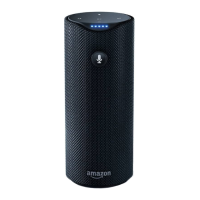
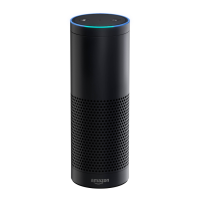
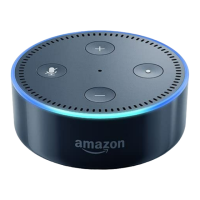
This document outlines the quick start and operational guidelines for the R9P2A5 device, a smart speaker designed for voice-activated interactions and media streaming. The device functions primarily as a voice assistant, responding to spoken commands to perform various tasks, provide information, and manage audio playback.
The R9P2A5 device serves as a central hub for voice-controlled interactions, leveraging the Alexa voice assistant. Its core function is to process natural language commands, enabling users to access a wide range of services without physical interaction. This includes playing music, providing news updates (Flash Briefing), answering general knowledge questions, checking weather forecasts, and offering commute information. The device is equipped with far-field voice recognition, allowing it to accurately detect and interpret spoken commands from a distance.
For audio playback, the device supports both Bluetooth streaming and direct streaming from internet sources. Users can initiate music playback by simply asking Alexa to play music or by requesting a Bluetooth pairing to stream audio from a connected mobile device. The integration with internet-based music services allows for a seamless and extensive music library accessible through voice commands.
Beyond entertainment and information, the R9P2A5 acts as a smart home hub, although specific smart home functionalities are not detailed in this document. Its ability to understand and execute a variety of commands suggests potential for controlling compatible smart devices, making it a versatile addition to a connected home environment.
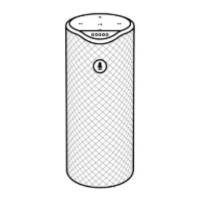
Quick Start and Setup: The setup process for the R9P2A5 is designed to be straightforward. Users begin by plugging in the device using the provided power adapter and waiting for it to boot up. The next crucial step involves downloading the Alexa App on an iOS or Android tablet or phone. This companion app is essential for registering the device and connecting it to the internet via a Wi-Fi access point. The device automatically enters setup mode when powered on, indicated by a yellow light, or can be manually put into setup mode by holding the action button (a small dot on the top side). During setup, users will need their Wi-Fi password to establish an internet connection, which is vital for all its online functionalities, including digital media streaming.
Voice Interaction: The primary mode of interaction with the R9P2A5 is through voice commands, using "Alexa" as the wake word. Once the wake word is spoken, the device actively listens for subsequent commands. The document provides numerous examples of commands that the device can understand, demonstrating its versatility:
These examples highlight the device's capability to act as a personal assistant, information provider, and entertainer, all controlled by voice.
Music Playback: The R9P2A5 offers flexible options for music playback:
Connectivity: The device's reliance on Wi-Fi for internet access ensures a stable connection for streaming and voice command processing. The companion app facilitates the initial Wi-Fi setup, making the device ready for online operations.
Software and Updates: While not explicitly detailed as "maintenance features," the nature of smart devices implies that the R9P2A5 will receive software updates. These updates typically enhance functionality, improve voice recognition accuracy, and address any performance issues, ensuring the device remains current and efficient. The companion app likely plays a role in managing these updates, though this is not specified.
Compliance and Safety Information: The manual includes important product information regarding safety, compliance, and recycling. Users are directed to the Legal & Compliance section in the Settings menu of the Alexa App for detailed information. This section would cover guidelines on safe usage, environmental regulations for disposal, and other critical compliance details, which are essential for responsible device ownership.
Recycling: The document explicitly mentions the importance of proper recycling. Users are advised to dispose of or recycle the device in accordance with local laws and regulations. For specific recycling information, users are directed to www.amazon.com/devicesupport. This highlights the manufacturer's commitment to environmental responsibility and guides users on how to properly manage the end-of-life of their device.
In summary, the R9P2A5 is a user-friendly, voice-activated smart speaker designed to integrate seamlessly into daily life, offering a wide array of functionalities from information retrieval and entertainment to potential smart home control, all managed through intuitive voice commands and a supportive mobile application.
 General
| Model | R9P2A5 |
|---|---|
| Brand | Amazon |
| Connectivity Technology | Bluetooth, Wi-Fi |
| Category | Speakers |
| Voice Control | Yes, with Alexa |
| Power Source | AC |
| Included Components | Power Adapter, Quick Start Guide |

 To Next Page