EN
6
5. Before First Use
DANGER
Risk of suffocation!
» Keep any packaging materials away
from children—these materials
are a potential source of danger,
e�g� suffocation�
» Check the product for transport
damages�
» Remove all the packing materials�
6. Operation
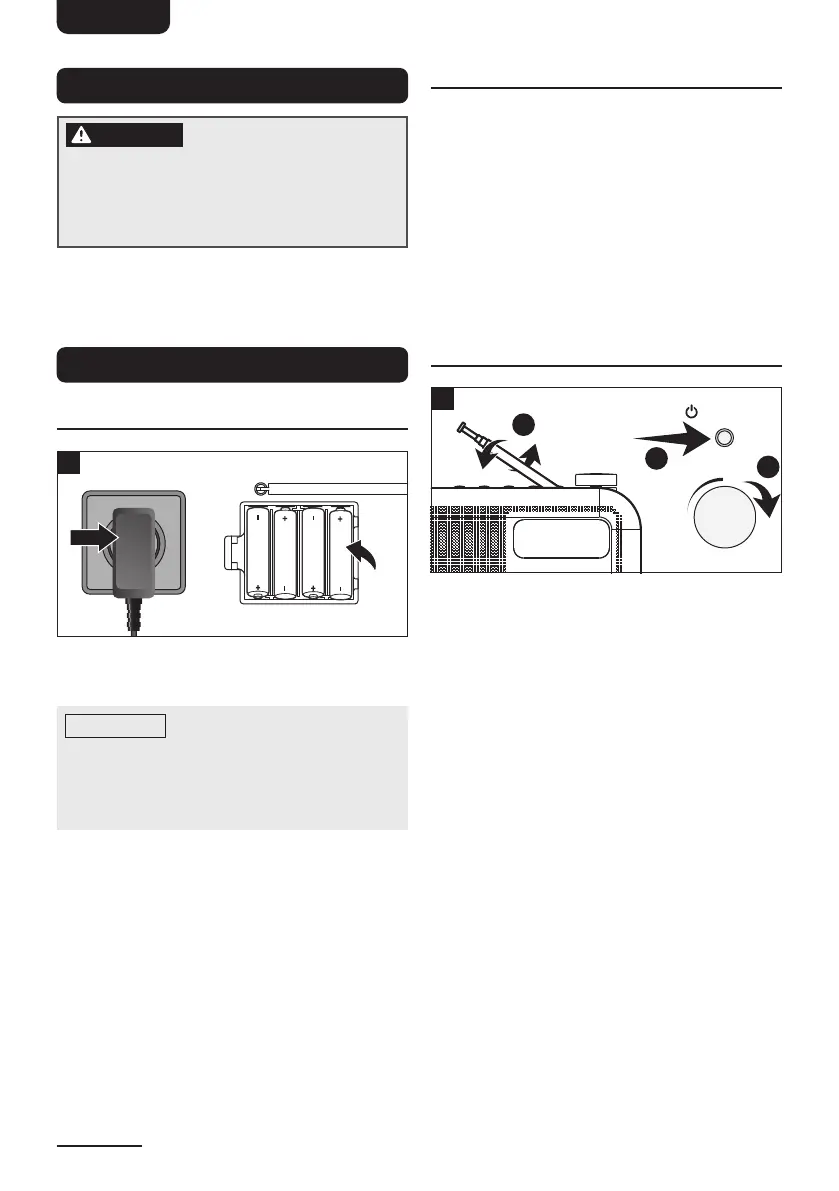
6.1 Power supply
1
If operation by mains power is not possible,
the radio can be powered by batteries�
NOTICE
Do not use this product
with AC supply and battery operation
simultaneously�
Remove all of the batteries when operating
this product via the power adaptor�
1� Mains operation
Insert the DC plug of the power adaptor
into the DC input socket DC 5V. Then
plug the power adaptor into a mains
outlet�
2� Battery operation
– Open the battery compartment�
– Insert 4 x 1�5V batteries (type AA/
LR06, not included)� Make sure the
polarity is correct as indicated�
– Close the battery compartment�
6.2 Language setup
1� Extend the antenna� The product
automatically runs a full scan for DAB/
DAB+ stations�
2� After the full scan, press and hold
Menu/Info button� Select <System> by
pressing the Prev or Next buttons� Press
the Vol / Select knob to confirm�
3� Use the same method as the previous
step to select <Language> and then
select the language as desired�
6.3 Basic Controls
PresetAlarmMenu/InfoScan
NextPrev321
/Mode
2
2
3
/ Mode
Vol
Select
1
1� Adjusting the antenna
For optimal reception, extend the
antenna; move to fully extend and adjust
it�
2� Turning the product on/off (standby)
Push the on/off switch to ON� Press
the Standby button to turn on/off the
product�
3� Adjusting the volume
The volume can be adjusted during
playback with the volume control Vol�
4� Station information
Briefly press the Menu/Info button
on each station to display various
information such as radio text, station
name, time, etc�



 To Next Page
 Loading...