EasyManua.ls Logo

Ambient Weather Copyright 2019 - User Manual

Ambient Weather Copyright 2019
69 pages
Print Icon
To Next Page IconTo Next Page
Loading...
Version 2.9 ©Copyright 2019, Ambient LLC. All Rights Reserved. Page 1
Ambient Weather WS-2000 WiFi OSPREY Solar Powered
Wireless Weather Station User Manual
Table of Contents
1.
Introduction ..................................................................................................................................... 2
2. Warnings and Cautions ................................................................................................................... 2
3. Quick Start Guide ............................................................................................................................ 3
4. Pre-Installation Checkout and Site Survey...................................................................................... 3
4.1 Pre Installation Checkout ........................................................................................................ 3
4.2 Site Survey .............................................................................................................................. 3
5. Getting Started ................................................................................................................................ 4
5.1 Parts List ................................................................................................................................. 4
5.2 Recommend Tools ................................................................................................................... 4
5.3 Sensor Array Set Up ................................................................................................................ 6
5.3.1 Install Wind Vane ............................................................................................................... 6
5.3.2 Install Wind Cups ............................................................................................................... 7
5.3.3 Install U-Bolts .................................................................................................................... 7
5.3.4 Install the Rain Gauge Funnel ............................................................................................ 8
5.3.5 Install Batteries................................................................................................................... 9
5.3.6 Install Mounting Pole ....................................................................................................... 10
5.5 Best Practices for Wireless Communication ............................................................................... 10
5.6 Indoor-Outdoor Thermo-Hygrometer-Barometer Transmitter .............................................. 11
5.7 Indoor/Outdoor Thermo-Hygrometer, 8 Channel (optional) ................................................. 12
5.8 PM2.5 Air Quality Sensor ..................................................................................................... 14
5.9 Sensor Placement .................................................................................................................. 15
5.10 Best Practices for Wireless Communication ......................................................................... 15
5.11 Display Tablet ....................................................................................................................... 16
6. Display Tablet Operation .............................................................................................................. 17
6.1 Initial Display Tablet Operation ............................................................................................ 17
6.2 Home Screen Display ............................................................................................................ 18
6.3 Display Buttons ..................................................................................................................... 20
6.4 Multi-Chanel and Scroll Mode for Optional Sensors ............................................................ 21
6.5 Other Console Features ......................................................................................................... 21
6.5.1 Weather Forecasting ......................................................................................................... 21
6.5.2 Wireless Signal Quality Icon ............................................................................................ 21
6.5.3 Weather Forecasting Description and Limitations ........................................................... 22
6.5.4 Lightning Icon .................................................................................................................. 22
6.5.5 PM2.5 Sensor (optional) .................................................................................................. 22
6.6 History Mode ........................................................................................................................ 22
6.6.1 Min/Max ........................................................................................................................... 22
6.6.2 Archive Memory Mode .................................................................................................... 23
6.6.3 Graph ................................................................................................................................ 26
6.7 Set Mode ............................................................................................................................... 27
6.7.1 Set Date and Time ............................................................................................................ 28
6.7.2 Set Time Format ............................................................................................................... 30
6.7.3 Set Date Format................................................................................................................ 30
6.7.4 Temperature Units of Measure ......................................................................................... 30


Table of Contents

Question and Answer IconNeed help?

Do you have a question about the Ambient Weather Copyright 2019 and is the answer not in the manual?

Overview

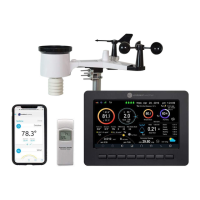
The Ambient Weather WS-2000 WiFi OSPREY Solar Powered Wireless Weather Station is a comprehensive system designed to monitor various environmental conditions. It consists of an indoor display tablet (receiver + WiFi transmitter) and an all-in-one outdoor weather sensor array. The system provides real-time weather data and allows for uploading to internet weather servers.

Function Description:

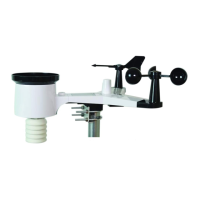
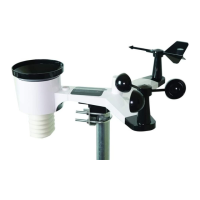
The primary function of the WS-2000 is to measure and display a wide range of weather parameters. The outdoor sensor array includes a thermo-hygrometer, rain gauge, wind speed sensor, wind direction sensor, light sensor, UV sensor, and a solar panel for power. The indoor display tablet receives data from the outdoor array and an additional indoor thermo-hygrometer-barometer transmitter. It can also support up to eight optional multi-channel thermo-hygrometer sensors (WH31) and one PM2.5 Air Quality sensor. The display tablet features a user-friendly interface with various display modes, including a home screen, history mode (min/max and archive memory with graphing), and a set mode for customization and internet connectivity. It provides weather forecasting based on barometric pressure changes and displays wireless signal quality. Users can calibrate various sensors, set alarms for different parameters, and export data to an SD card. The station is compatible with online weather services like Wunderground.com and AmbientWeather.net, and integrates with smart home platforms like Alexa and Google Assistant.

Important Technical Specifications:

  • Wireless Specifications:
    • Line of sight wireless sensor array RF transmission (open air): 330 feet (typically 100 feet under real-world conditions).
    • Line of sight WiFi RF transmission (open air): 80 feet.
    • Update Rate: Outdoor Sensor: 16 seconds, Indoor Sensor: 64 seconds.
    • Sensor Array RF Frequency: 915 MHz.
    • WiFi Tablet RF Frequency: 2.4 GHz.
  • Measurement Specifications:
    • Indoor Temperature: Range: 14 to 140 °F, Accuracy: ±2 °F, Resolution: 0.1 °F.
    • Outdoor Temperature: Range: -40 to 149 °F (lithium batteries), -23 to 140 °F (alkaline batteries), Accuracy: ±2 °F, Resolution: 0.1 °F.
    • Indoor/Outdoor Humidity: Range: 10 to 99%, Accuracy: ±5%, Resolution: 1%.
    • Barometric Pressure: Range: 8.85 to 32.50 inHg, Accuracy: ±0.08 inHg (within range of 27.13 to 32.50 inHg), Resolution: 0.01 inHg.
    • Light: Range: 0 to 200,000 Lux, Accuracy: ±15%, Resolution: 1 Lux.
    • Rain: Range: 0 to 236 in., Accuracy: ±5%, Resolution: 0.01 in.
    • Wind Direction: Range: 0-360°, Accuracy: ±10°, Resolution: 1°.
    • Wind Speed: Range: 0 to 100 mph (operational), Accuracy: ±2.2 mph or 10% (whichever is greater), Resolution: 1.4 mph.
  • Power Consumption:
    • Display Tablet: 5V DC Adaptor (included), 0.5 Watts (1.25 Watts during WiFi configuration mode).
    • Outdoor sensor array: 2xAA batteries (not included) for backup power (primary power from solar panel).
    • Indoor sensor: 2xAA batteries (not included).
  • Display Tablet Storage: Total storage: 16MB, Available storage: 10.925MB.
  • FCC Compliance: Complies with Part 15 of FCC rules.

Usage Features:

  • Quick Start Guide: Provides essential steps for installation, operation, and internet upload.
  • Pre-Installation Checkout and Site Survey: Recommends temporary operation for one week and a site survey to optimize sensor placement, considering factors like radiant heat, obstructions, and wireless range.
  • Sensor Array Assembly: Detailed instructions for installing the wind vane, wind cups, U-bolts, and rain gauge funnel.
  • Battery Installation: Uses 4 AA size batteries (Alkaline or Lithium for colder climates) for the outdoor sensor array and 2 AA batteries for the indoor thermo-hygrometer-barometer transmitter.
  • Wind Direction Alignment: Requires aligning the compass rose indicators with a compass or GPS for accurate readings.
  • Wireless Communication Best Practices: Advice on minimizing electro-magnetic interference (EMI) and radio frequency interference (RFI), understanding line of sight limitations, and avoiding metal barriers.
  • Display Tablet Operation:
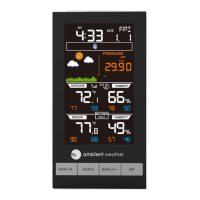
    • Home Screen: Displays current weather conditions, date, time, forecast, and sensor data.
    • Display Buttons: Intuitive icons for brightness control, backlight on/off, background display (dark/light), pressure display (absolute/relative), channel selection (for multi-channel sensors), history mode, and set mode.
    • Multi-Channel and Scroll Mode: Supports up to 8 additional thermo-hygrometer sensors (WH31) with channel switching and a 5-second scroll mode.
    • Weather Forecasting: Icons for Sunny, Partly Cloudy, Cloudy, Rainy, and Stormy, based on barometric pressure changes.
    • History Mode: View minimum/maximum values and archived memory with graphing capabilities.
    • Set Mode: Customize display settings, manage archive data, and configure internet connectivity.
    • Time and Date Settings: Manual and automatic time synchronization with an internet time server.
    • Units of Measure: Customizable units for temperature, barometer, wind speed, rainfall, and solar radiation.
    • Multi-Channel Sensor Management: View, check status, re-register, and modify names of optional sensor channels.
    • Backlight Display: Automatic turn on/off and brightness adjustment based on time of day.
    • Longitude and Latitude: Setup for accurate sunrise/sunset calculations.
    • Barometer Display: Choose between absolute and relative pressure readings.
    • Rainfall Season: Set the beginning of the yearly rainfall season.
    • Archive Interval: Configure the interval for historical data and graphing.
    • Weather Server Configuration: Register and upload data to Wunderground.com and AmbientWeather.net.
    • WiFi Scan: Connect to wireless networks, supporting 2.4 GHz routers only (not 5 GHz or guest networks).
    • Calibration Mode: Calibrate various sensors (temperature, humidity, barometer, wind direction, solar radiation, rain, soil moisture, PM2.5) to improve accuracy.
    • Alarm Mode: Set high and low alarms for various weather parameters with audible alerts and flashing icons.
    • Data Export: Export history data and channel 1-8 sensor data to a micro SD/TF card in CSV format.
    • Smart Home Integration: Compatible with Alexa and Google Assistant for voice commands and weather reports.

Maintenance Features:

  • Rain Gauge Cleaning: Clean every 3 months by rotating the funnel counter-clockwise and removing dirt, debris, and insects.
  • Solar Radiation Sensor and Panel Cleaning: Clean every 3 months with a damp cloth.
  • Battery Replacement: Replace batteries every 1-2 years (or every 3 months in harsh environments). Apply corrosion preventive compound to battery terminals.
  • Snow Build-up Prevention: In snowy environments, spray the top of the weather station with anti-icing silicon spray.
  • Troubleshooting Guide: Provides solutions for common issues like communication loss, inaccurate temperature readings, rain gauge errors, and WiFi connectivity problems.
  • Factory Reset: Clears all stored memory, calibrations, and other variables to factory default.
  • Backup Data: Allows backing up data to an SD card.

Ambient Weather Copyright 2019 Specifications

General IconGeneral
BrandAmbient Weather
ModelCopyright 2019
CategoryWeather Station
LanguageEnglish

Related product manuals