Version 1.1 ©Copyright 2016, Ambient LLC. All Rights Reserved. Page 13
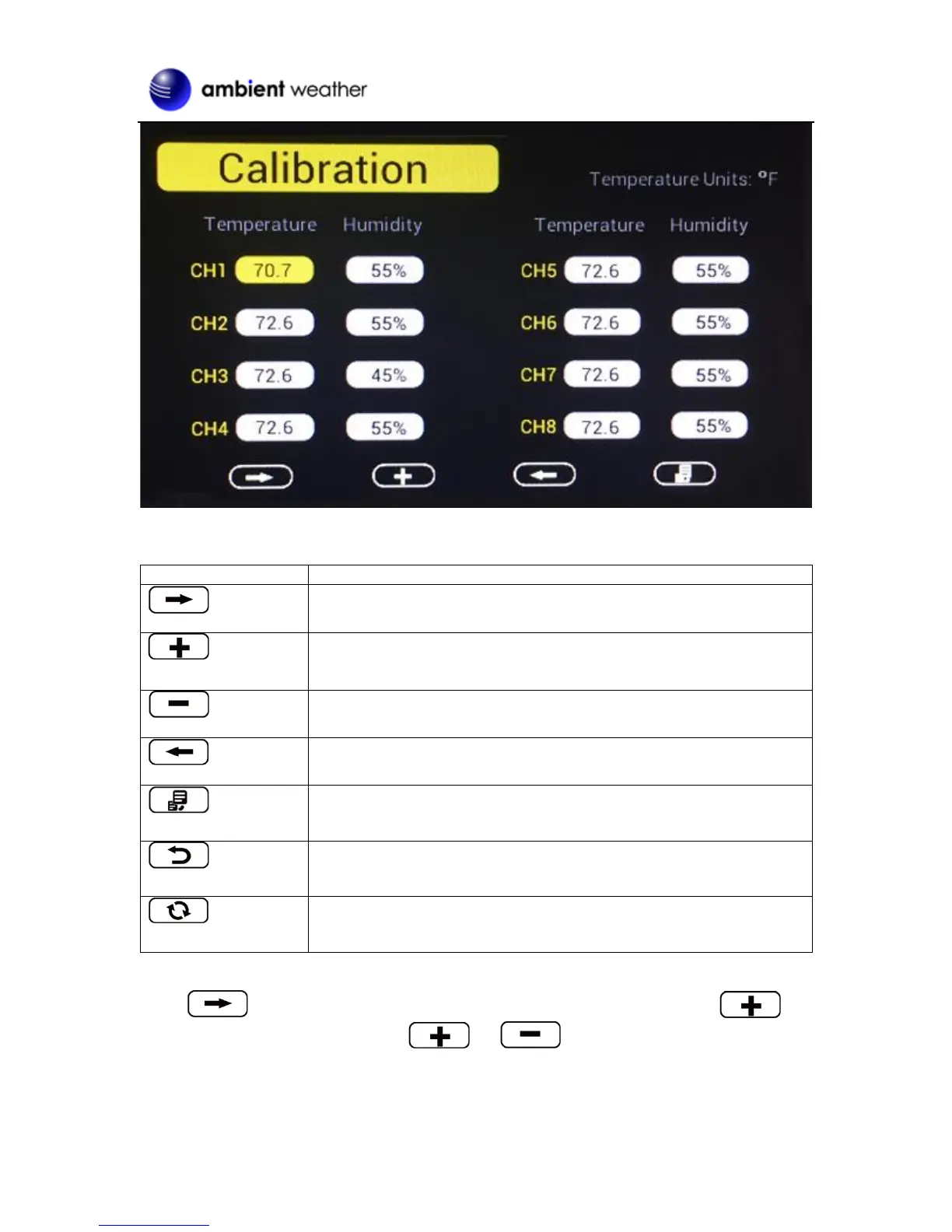
Figure 12
Scroll down/right key
Press this key to scroll down/right. .
Selection/value increase key
Press this key to select parameter and enter the calibration
interface. Increase the value during calibration.
Value Decrease key
Decrease the value during calibration.
Scroll up/left key
Press this key to scroll up/left.
Mode key
Press this key to enter to next mode
Return Key
Back to main menu of calibration mode.
Resume Key
Cancel the calibration and resume.
Figure 13
Scroll to the temperature or humidity field you wish to calibrate, press the key
to perform the calibration, and press the or key to match your calibration source.


 To Next Page