Version 1.1 ©Copyright 2016, Ambient LLC. All Rights Reserved. Page 9
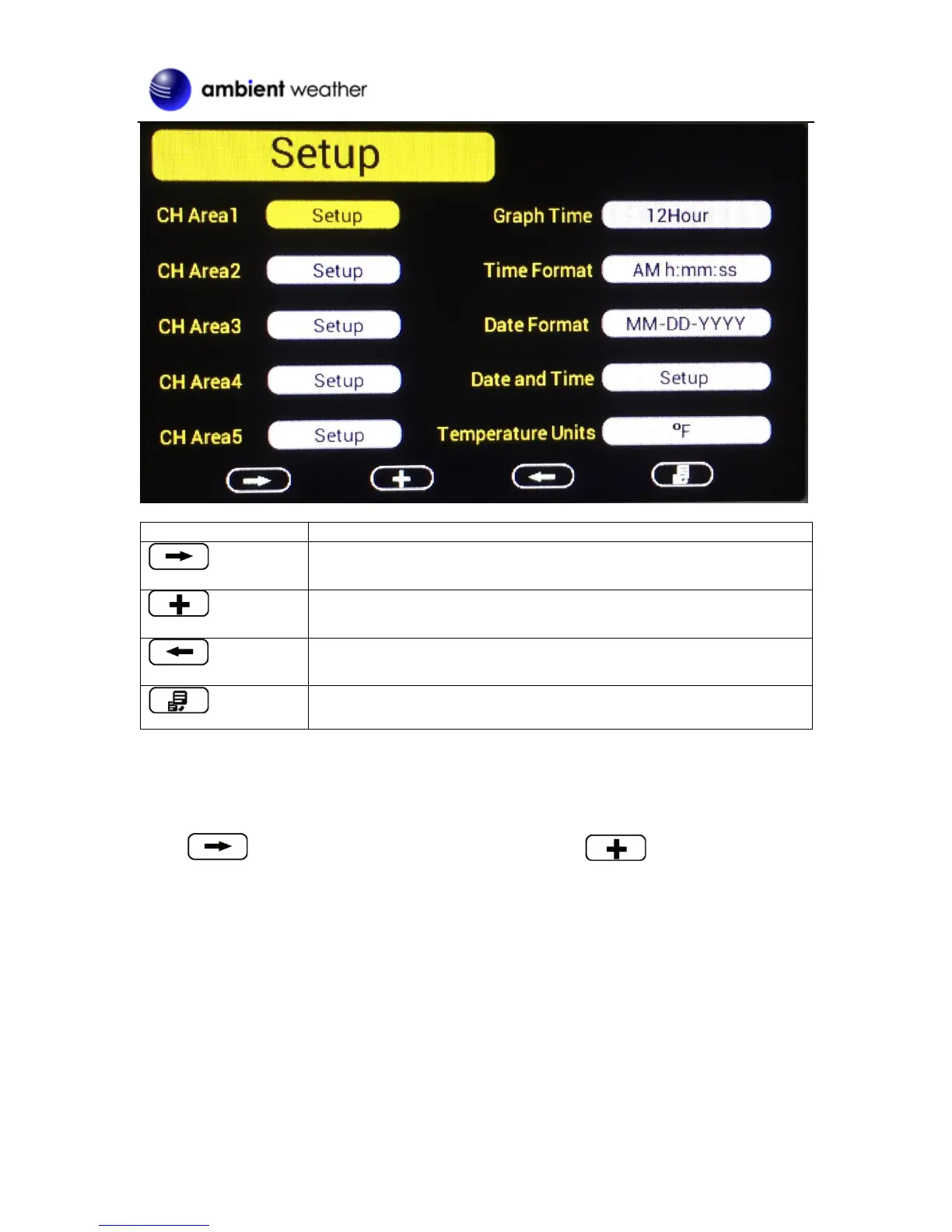
Scroll right key
Press this key to scroll down/right. .
Selection key
Press this key to select and enter the option.
Scroll left key
Press this key to scroll up/left.
Mode key
Press this key to enter to next mode
Figure 8
4.1.1 Display Selection
You can customize or even scroll between various parameters within each one of the Channel areas.
Scroll to selected channel area (1-5), and press the plus key to modify the home
display screen area:


 To Next Page