Version 1.1 ©Copyright 2016, Ambient LLC. All Rights Reserved. Page 28
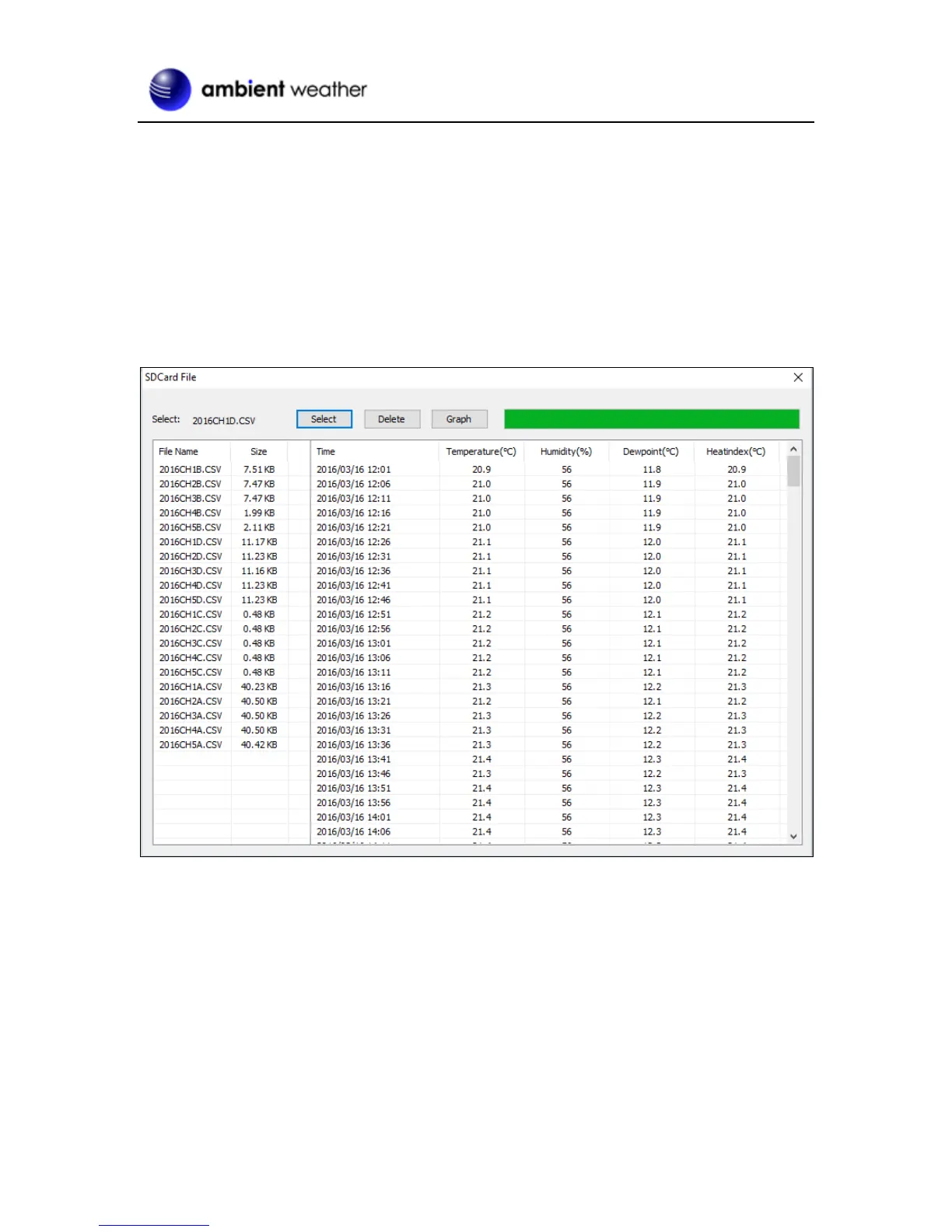
Select Menu | SDCard File to download and analyze data stored on the SD Card.
Select the file you wish to view from the list and press Select to view the data.
To graph the data:
1. Identify the data file start and end date and times (Figure 29).
2. Press the Graph button.
3. Enter the start and end date and times in the appropriate fields identified in Step 1 (Figure 30).
4. Select the parameter you wish to graph, and press the Select button.
Figure 29


 To Next Page