Version 1.1 ©Copyright 2016, Ambient LLC. All Rights Reserved. Page 4
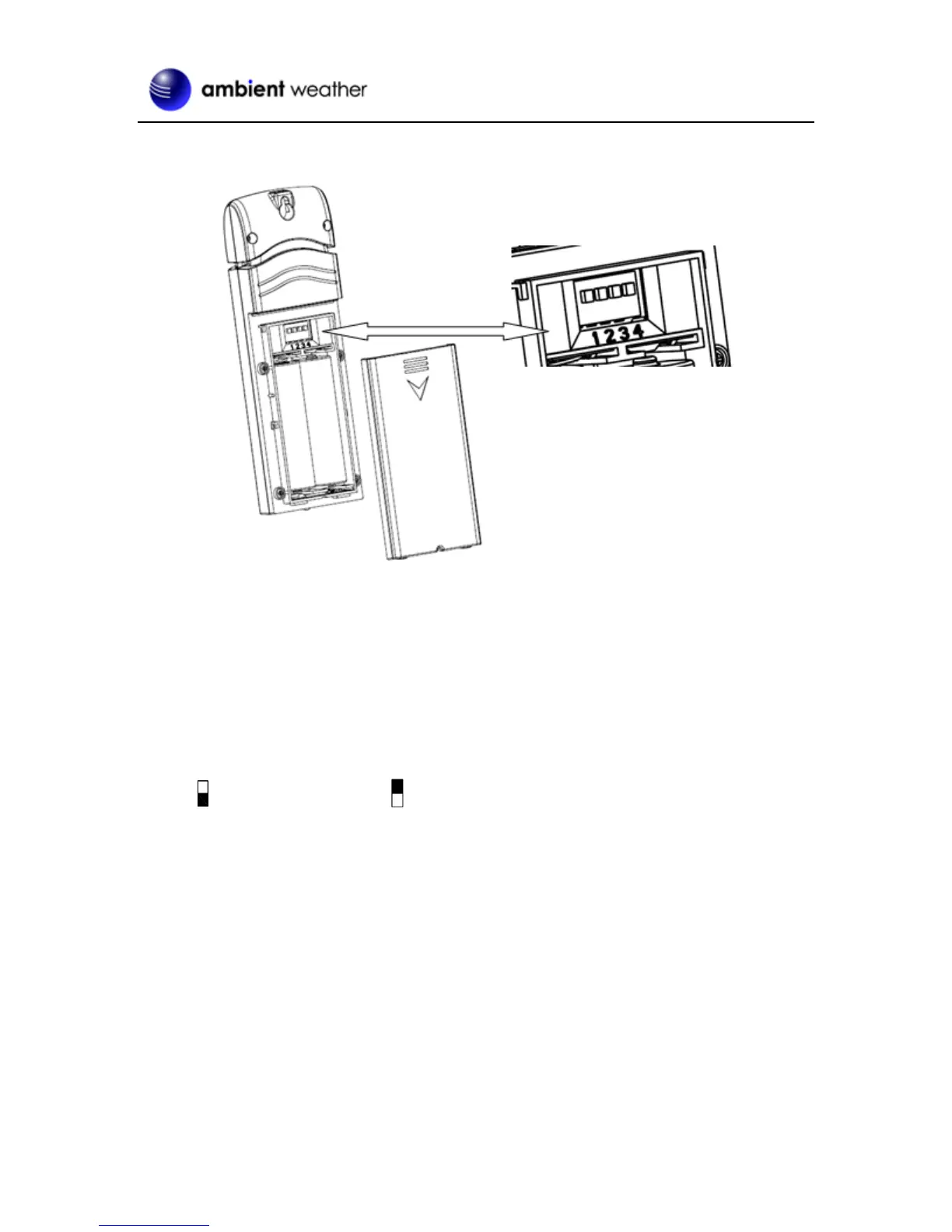
1. Remove the battery door on the back of the transmitter(s) by sliding down the battery door, as
shown in Figure 1 .
Figure 1
2. BEFORE inserting the batteries, locate the dip switches on the inside cover of the lid of the
transmitter.
3. Channel Number: The WS-3000 supports up to eight transmitters, and includes three
transmitters. To set each channel number (the default is Channel 1), change Dip Switches 1, 2
and 3, as referenced in Figure 2.
4. Temperature Units of Measure: To change the transmitter display units of measure (°F
vs. °C), change Dip Switch 4, as referenced in Figure 2.
Switch in down position. Switch in up position.


 To Next Page