EN
14
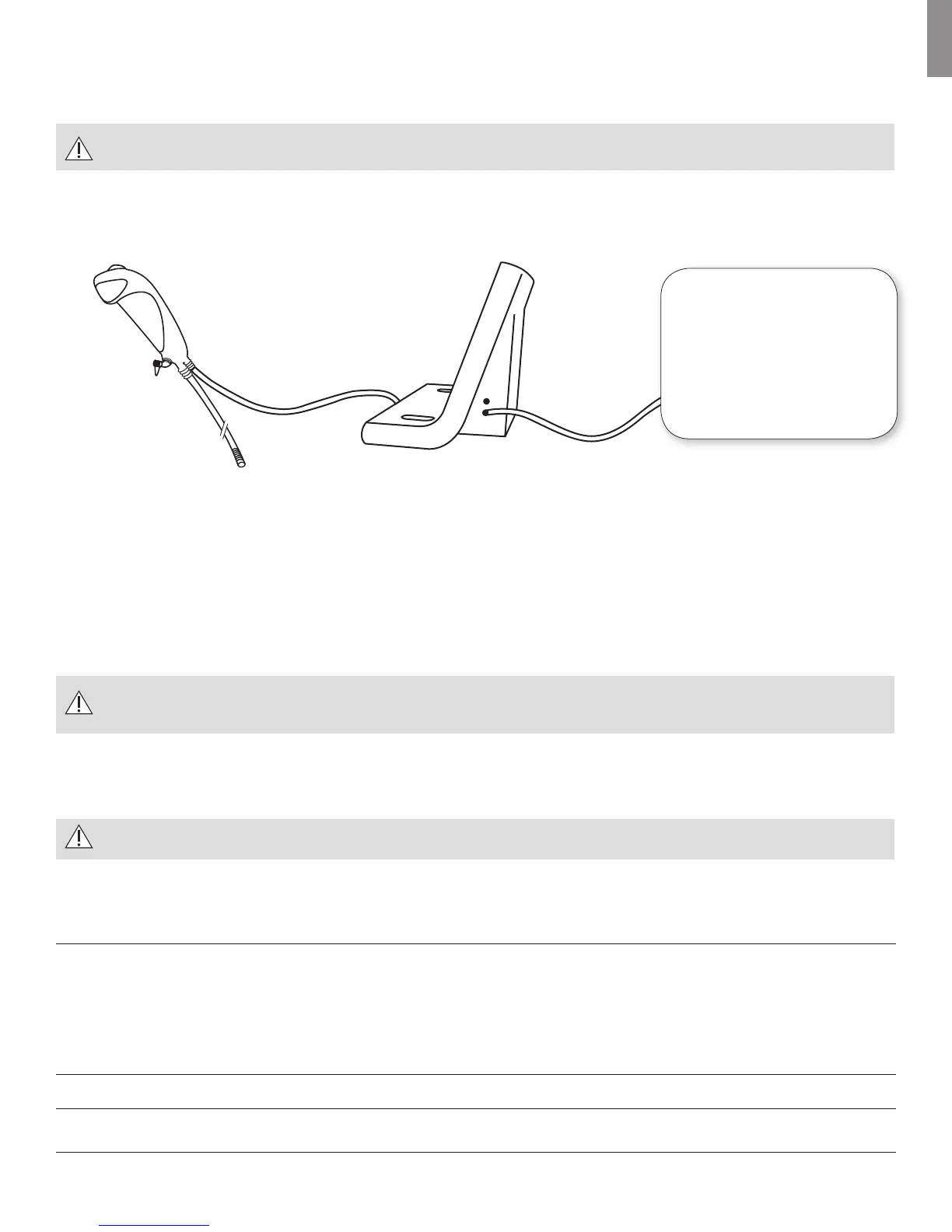
9.1 Connecting to an external monitor/video recorder
The design of the Ambu® aScope™ Monitor enables it to be connected to an external monitor or video recorder if required for viewing and/or recording
the session. The Ambu® aScope™ Monitor is connected to an external monitor as shown in figure 4.
Only use the video out cable supplied with the Ambu® aScope™ Monitor.
Note that only monitors and video recorders that accept a composite video NTSC signal can be used with the Ambu® aScope™ Monitor.
External monitor/
video recorder
Figure 4 - Connecting the Ambu® aScope™ Monitor & the Ambu® aScope™ to an external monitor/video recorder
10. Clinical Application
The flexible Ambu® aScope™ is designed so that it can adjust to anatomic variations. This is crucial in the management of difficult airways. It is possible to
use the Ambu® aScope™ either orally or nasally.
11. Preparation for Use
Perform a brief functional check as described in this chapter before using the system. Failure to pass any of the tests indicate that the
device should not be used.
A physician who is familiar with this device can perform the preparation for use in a time range of 1-4 minutes.
The tests should be conducted in a manner consistent with accepted medical practice to avoid contamination of the Ambu® aScope™ prior to insertion.
Remember to remove the protective cover from the scope before inserting it into the patient.
Do not use the system if it is damaged in any way.
Before use, the outer surface of the Ambu® aScope™ insertion cord should be checked to ensure there are no rough surfaces, sharp edges or protrusions
which may cause a safety hazard.
Visual inspection – Ambu® aScope™
1. Check that the pouch seal is not broken resulting in a non-sterile product
2. Check that there are no impurities on the product
3. Check that there are no missing items
4. Check that there is no evidence of shipping damage
5. Check that there are no cuts, holes, sharp edges, sagging, swelling or other irregularities on the bending section, lens, insertion cord
6. Check for any damage to the Ambu® aScope™ cable
Visual inspection – Ambu® aScope™ Monitor
1. Check for any damage to the Ambu® aScope™ cable and power supply (free from wear and tear)
2. Closely examine the monitor for any damage



 To Next Page