
 Need help?
Do you have a question about the AMD Radeon TRI-X R9 290X and is the answer not in the manual?
Lists minimum hardware and software requirements for installing the graphics card.
Instructions for recording serial and part numbers for product registration and support.
Outlines key steps for installing the graphics card and its associated software.
Provides detailed instructions for the physical installation of the graphics card into the computer.
Guides users on obtaining and installing the necessary AMD drivers and configuration software.
Details the various display output ports available on the AMD Radeon R9 290 graphics card.
Explains how to connect different displays and use adapters for optimal setup.
Step-by-step guide for connecting displays using adapters with the graphics card.
Instructions for adjusting display settings such as resolution and refresh rate.
Introduces the AMD Control Center and its features for managing graphics settings and performance.
Provides methods to launch the AMD Control Center application on different operating systems.
Explains how to access and utilize the software's integrated help system for detailed guidance.
Offers solutions to common problems encountered during graphics card installation and operation.
Information on how to contact AMD support, access FAQs, and understand warranty services.
Details regulatory compliance information for the product across different global regions.
 General
| GPU | Hawaii XT |
|---|---|
| Architecture | GCN 1.1 |
| Stream Processors | 2816 |
| Texture Units | 176 |
| ROPs | 64 |
| Base Clock | 1000 MHz |
| Boost Clock | 1050 MHz |
| Memory Size | 4 GB |
| Memory Type | GDDR5 |
| Memory Interface | 512-bit |
| TDP | 290 W |
| Outputs | 1 x HDMI, 1 x DisplayPort, 2 x DVI |
| Interface | PCIe 3.0 x16 |
| OpenGL Support | 4.6 |
| Memory Clock | 1250 MHz |
| Power Connectors | 1 x 6-pin, 1 x 8-pin |
| DirectX Support | 12 |
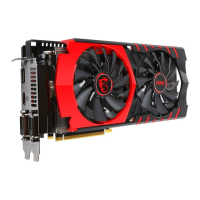
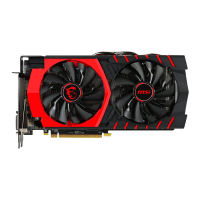
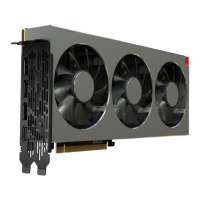
| Cooling | Triple-fan (TRI-X) |







 To Next Page