User Manual
55
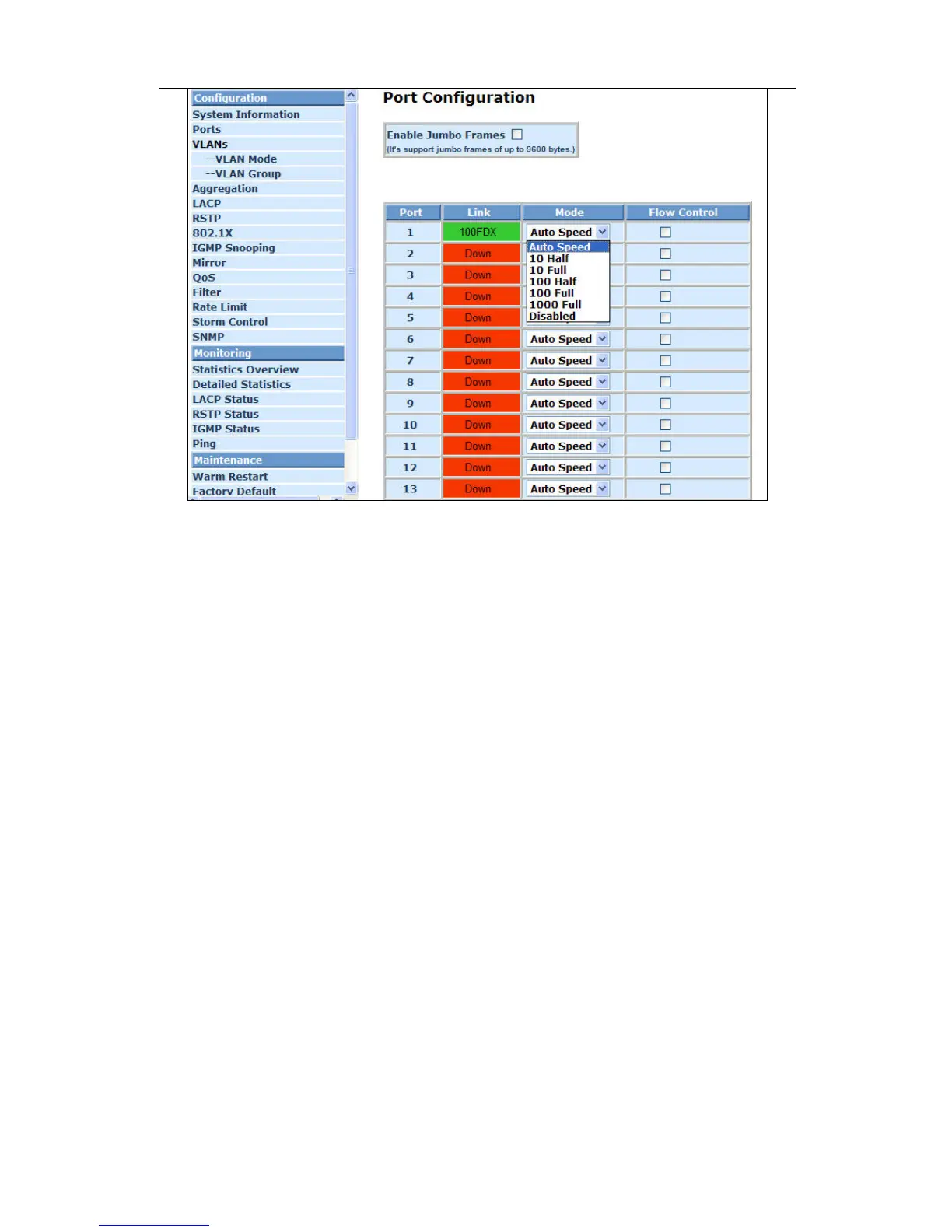
Fig. 4-4 Port Configuration
4-2-3. VLAN Mode Configuration
Web Smart Switch supports Port-based VLAN and Tag-based VLAN (802.1q).
Its VLAN mode supports 24 active VLANs and the available VLAN ID range is from
1~4094. VLAN configuration is used to divide a LAN into smaller ones. With proper
configuration, you can gain not only improved security and increased performance,
but also save a lot of VLAN management effort.
Function name:
VLAN Mode Setting
Function description:
The VLAN Mode Selection function includes four modes: Port-based, Tag-
based, Metro mode or Disable, you can choose one of them by pulling down
list and pressing the <Downward> arrow key. Then, click <Apply> button, the
settings will take affect immediately.
Parameter description:
VLAN Mode:
Port-based:
Port-based VLAN is defined by port. Any packet coming in or
outgoing from any one port of a port-based VLAN will be accepted.
No filtering criterion applies in port-based VLAN. The only criterion
is the physical port you connect to. For example, for a port-based
VLAN named PVLAN-1 contains port members Port 1&2&3&4. If
you are on the port 1, you can communicate with port 2&3&4. If you
are on the port 5, then you cannot talk to them. Each port-based
VLAN you built up must be assigned a group name. This switch can
support up to maximal 24 port-based VLAN groups.



 To Next Page