CUSTOM PROGRAMMING
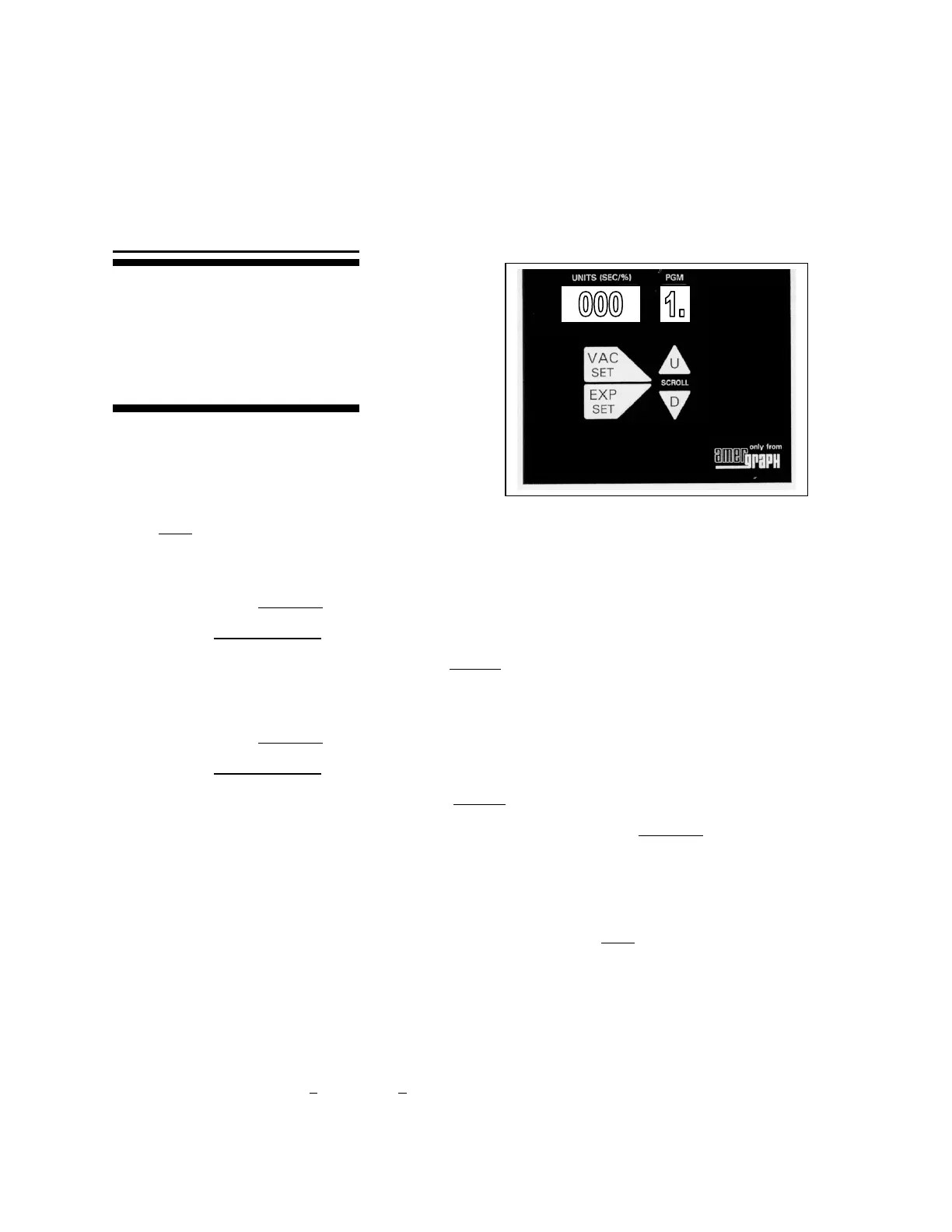
MAIN KEYS
Note: Period after 1
TO SET YOUR CUSTOM PROGRAM:
1. Scroll using the U (up) or D (down) arrows to any program numbered 1. through 0.
(with a period following the number). These programs are left blank by the factory.
2. SET EXPOSURE UNITS IN THAT PROGRAM:
Press and hold EXP SET.
While holding, press U or D to scroll to the exposure units desired.
When the desired units appear, release EXP SET.
3. SET THE VACUUM DELAY:
Press and hold VAC SET.
While holding, press U or D to scroll to the desired seconds.
When the desired time appears, release VAC SET.
To display the drawdown time in the current program, press and hold VAC SET.
TO RUN YOUR CUSTOM PROGRAM:
1. Scroll using the U (up) or D (down) arrows to the program (with a period following the
number) you want to run.
2. Load the vacuum frame with production materials, and close it.
3. Press the start key to run the production.
4. Press reset when the exposure is complete, indicated by EC.
Be Sure To Note The Program Number For Each Material.
This page will show you how to
custom set programs. Vacuum delay
seconds and exposure units can be
customized on the 10 program
numbers followed by a period. The
keys used are shown on right.



 To Next Page