ACCESSING MP3 FOLDERS
©American Audio® - www.americanaudio.us - MCD-710™ Instruction Manual Page 26
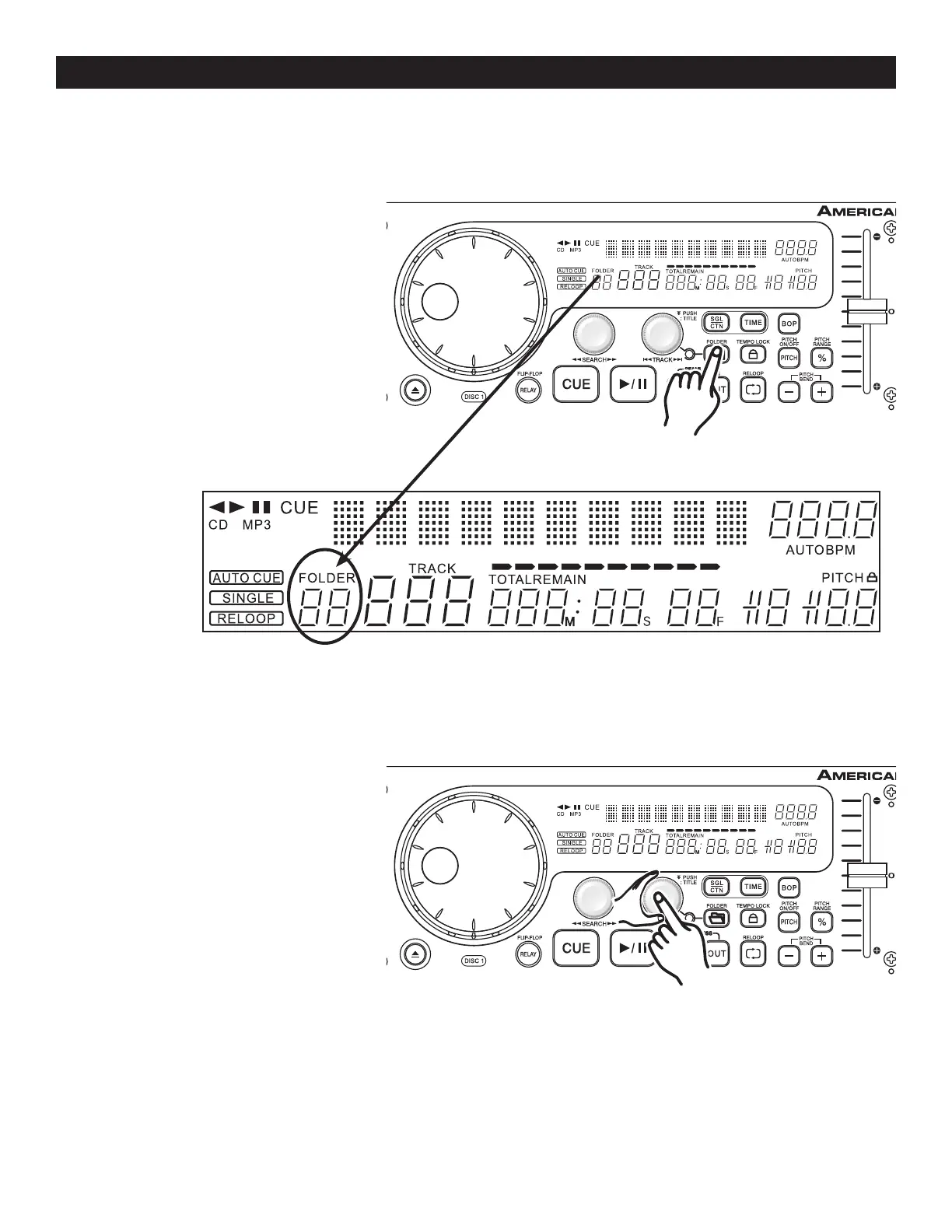
ACCESS MP3 FOLDERS :
Use this function to access the different folders (files) located on your Mp3 disc.
1) Press the FOLDER BUTTON (13) to
display the folder selection.
See FOLDER
INDICATOR (54) on page 14.
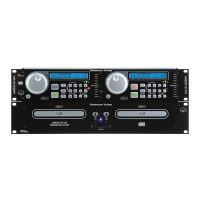
2) Now, press the TRACK KNOB (5)
and turn it clockwise to scroll forward
through the folders or turn it counter
clockwise to scroll backwards through
the folders
.
Figure 36
Figure 37


 To Next Page