Page 7 of 11
AE-MC12N & MC22N
Operation Manual
773.376.0800 (P) • 773.376.2010 (F) • 3131 S. Canal St. Chicago, IL 60616
Revision 10/2015
1. Remove all skin and bones from meat before cutting. If Necessary, cut the meat slightly
smaller than the cutter opening. Meat must fall easily into the opening.
2. Place the meat in the cutter opening and place a container under the attachment to catch the
cut meat.
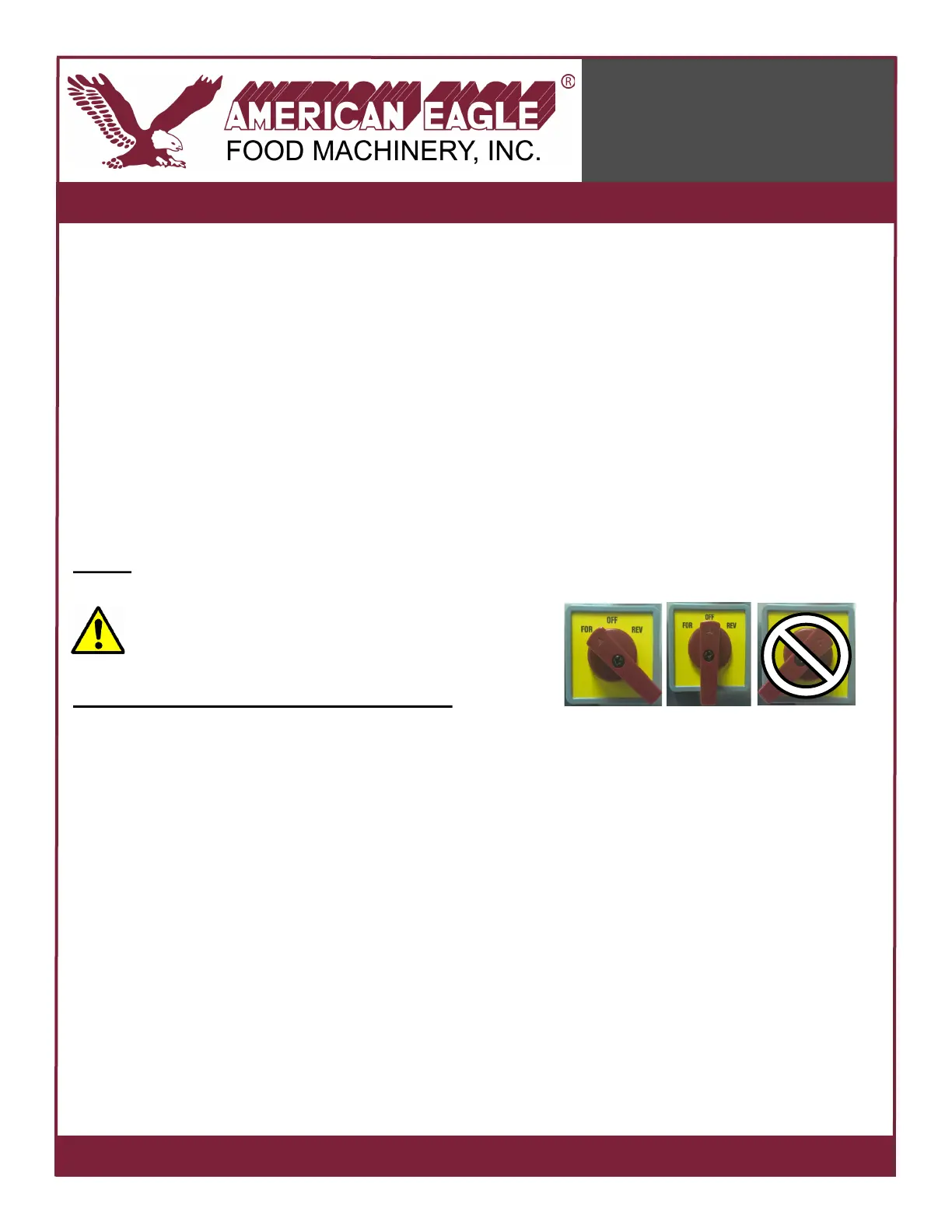
3. Turn the forward/reverse switch to the forward (FOR) position. DO NOT OVER-TURN THE
SWITCH. DO NOT PUT SWITCH IN REVERSE POSITION!
4. Feed the meat into the cutter opening. Do not force the meat through the opening, allow
the meat to fall into the attachment and let the gravity do the work to pull the meat through.
5. When finished processing, turn the forward/reverse switch to OFF, and unplug the cutter.
NOTE: DO NOT OVER-TURN THE FORWARD/REVERSE SWITCH. ALSO, DO NOT
REVERSE. Damage from over-turning or using reverse
mode is not covered under warranty! See photos on
right.
HELPFUL MEAT PROCESSING TIPS:
• When smaller cuts are desired, pass the meat through a second time. Chill the meat
thoroughly to 32ºF-34ºF (0ºC-1ºC) in between each pass to reduce loss of juices and retain
texture.
• In addition to chilling the meat before processing, use non-stick cooking spray such as PAM
on the cutting blades to help lubricate the blades and help the meat pass through more
easily.
• Always refrigerate freshly cut meat and cook within 24 hours, or freeze the meat if you do not
plan to use it immediately.
Operating Instructions



 To Next Page