5800 SE 78th St. Ocala, FL 34472
8
P: (800) 327-3015
E: Service@americanpanel.com
IC Controller Operations Manual
Door Frame Heater and Window Heater Settings
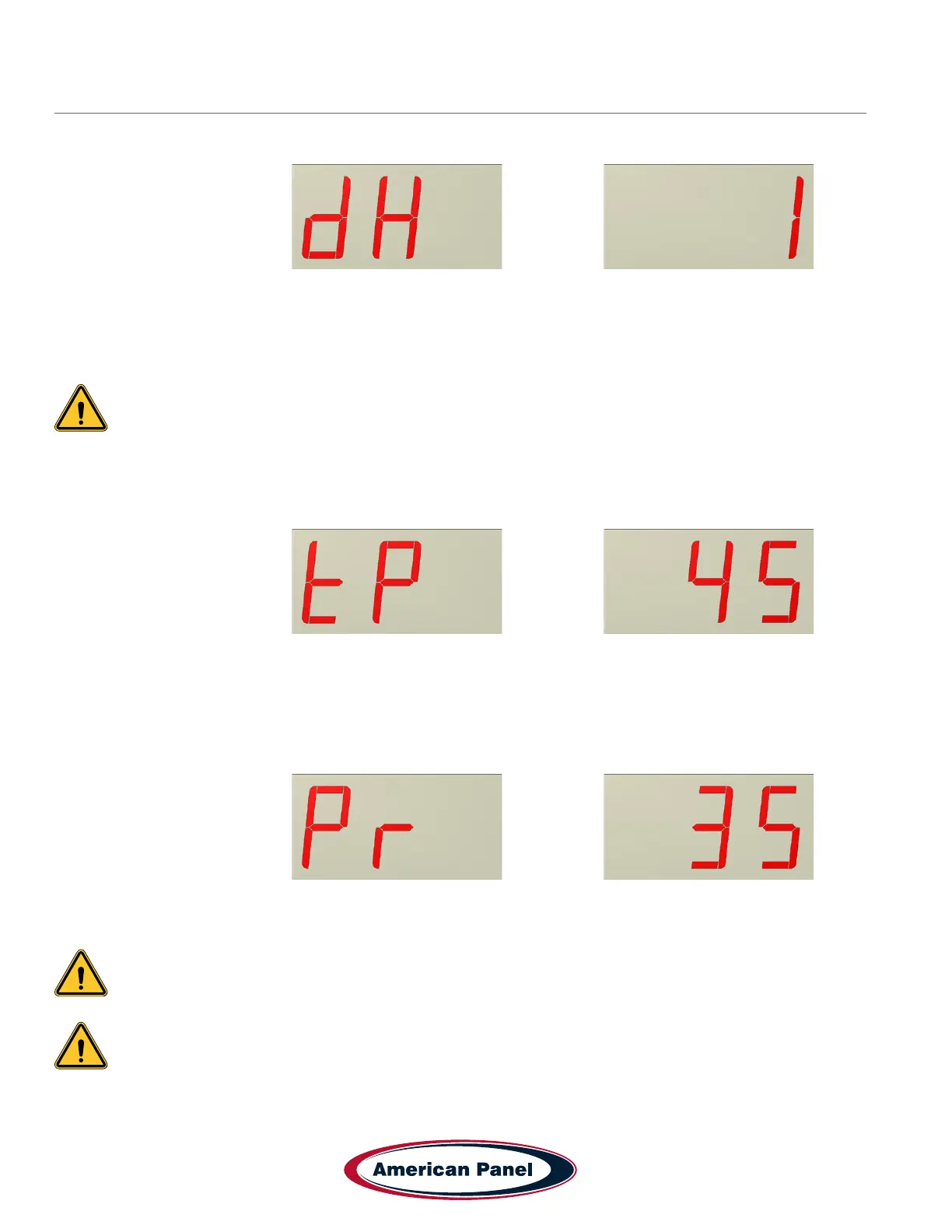
The display will alternate between and the value
This setting will enable or disable the door frame and window heaters.
1 – heaters enabled
0 – heaters disabled
Note: If you set the ashing value to “0”, the heaters will be disabled and the controller will skip the
heater settings. If the ashing value is set to “1”, the heaters will be enabled and the controller will
guide you through the heater settings.
Use UP or DOWN buttons to set the desired value and press ENTER to conrm.
The display will alternate between and the value
This setting indicates the walk-in temperature at which the controller will engage the door and window heaters.
Use UP or DOWN buttons to set the desired value and press ENTER to conrm.
The display will alternate between and the value
This value indicates the percentage the heater will stay on out of a 6-minute cycle.
Note: If condensation occurs on the door frame or on the window increase the percentage
the heater is on.
IMPORTANT!
ON COOLERS THIS SETTING MUST NOT EXCEED 80%.
Use UP or DOWN buttons to set the desired value and press ENTER to conrm.


 To Next Page