9
5800 SE 78th St. Ocala, FL 34472
IC Controller Operations Manual
P: (800) 327-3015
E: Service@americanpanel.com
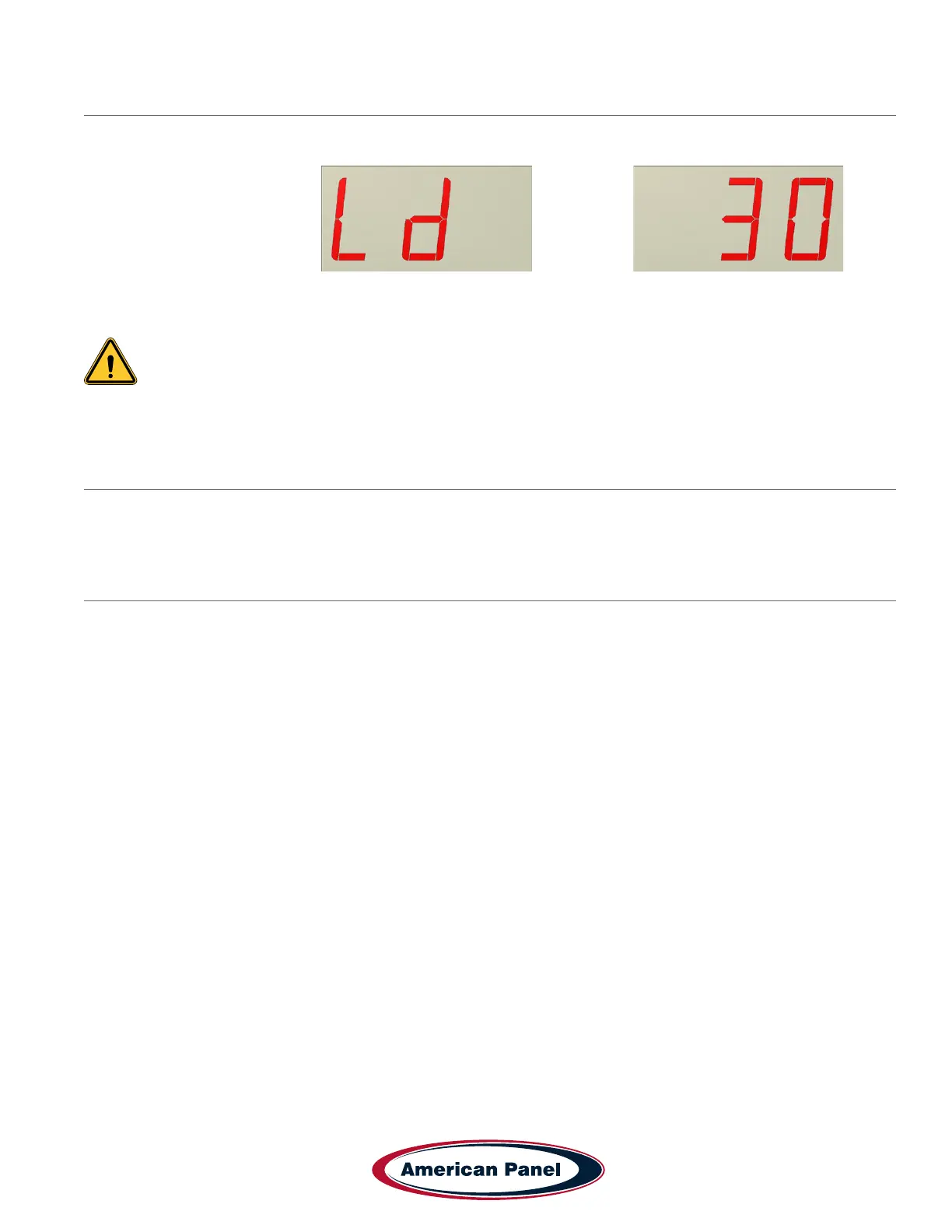
Automatic Light Off Setting
The display will alternate between and the value
This value indicates the amount of time in minutes that the light will stay on before it will automatically turn off.
Note: “no” setting indicates that the light will stay on until it is turned off manually.
Use UP or DOWN buttons to set the desired value and press ENTER to conrm, the controller will return to normal
operation mode.
4 Air Temperature Probe Offset
As standard, the air temperature probe is located on the door frame, inside the walk-in. The IC will display the air
temperature at that location ONLY. However, IC can be adjusted to estimate the temperature of a remote location
inside the walk-in.
4.1 Calculating the Probe Temperature Offset
• Establish the location inside the walk-in where you want to monitor the air temperature.
Ex: Return Air Temperature (measured behind the evaporator)
• Using a calibrated thermometer, measure the air temperature at that location.
• Read the air temperature on the display of IC.
• The temperature difference between the two temperatures is the temperature offset. (TOFFSET)
Ex: Return Air Temperature (37˚F) - IC Displayed Temperature (40˚F) = Temperature offset (-3˚F)
(37˚F) - (40˚F) =
-
3˚F


 To Next Page