EasyManua.ls Logo

American Panel IC+ - User Manual

American Panel IC+
18 pages
Print Icon
To Next Page IconTo Next Page
Loading...
IC+
Intelligent Control and Alarm System
Cooler is Better!
TM
American Panel Corporation
5800 S.E. 78th Street, Ocala, Florida 34472-3412
Phone: (352) 245-7055 Fax: (352) 245-0726
E-mail: service@americanpanel.com
Rev. 5/11/2020

Questions and Answers

  • D
    Donna VaughnAug 5, 2025
    Why does my American Panel Control Systems IC+ beep and display the high temperature alarm message?
    • D
      Denise WilliamsAug 5, 2025
      If the high air alarm is triggered, it means the temperature inside the cabinet is above the preset limit. You can silence the alarm by pressing the alarm mute button. Then, check that all doors are closed, verify the temperature setting on the thermostat (usually on the evaporator coil), and ensure the refrigeration system is functioning correctly. If the problem continues, contact a refrigeration technician.
  • W
    William MoralesAug 13, 2025
    Why does my American Panel IC+ Control Systems temperature reading keep flashing on and off?
    • L
      Linda FoxAug 13, 2025
      The flashing temperature reading indicates that the IC+ controller has detected the cabinet temperature is either higher or lower than the set limits. Ensure all doors are properly closed and recheck the temperature after a few minutes to see if it returns to the normal range.
  • A
    Alexis ClarkAug 21, 2025
    Why does my American Panel Control Systems IC+ beep and display the low temperature alarm message?
    • A
      alarsenAug 21, 2025
      If the low air alarm is activated, it signifies that the temperature inside the cabinet is below the preset limit. You can silence the alarm by pressing the alarm mute button. Next, verify that the refrigeration system is working correctly and check the temperature setting on the thermostat (typically located on the evaporator coil). If the issue persists, it is recommended to contact a refrigeration technician.
  • J
    James AlexanderAug 28, 2025
    What to do if there's condensation on the door frame or window of my American Panel IC+ Control Systems?
    • K
      kmillerAug 28, 2025
      Condensation forms when the door heater setting is too low. Increase the percentage that the door heater stays on by navigating to MENU > Settings (default passcode 7055) > Door Heater Setup > Percentage On. If the issue continues, contact a technician.

Summary

Intelligent Control and Alarm System

IC+ Controller Overview

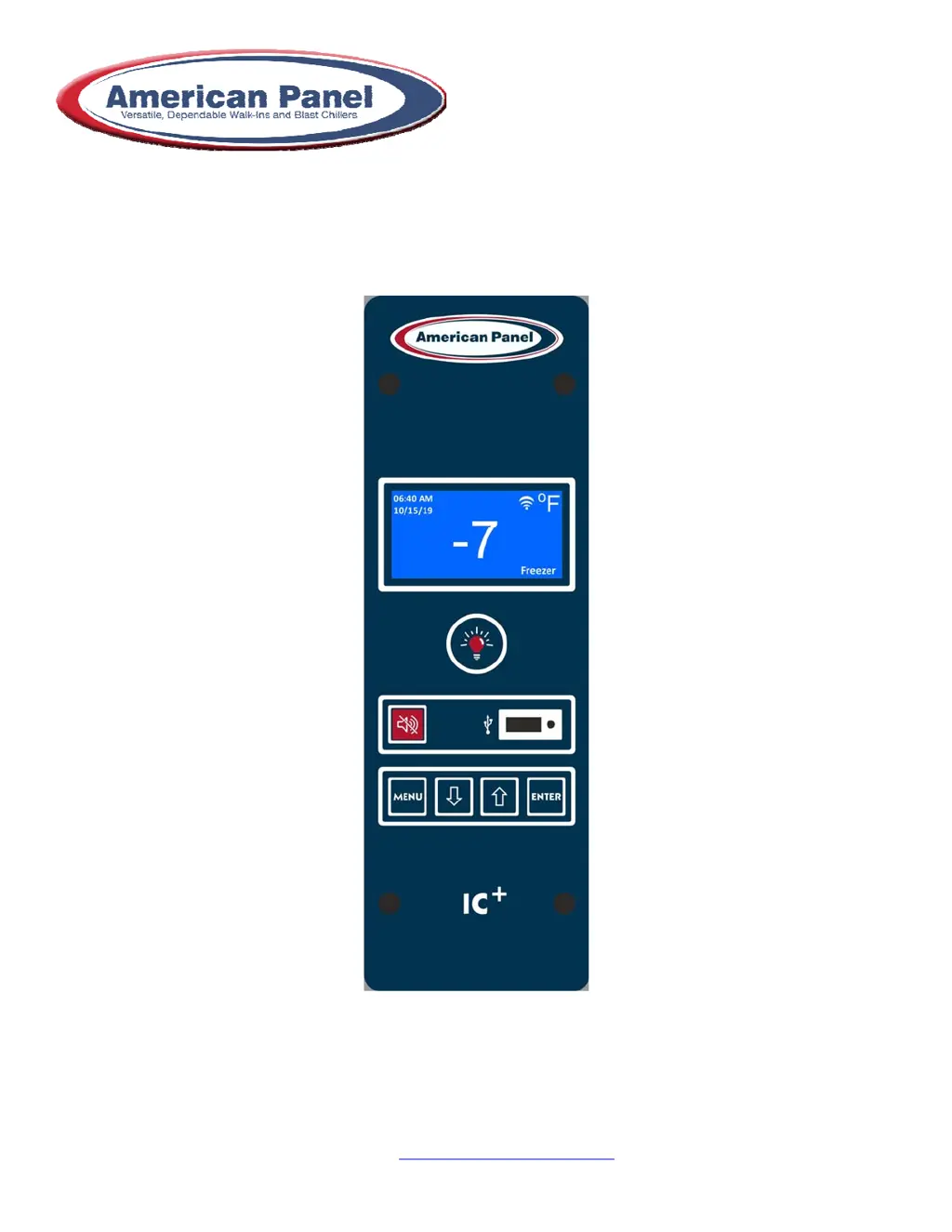
Visual guide to the IC+ controller interface, highlighting key display elements and buttons.

Temperature Monitoring and Alarms

Temperature Monitoring

Monitors walk-in cabinet temperature via a probe, with alarm delay for normal door openings.

Temperature Alarms

Alerts for high/low temps with visual/audio alarms and optional email notifications.

Operational Features

Panic Alarm

Optional feature with a red push button and alarm buzzer for immediate alerts.

Door Open Alarm

Monitors door status and alerts if left open beyond a pre-set time, with optional email notifications.

Door Frame Heater and Window Heater Control

Controls door frame/window heaters based on temperature thresholds and time cycles.

Electronically Controlled Light Switch and Automatic Light Off

Controls cabinet light and offers automatic shut-off for energy saving.

HACCP Recording

HACCP Data Management

Records temperature, alarms, and door openings; data downloadable via USB or email.

Wi-Fi Connectivity and Remote Notification

User Email Templates Setup

Configures email recipients and alarm notification types for specific users.

Internet Wi-Fi Setup

Connects the IC+ controller to a Wi-Fi network for remote communication.

User Interface Navigation

Menu Navigation

Guide to accessing and navigating the IC+ controller's main and settings menus.

Troubleshooting Common Issues

Addresses common problems like flashing temperatures and alarm messages with resolution steps.

Field Wiring and Schematics

Wire Color Code

Identifies field wiring color codes for main power, light fixtures, and alarm contacts.

Main Power Connections

Details on making main power connections within the vapor proof light fixture.

Field Mounted Light Fixture Wiring

Wiring diagram for connecting field-mounted light fixtures to the system.

Panic Button for Partition Door Wiring

Wiring schematic for the optional panic button on partition doors.

3 WAY - 4 WAY Configuration

Wiring for multi-door light control configurations and remote light buttons.

Alarm Dry Contact Wiring

Low voltage wiring for alarm dry contact to third-party devices.

Evaporator Fan Cut-Out Switch

Wiring for the evaporator fan cut-out switch, activated by door closure.

Electrical Schematic

IC+ Main Controller Connections

Detailed schematic of connections to the IC+ main controller for various components.

American Panel IC+ Specifications

General IconGeneral
BrandAmerican Panel
ModelIC+
CategoryControl Systems
LanguageEnglish

Related product manuals