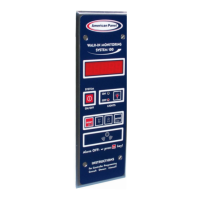
PROGRAMMING
9
The display will show:
Press or to change the flashing value to current day.
Press when done.
The display will show:
Press or to change the flashing value to current time in one
minute increments.
Press and hold or to change to current time in thirty minute
increments.
Press when done.
(12:00 AM)
(12:00 PM)
The display will show:
Door Frame Heater Settings
This function will turn the door frame heater on (“Y”) or off (“N”).
By default, the door frame heater is set to on. If you wish to turn the door frame heater off, change the
flashing value from “Y” to “N”(off) by pressing or .
Press when done.
Note: If you set the flashing value to “N”, door frame heater off, the controller will skip to alarm settings. In
case the flashing value is set to “Y”, door frame heater on, the controller will guide you thru door frame
heater settings.
The display will show:
This function will display the walk-in temperature which will determine when the
door frame heater will start.
Set the air temperature inside the walk-in at which the door frame heater will
start. To do so press
to increase or to decrease the flashing
value representing the air temperature.
Press when done.


 To Next Page
 Loading...