Page 12 <&(%$*4.8"4,7%H'*#$"&8#I%/7*,#*%4,77%JKLLLKLMMKNOPO1 Item 64017
?@<6AQ RS6;@ACRE D@CEA6E@ET6?6AFS
<(*H'*84>0X'$>%T>47*%D*,#'(*5*8$
Measure frequency up to 10MHz� E&$*- Frequency and duty cycle modes
cannot be used while in minimum
and maximum value mode�
C8%T'((*8$%D&9*
U@;ECEV` Remove test leads
before taking measurements
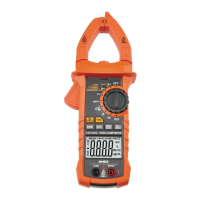
with the Current Clamp�
1� Turn the Rotary Switch to the
Mc0Mcc or Jccc position,
depending on the amperage of
the conductor under test�
2� Press the Trigger to open
the Current Clamp and insert
conductor inside the jaws�
3� Press B_^ to choose between
frequency and duty cycle modes�
4� Read measured frequency or
duty cycle on the Display�
5� When testing is complete, turn
Rotary Switch to R<<I%and store Meter�
E&$*- Current test range is 10Hz ~ 1kHz
C8%!&7$,3*0<(*H'*84>%D&9*
1� Plug black test lead into TRD Jack�
Plug red test lead into CESFA Jack�
2� Turn the Rotary Switch to the
, 5% , or B_%position�
3� In voltage position, press
<FET to select
@T
mode�
4� Connect the Test Leads across
the circuit to be measured�
5� Press B_^ to choose between
frequency and duty cycle modes�
6� Read measured frequency or
duty cycle on the Display�
7� When testing is complete, turn
Rotary Switch to R<<, remove
Test Leads and store with Meter�
E&$*- Frequency test range is 10Hz-
10kHz� If the frequency is lower than
10�0Hz, cc1c is shown on the Display�
E&$*- If the duty cycle is less than 10%,
FG is displayed� If the duty cycle is
greater than 94�9%, RG is displayed�
E&$*- Input signal test range is 10Hz-1kHz�


 To Next Page