M O D E L 2 0 5
O P E R A T O R ’ S M A N U A L
31
3131
31
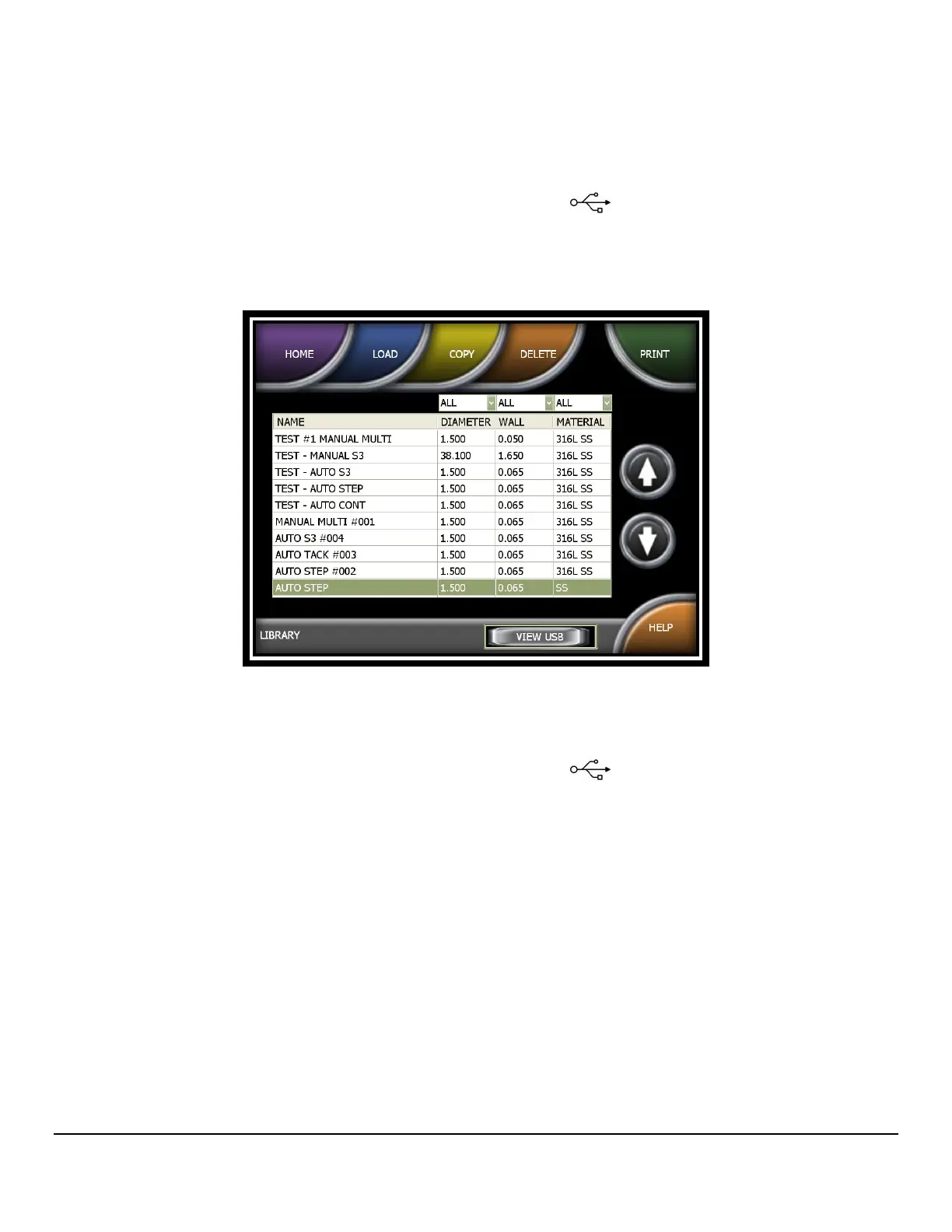
• View Weld Schedules Stored On a USB Stick
1. Insert a USB memory stick into the USB port on the Model 205.
2. From the HOME screen press LIBRARY.
3. From LIBRARY press VIEW USB.
• Copy one or all weld schedules in the Model205 Library and save to a USB
memory stick.
1. Insert a USB memory stick into the USB port
on the Model 205.
2. From the HOME screen press LIBRARY.
3. Select a weld schedule to be copied and press COPY.
4. For copying one weld schedule to a USB stick press COPY TO USB. For
copying ALL weld schedules to a USB stick, press COPY ALL TO USB.


 To Next Page