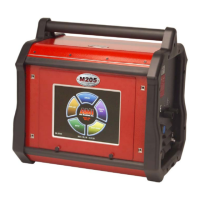
Model 415
Operation Manual
Docume
nt No. 740084
Revision N
37
2. To manually calibrate the user will need to have a Weld Schedule in the Library programmed
in accordance to the Calibration Procedure contained in the operation manual for the
particular Weld Head being used.
5.9 WELD HEAD TRAVEL CALIBRATION
3. A Travel calibration schedule will always be run in TEST Mode and usually
contains the following:
Onelevel Functions
Prepurge 000 Level Advance Time 1.0
Upslope 00.0 Start Mode RF
Wirefeed Start Delay 00.0 WF Retract 0.0
Travel Start Delay 00.0 Travel Direction CCW
Postpurge 000
Downslope 00.0
Wirefeed Stop Delay 00
Travel Stop Delay 00
Multilevel Functions (Level 1)
Level Time *** Pri Amps 005
Pulse Mode OFF Pri Wirefeed 000
Pri Travel *** Travel Step CONT
Multilevel Functions (Level 2) For weld Heads with the return to home function Only!
Level Time 005 Pri Amps 005
Pulse Mode OFF Pri Wirefeed 000
Pri Travel 0.0 Travel Step OFF
INSURE THAT THE WELD/TEST MODE IS IN TEST
4. ***Level 1 Time needs to be set for rotating weld heads (programmed in RPM) the time to
rotate ONE REVOLUTION at the selected LEVEL 1 Primary Travel Speed. For weld heads
programmed in IPM (such as a Model 15), the Level 1 Time needs to be set to give a
measurable travel distance in inches or millimeters. It is suggested to check calibration at a
speed close to typical welding speeds being used and adjust the Level 1 time accordingly.
Level 2 is added with Travel turned OFF. This allows the operator time to see if the distance
traveled is correct before the “Return to Home” function engages at the end of the
Sequence (on some heads). LEVEL 2 CAN BE OMITTED FOR WELD HEADS THAT
DO NOT HAVE A RETURN HOME FUNCTION .
5. Create or recall from the LIBRARY the appropriate Weld Schedule and connect the Weld
Head to be calibrated. Insure that the system is SAFE to rotate and that the System Mode is
in TEST. Note the starting position of the Weld Head and Press Sequence Start. At the end
of the Sequence the weld head should have rotated or traveled the programmed amount.
6. If it has not rotated or moved the correct distance then adjust the Weld Head Rotation/
Travel Calibration Potentiometer.
7. Repeat 5 and 6 until the head is calibrated.



 To Next Page