ADI-P 910101-000992 / 05.20 02 Page 17 of 21
Connection Instructions:
The connecting process has two stages; Stage 1: wires connection. Stage 2: setting the ADI-P App for chained
operation.
Stage 1: Wires Connection
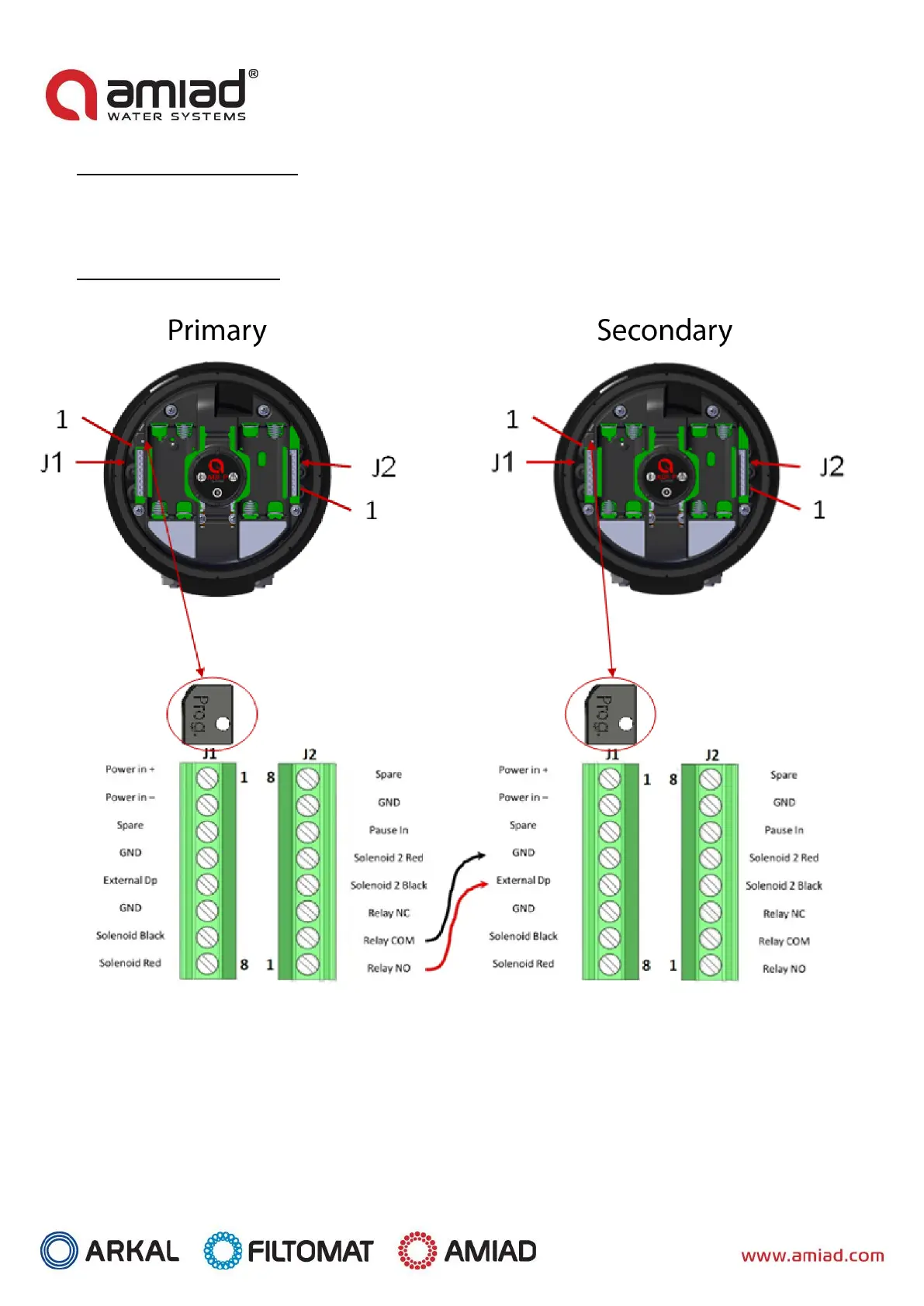
1. Connect between the Primary controller’s NO relay output and the Secondary controller’s external DP
input. Important: For your safety and in order to avoid damaging the controller, remove the batteries
before starting the wiring process.
2. Make sure that the wires’ gauge (the diameter of the cable) used is similar to the solenoid wires’ gauge
(~4 mm). This is critical for maintaining the IP65 rating of the controller (dust tight and protected against
water projected from a nozzle).


 To Next Page