ADI-P 910101-000992 / 05.20 02 Page 18 of 21
Stage 2: Setting the Application
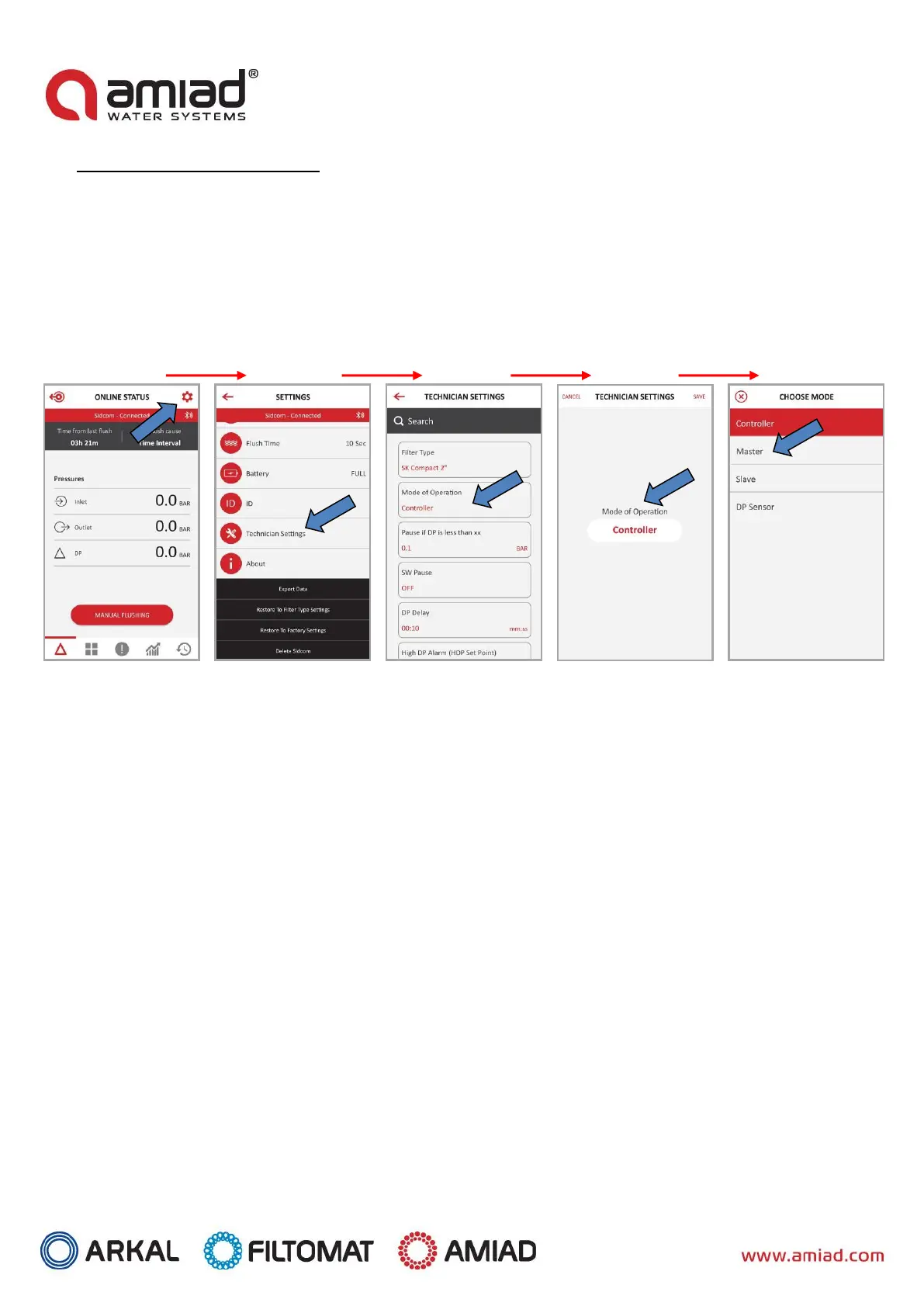
To connect the Adi-P App to the Primary controller, perform the following:
A. Click the Settings icon on the top right of the home screen.
B. Scroll down through the Settings screen.
C. Select Technician Settings.
D. Enter the password.
E. Select Mode of Operation.
F. Click on the current status of the controller (generally set to "Controller")
G. Under Choose Mode, select Primary mode for the current controller.
To change from Primary controller to Secondary controller, perform Steps A-F as above, and under Step G, select
Secondary mode.
Check the controller’s operation by starting a flush cycle through the application or by the controller's MANUAL
FLUSHING button.


 To Next Page