Product Operation
4. Cleaning Modes
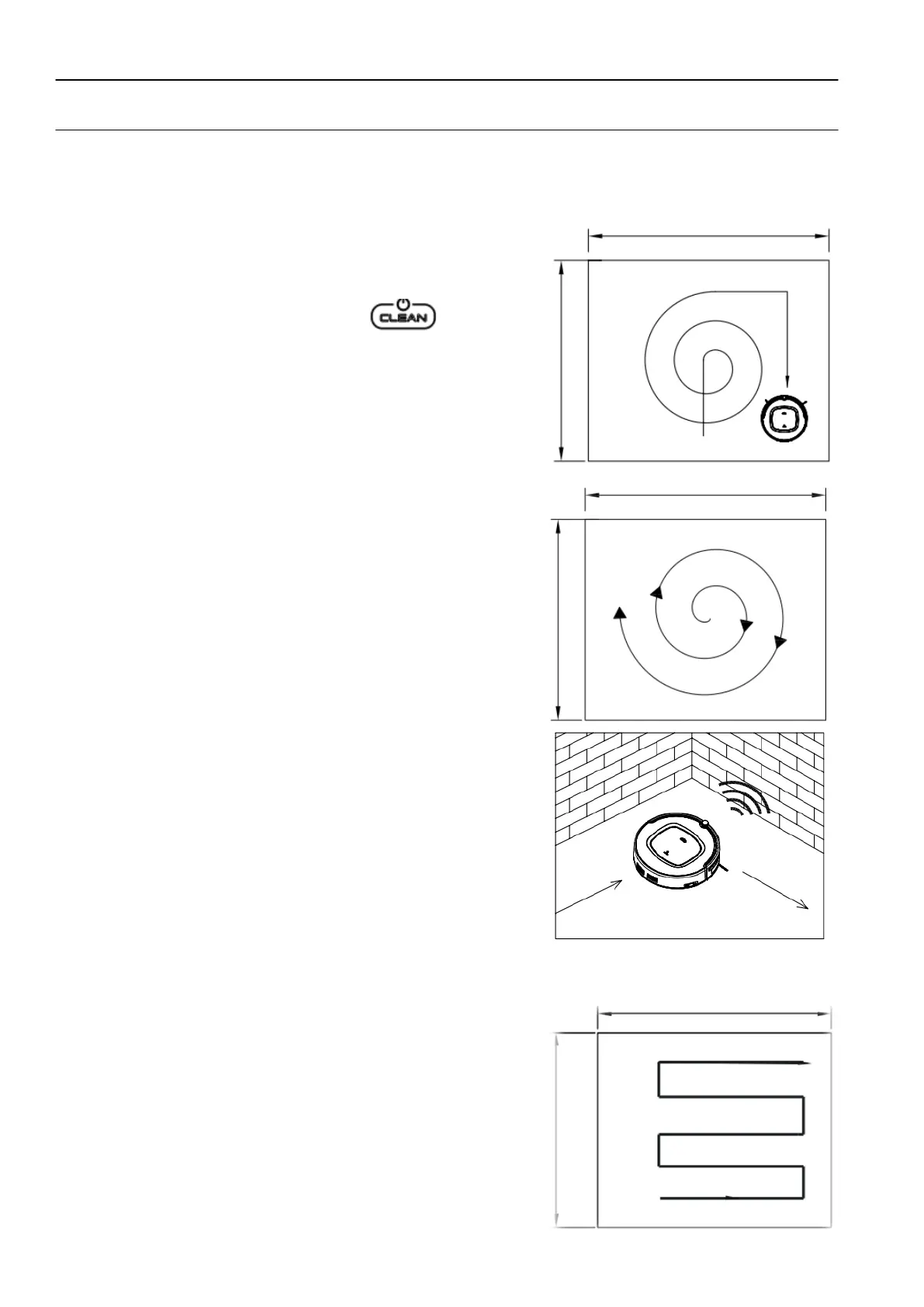
1) Auto cleaning
In this mode, the robot will clean a room automatically and adjust its cleaning mode
according to the environment.
Note:
Press ON/OFF on remote control or on robot to
start auto cleaning.
2) Spot cleaning
Under the following situations, the robot will activate
spot cleaning:
a. Pressing SPOT on remote control.
Note:
It is suggested that users select spot cleaning in a
very dirty area.
3) Edge Cleaning Mode
During cleaning, press MODE button to select edge
cleaning. The robot will clean along the walls and
obstacles.
4) S shape Cleaning Mode ( Zig-Zag)
In cleaning mode, press MODE button on remote
Control to select Zig-Zag cleaning mode.
Or the robot will go to Zig-Zag cleaning mode
automatically.
Note:
Mode 1 for spiral cleaning, Mode 2 for random cleaning
Mode 3 for edge cleaning, mode 4 for S shape cleaning


 To Next Page