How to enable USB storage mode/ connection with your Personal
Computer.
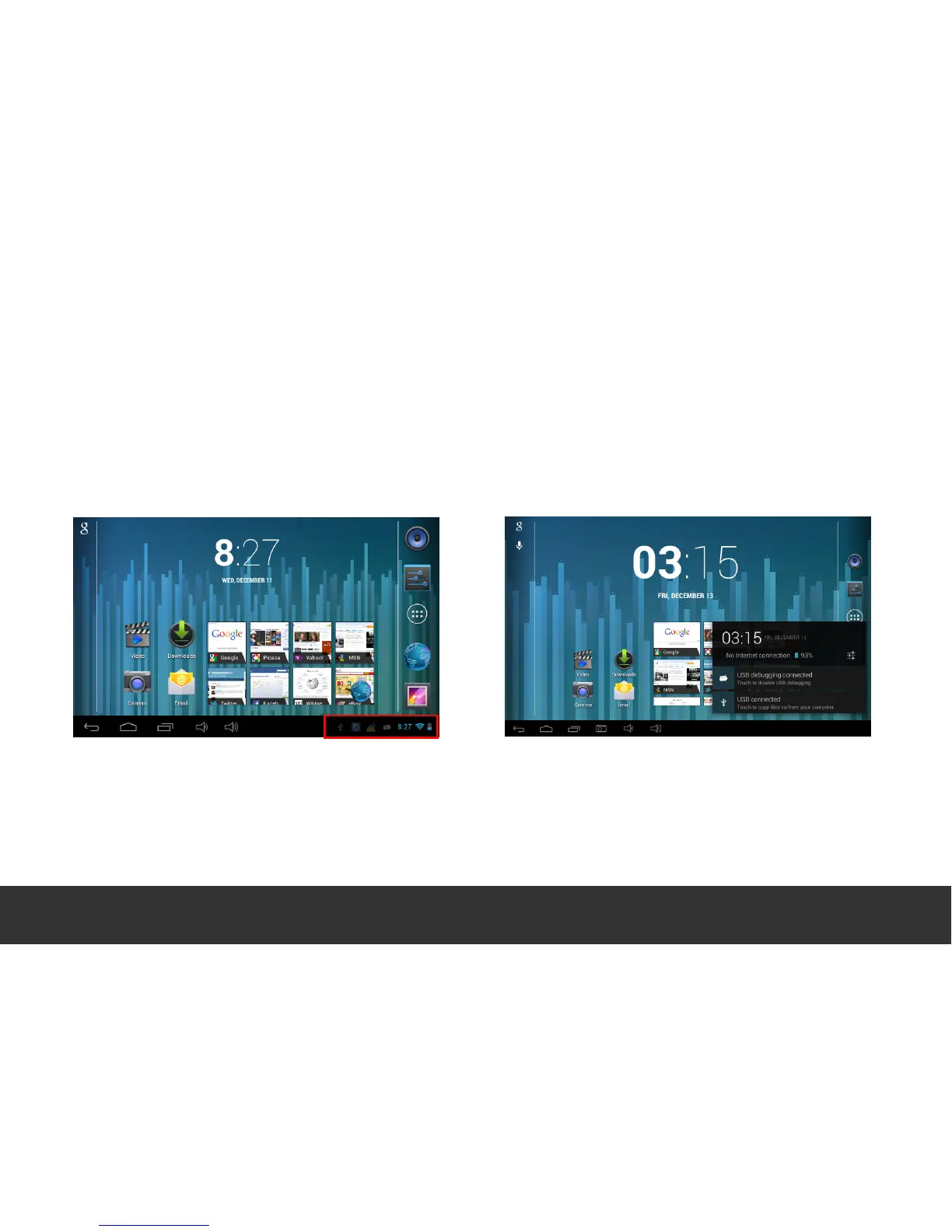
When connected via USB to your PC, on the Tablet Desktop (Home Page) touch the USB
symbol located in the bottom right hand corner of the screen.
To enable the USB storage mode, touch the “USB
Connected” option and select “Turn on USB storage”
this will connect your device to the PC. The device will
appear on your PC as a removable disk. You can now
use it as an external storage drive.


 To Next Page