How to install Applications (.apk files) onto the device
Method 2
1. With your computer, search application file (.apk) that you want to install onto the device.
2. Download the file (.apk) onto your computer.
3. Connect the device with your computer. See page 18 [How to enable USB storage mode/ connection
with your Personal Computer]
4. Copy and paste the .apk file onto the device and then disconnect it from your computer.
5. Run “File Browser”, find the selected .apk file to ensure that it was copied correctly onto the device.
6. Press the file to install, follow the instructions on the screen to complete.
Method 1.
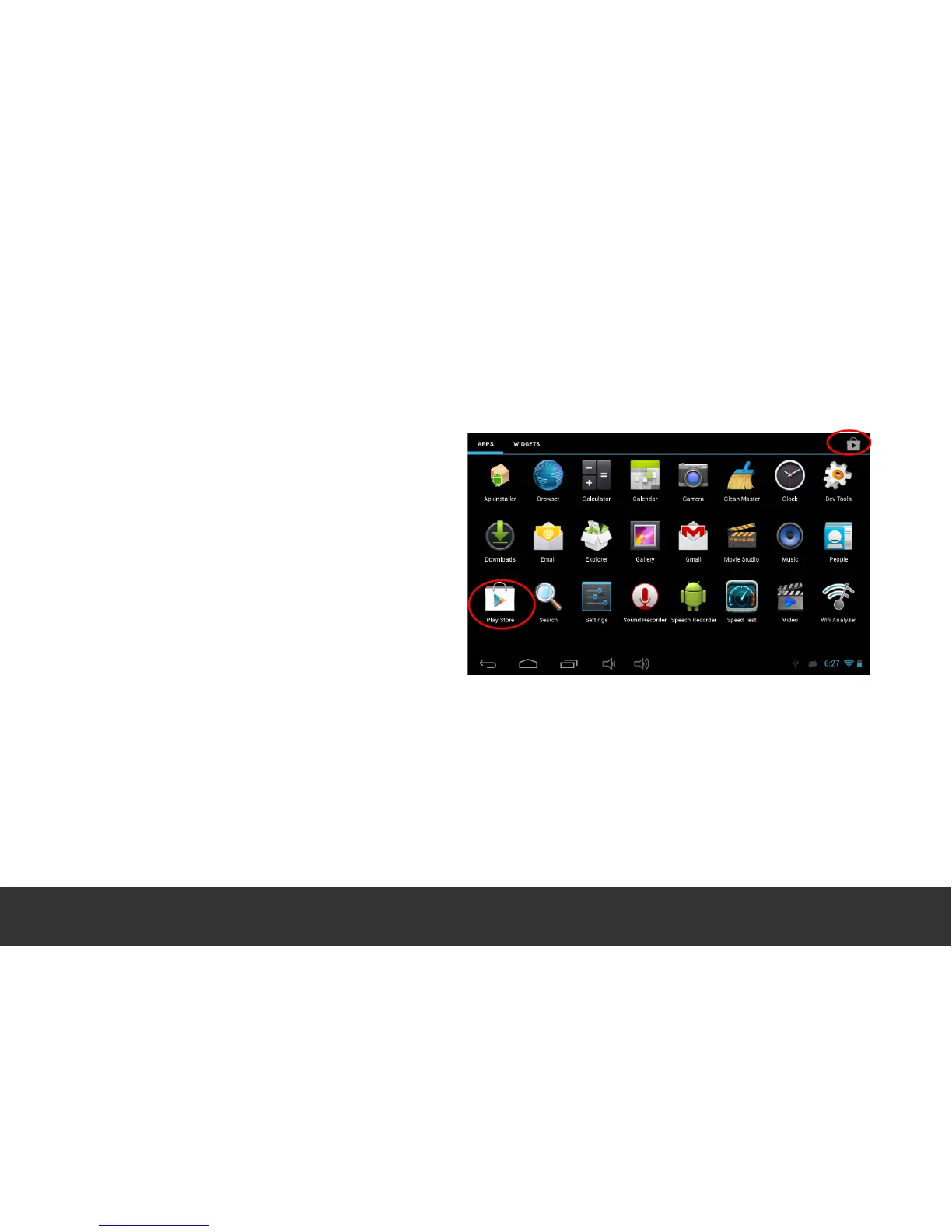
1. Connect the device to the internet. See
“System Settings” 1. (Wi-Fi] in order to
establish an internet connection.
2. Touch “Google Play”, set up your account
and search for the applications that you’d
like to install.
3. Follow the instructions on the screen to
download.


 To Next Page