11
Setup Tips
1. When setting up any of the above
system scenarios, it is advised to
experiment with connecting the ALF80
in reverse phase with respect to the
Amina speakers.
Often the reverse-phase connection
results in better integration and slightly
higher sound pressure level through
“cross-over” region.
Using pink noise can be a good way of
judging the difference between the in-
phase and reverse-phase connections.
2. To avoid unwanted vibrations,
ensure the ALF80 is fixed securely
to a structure or, if free standing, the
supplied rubber feet are used.
3. The supplied port cover plate can be
used to improve the appearance of
the port when, for example, the ALF80
is installed behind plasterboard walls
or ceilings. The plate is supplied with
acrylic transfer adhesive already fitted;
use the tab to assist removal of the liner
paper then press the plate firmly into
place. Please refer to the detail view on
page 5.
Alternative finishes can be applied to
the cover plate; for best results use
water based paints and primers.
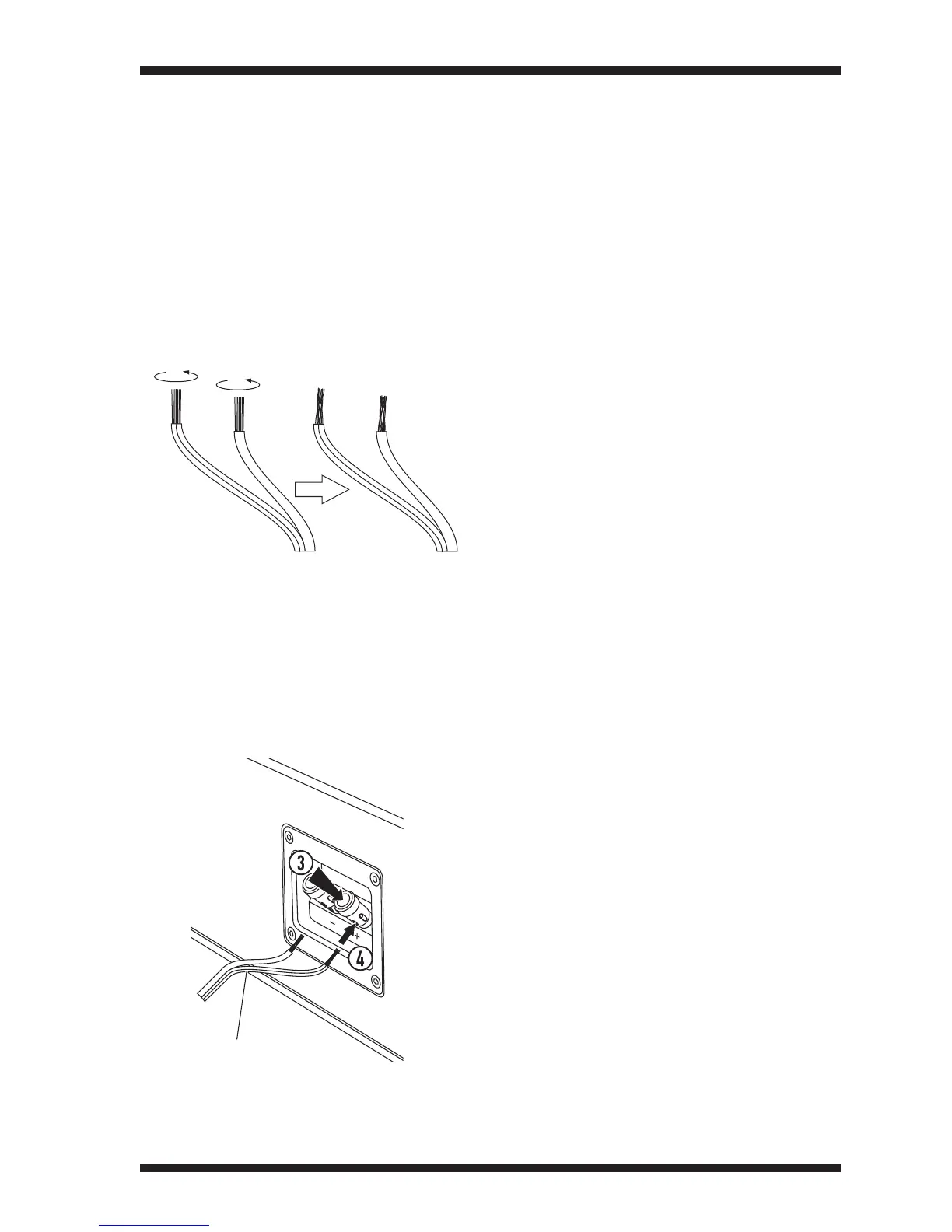
Spring Terminals
The spring terminals will grip bare, twisted
wire securely without the need to fit plugs
or spade terminals.
To connect wires to the
terminals
1. Strip approximately 15mm (
3
/
4
”) of
insulation from the ends of the wires.
2. Twist the wire strands together.
3. Press the top of the terminal down
against spring pressure.
4. Hold the top of the terminal down
against spring pressure and pass the
twisted wire through the hole in the
terminal.
Make sure that the wire polarity is
correct. Connect the wire marked with
a stripe or rib to the positive terminal.
5. Release the top of the terminal.
The spring within the terminal will grip the
wire.
stripe or rib



 To Next Page