A113X1 Development Kit User Guide
5.0 (2018-05-22) AMLOGIC, Inc. Proprietary
9
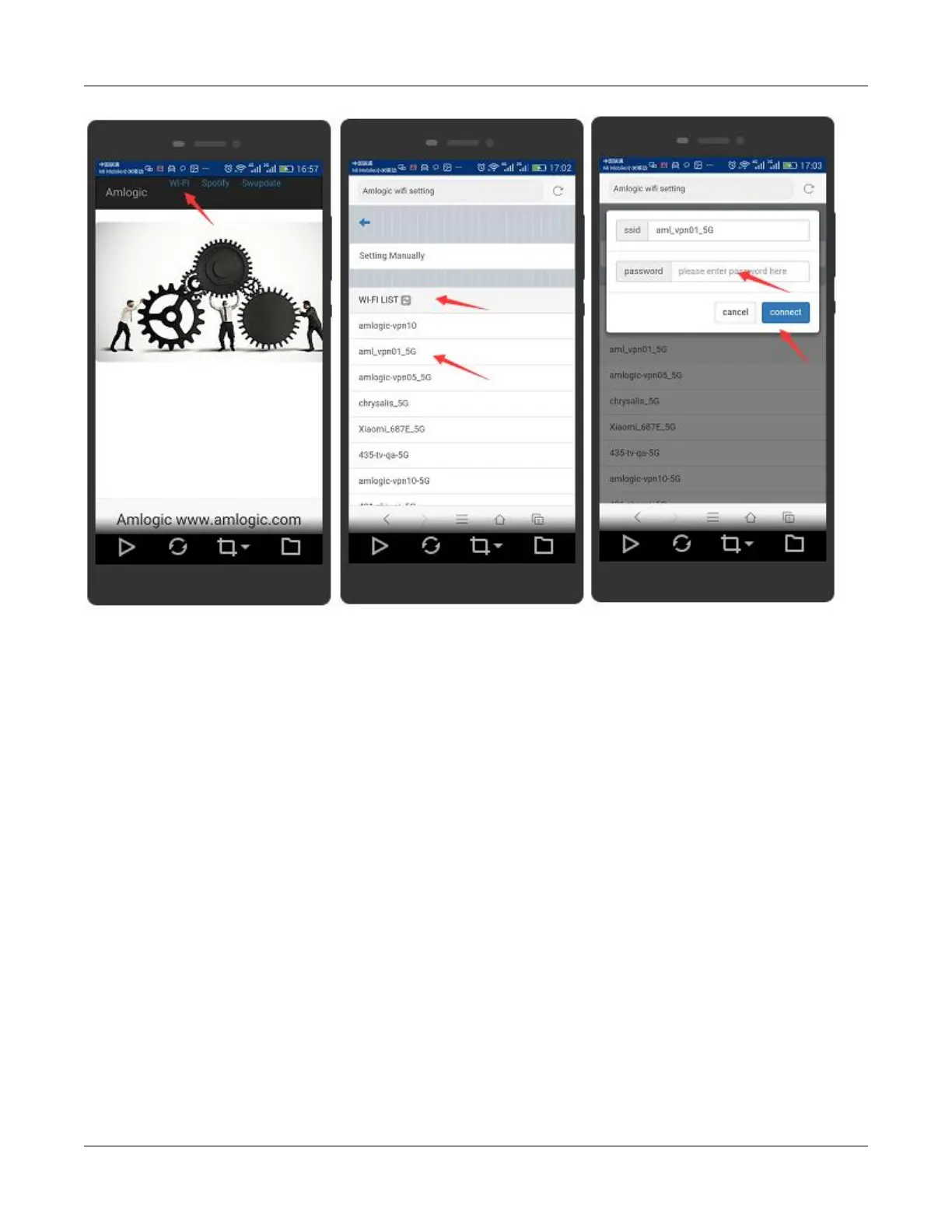
Step 1. Create your amazon account and device. More detail can refer to the document “Amlogic Openlinux
Step 2. Install “Amlogic avs apk” on your android device, and set the development board in the same LAN
with android device. <your-buildroot-repo dir>\multimedia\avs\setup_app\avs_token_app-0.3.1.apk, or
download: http://openlinux.amlogic.com:8000/download/A113/Tool.
Step 3. Run “Amlogic avs apk”,hold down the screen and slide down to discovery the IP for development


 To Next Page