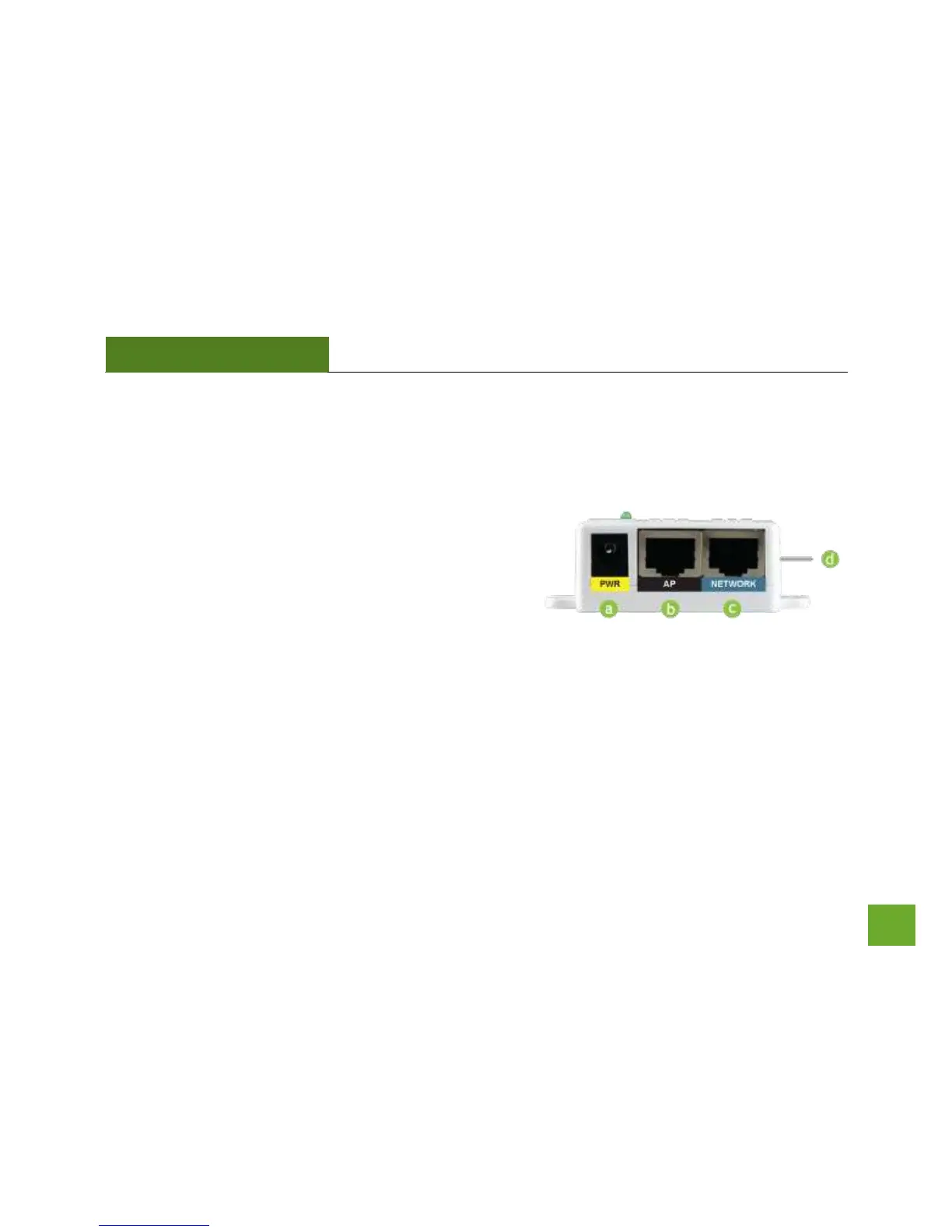
Power over Ethernet (PoE) Adapter
a) Power Adapter Port: Connect the included
power adapter to the PoE adapter port for
powering the Pro Access Point.
b) AP Port: Connect a PoE cable between the
PoE Adapter’s AP port and the PoE port on
the Pro Access Point to provide power and
data to the Pro Access Point.
c) Network Port: Connects to an available port
on a network switch or router’s LAN port.
d) Reset Button: The easy to access reset button is located on the back of the PoE Adapter. Pressing
the reset button will reboot the Pro Access Point. To reset the Pro Access Point to default
settings, hold the reset button down for 5-10 seconds and release.



 To Next Page