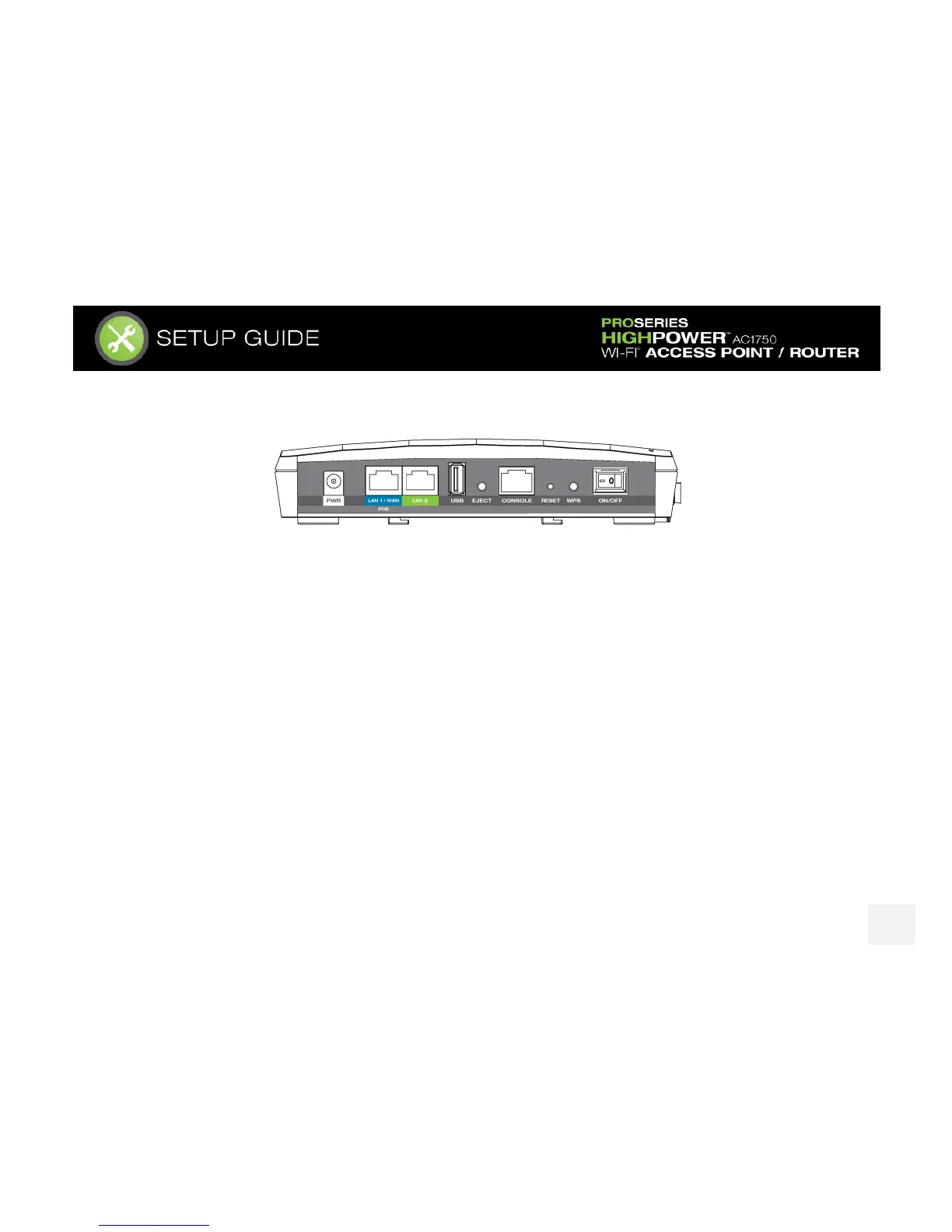
SIDE PANEL DESCRIPTION
PWR: Power adapter port. 12V 4A.
LAN1 / WAN (PoE): Gigabit RJ-45 port with Power over Ethernet input. Connect wired devices or to a PoE
switch to use the Access Point without the power adapter. Functions as the port connected to your network
in Access Point modes and WAN port in Router mode.
LAN2: Gigabit RJ-45 local network port for expanding your network.
USB: Attach USB devices to save or load settings, upgrade firmware, save system logs or load boot files.
Eject: To safely eject an attached USB device.
Console: Connect to a management console for diagnostics. (i.e. HyperTerminal)
WPS: Enables Wi-Fi Protected Setup’s push button configuration.
On/Off: Device power on/off switch.














 To Next Page