GETTING STARTED
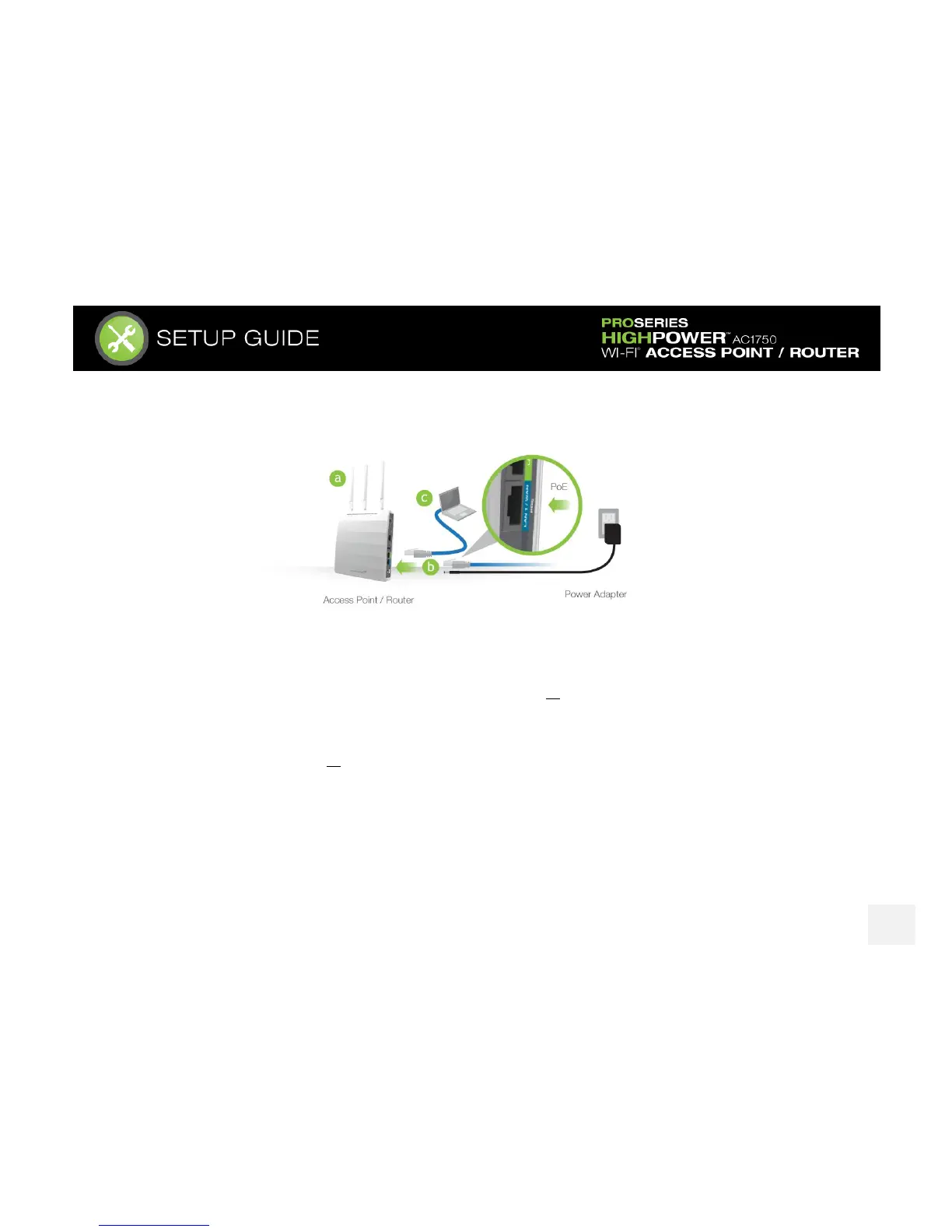
a) Attach the included antennas to the antenna ports on the Access Point / Router.
b) Power on the Access Point / Router by attaching either the power adapter to the Access Point /
Router and plugging in the other end into a power outlet or attaching a PoE Ethernet cable to LAN1 /
WAN on the side panel and the other end to an active PoE switch.
c) Connect to the Access Point / Router with your computer by attaching an Ethernet cable to the LAN2
ports on the side panel or connect to the Access Point / Router’s Wi-Fi network: Amped_APR_2.4 or
Amped_APR_5.0. Password: wireless














 To Next Page