LED INDICATORS
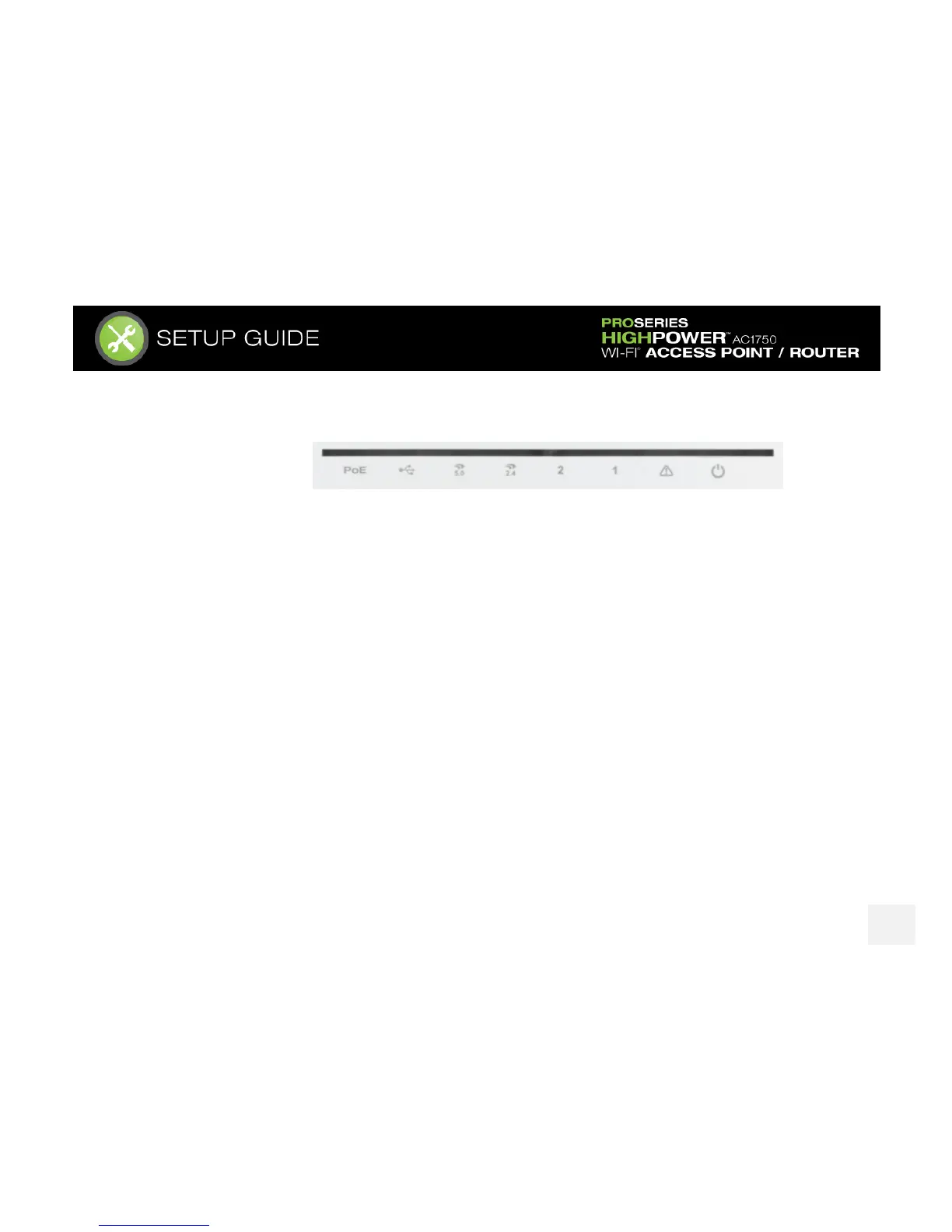
From left to right:
PoE: Indicates when there is an active PoE connection on the LAN1 wired port. LED will remain on.
USB: Indicates when there is a USB device is attached to the USB port.
5.0GHz Wi-Fi: Blinks rapidly when Wi-Fi data traffic is transmitted or received over the wireless network.
2.4GHz Wi-Fi: Blinks rapidly when Wi-Fi data traffic is transmitted or received over the wireless network.
Wired Port 2: Indicates when a networking device is connected to wired port (LAN2) on the Access Point /
Router. The LED will blink rapidly when wired data traffic is transmitted or received.
Wired Port 1: Indicates when a networking device or modem is connected to wired port (LAN1 / WAN) on the
Access Point / Router. The LED will blink rapidly when wired data traffic is transmitted or received.
Status: Blinks when the Access Point / Router is booting up or resetting.
Power (PWR): Indicates when the Access Point / Router is powered on. The LED will remain on.














 To Next Page