Scan for a Home Network to Extend
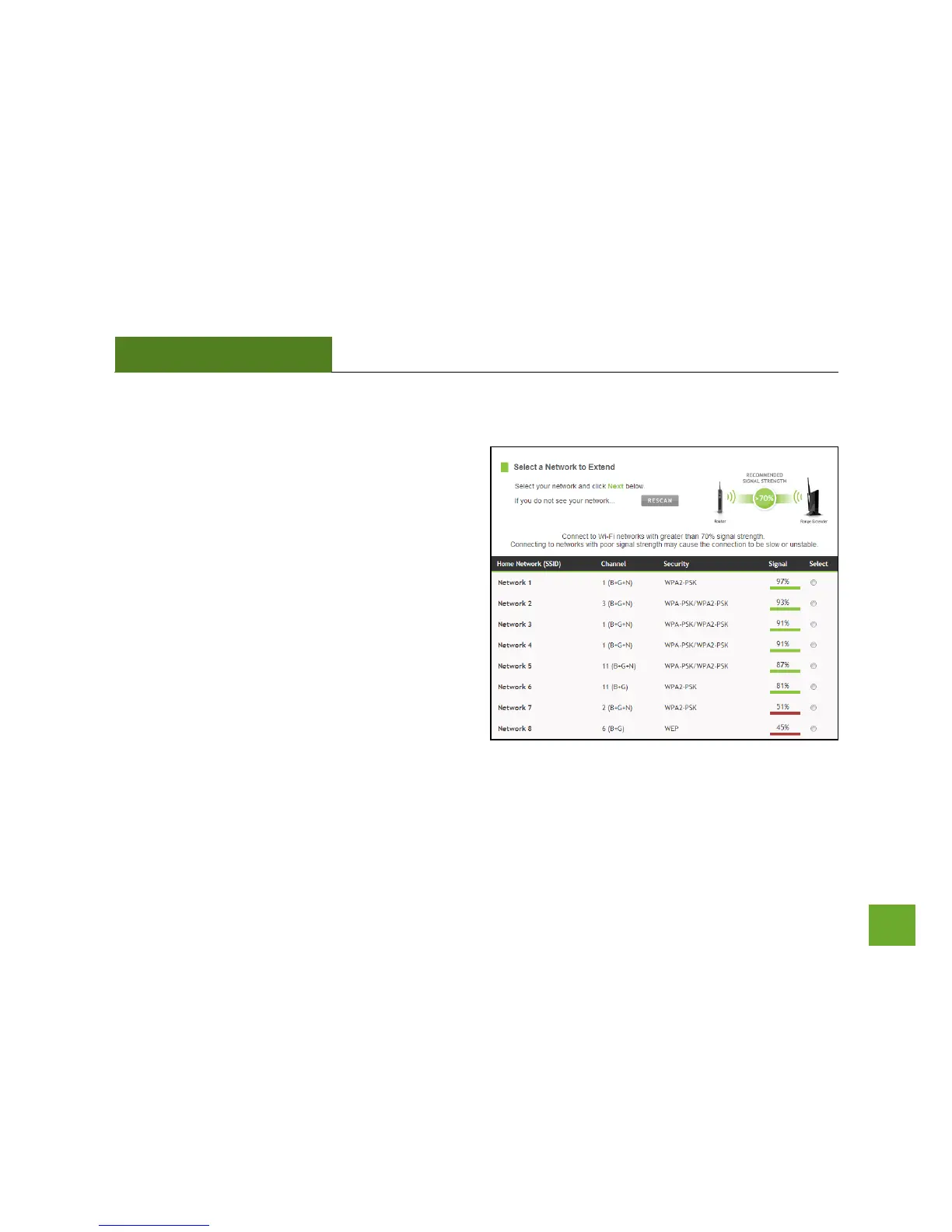
Highlight and select the Wi-Fi network that you wish to
extend and click Next to continue. Check that your Wi-
Fi Network has a signal strength of 70% or greater.
If you fail to find any Wi-Fi networks, or your signal
strength is below 70%, the Range Extender may be
placed too far from the Wi-Fi network that you are
trying to extend. Move your Range Extender closer to
the Wi-Fi network that you are trying to extend and
click RESCAN.
The Scan results page will display information regarding the name of the network (SSID), the channel which the
Wi-Fi network is operating on and the security type of network. The results page will also display what the
signal strength is coming from each specific network detected.













 To Next Page