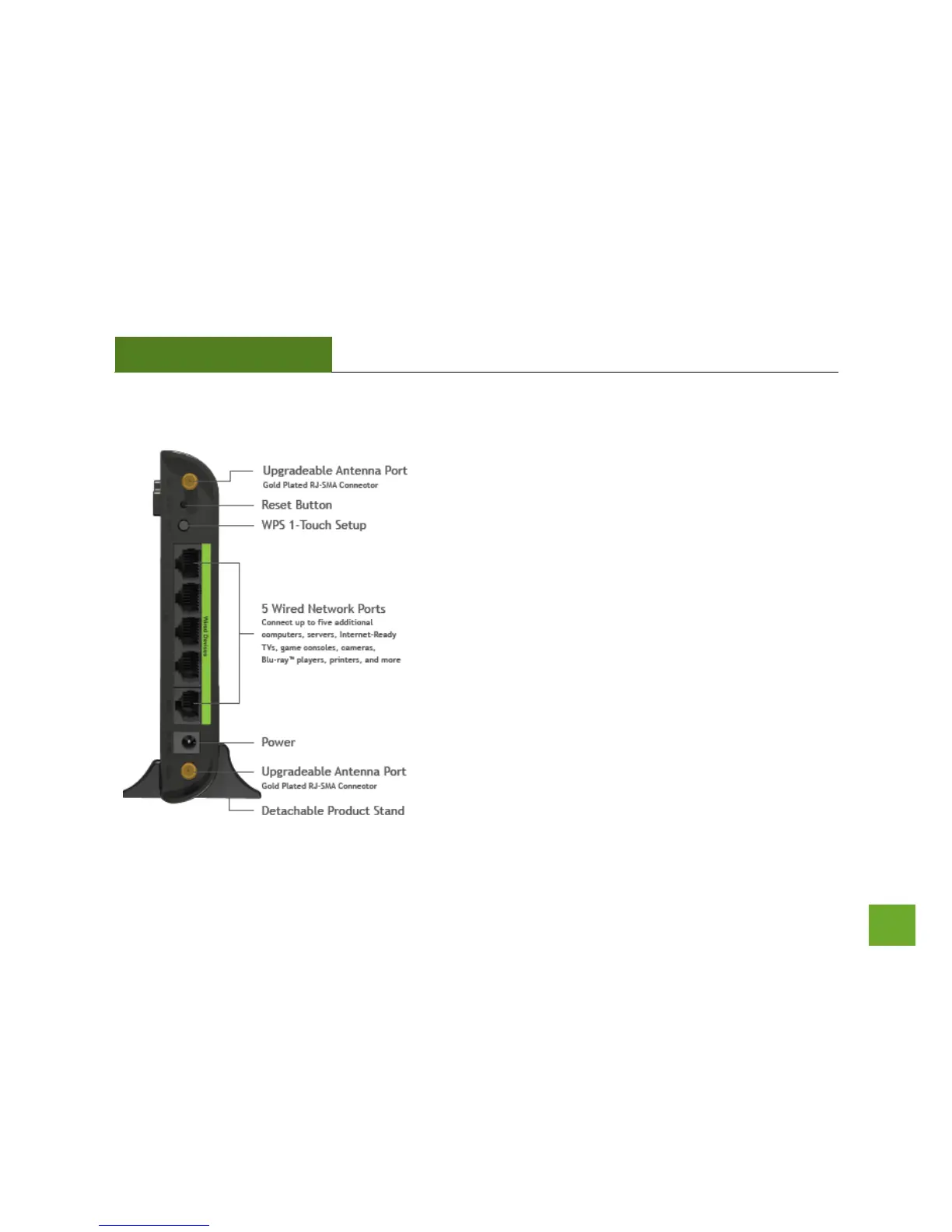
Back Panel Description
Antenna Connectors: RJ-SMA antenna connectors. Compatible
with all antennas with RP-SMA connectors. Upgradable to
high gain antennas for more range.
Reset: Push down once to reboot the Range Extender. Hold
down for 5-10 seconds to reset the device back to factory
settings.
WPS: Hold down for 3 seconds to enable WPS push button
configuration.
Wired Connections: RJ-45 ports for connecting to wired
computers or network devices. Supports up to 5 connections.
Power: Power adapter port. DC 12V 1A.













 To Next Page