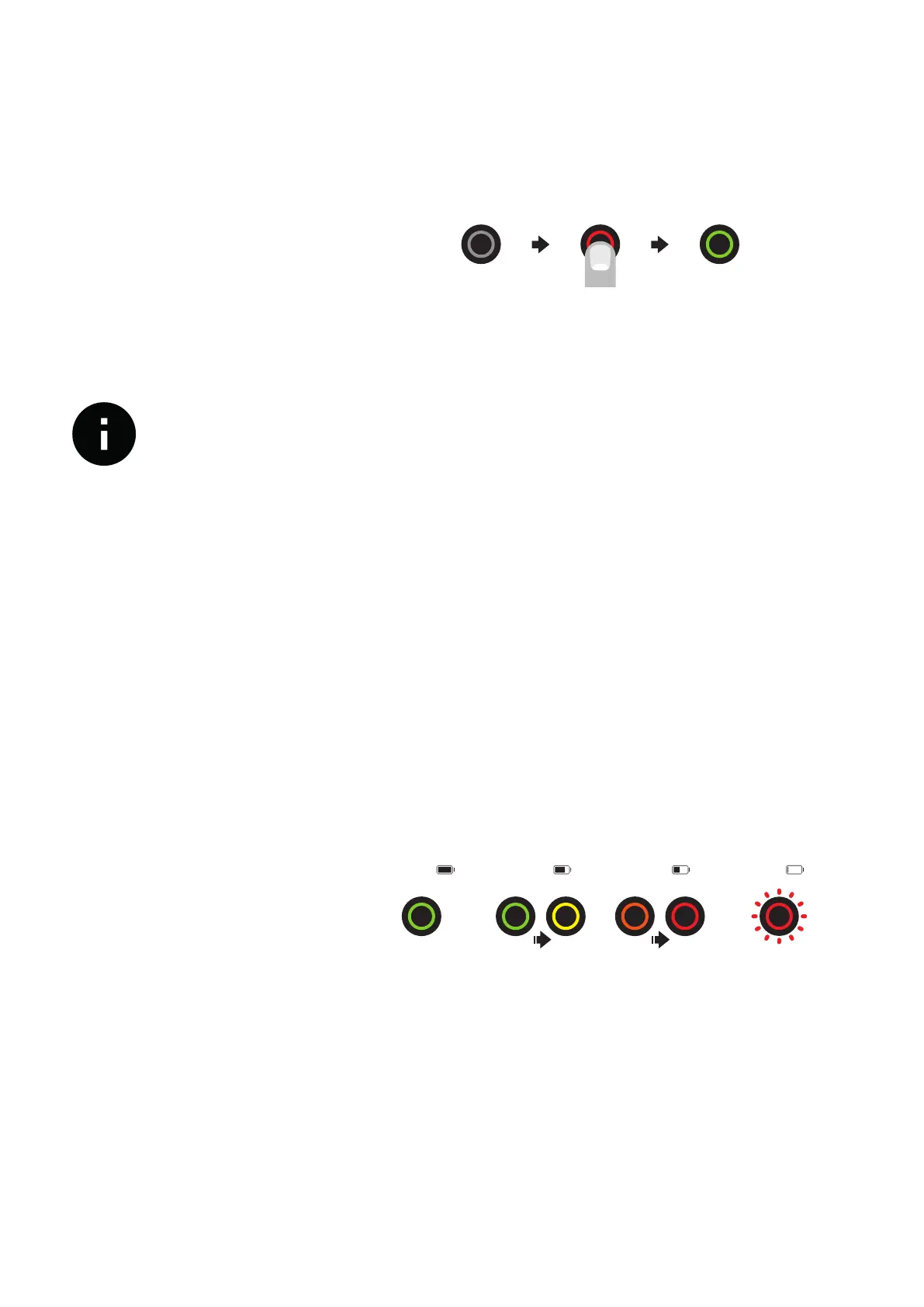
7 Using the power buon
Just press the power button once on the power panel, located on the
left side of the bike.
Turning the bike on
Charging your Ampler
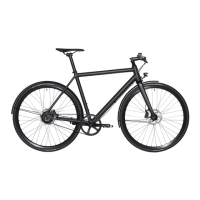
State of charge
The battery level is between 40%-90% when you receive it. You can
either plug in the charger and make the battery full, but you can also
grab it out of the box and go.
IMPORTANT! First make sure that the charging port on the bike, as
well as the plug of the charger, is clean, dry and free from metallic
objects.
Charging the bike is like charging a laptop. Just connect the bike with
a standard wall power outlet (110–240 V AC) and hook the magnetic
charger plug to the charging socket located on the power panel and
let it charge. Once the LED on the charger turns from red to green it
has been fully charged. It takes about 2.5 hours from empty to full.
Ampler charger will automatically stop charging when the battery is
full. There is no risk of overcharging the battery when you forget to
unplug it. Pease read the “Charger safety instructions”
74–50% 49–10% 9–0%
100–75%
bike is OFF 1x short press bike is ON
IMPORTANT!
The power button also acts as a battery charge monitor. The LED
colours change according to the state of charge.


 To Next Page