12/16
V1.1, 24.04.19
However, we recommend to keep your bike Firmware
up to date and calibrate your bike sensors from time
to time. This will help to keep your bike in a good
shape for longer time.
Soware restart clears up your bikes memory and
starts it fresh. It helps to resolve any problems con-
nected to the hardware, and any communication pro-
blems between the bike and the mobile app.
To reset your bike
1. Hold down the power buon for 20 seconds. This
will reset and turn off your bike.
2. Turn on the bike again from the power buon.
Ampler bikes are pedelecs and they have sensors
regulating the motor, measuring the speed of pedal-
ling and your own input power. Therefore, the bike is
easy to use and the motor power is controlled accor-
ding to your own pedaling force. This creates a safe
and smooth riding experience.
We recommend to calibrate your bike’s torque sensor
every 3–6 months, or in case the bike feels over- or
underpowered. Torque sensor calibration is done via
the Ampler app:
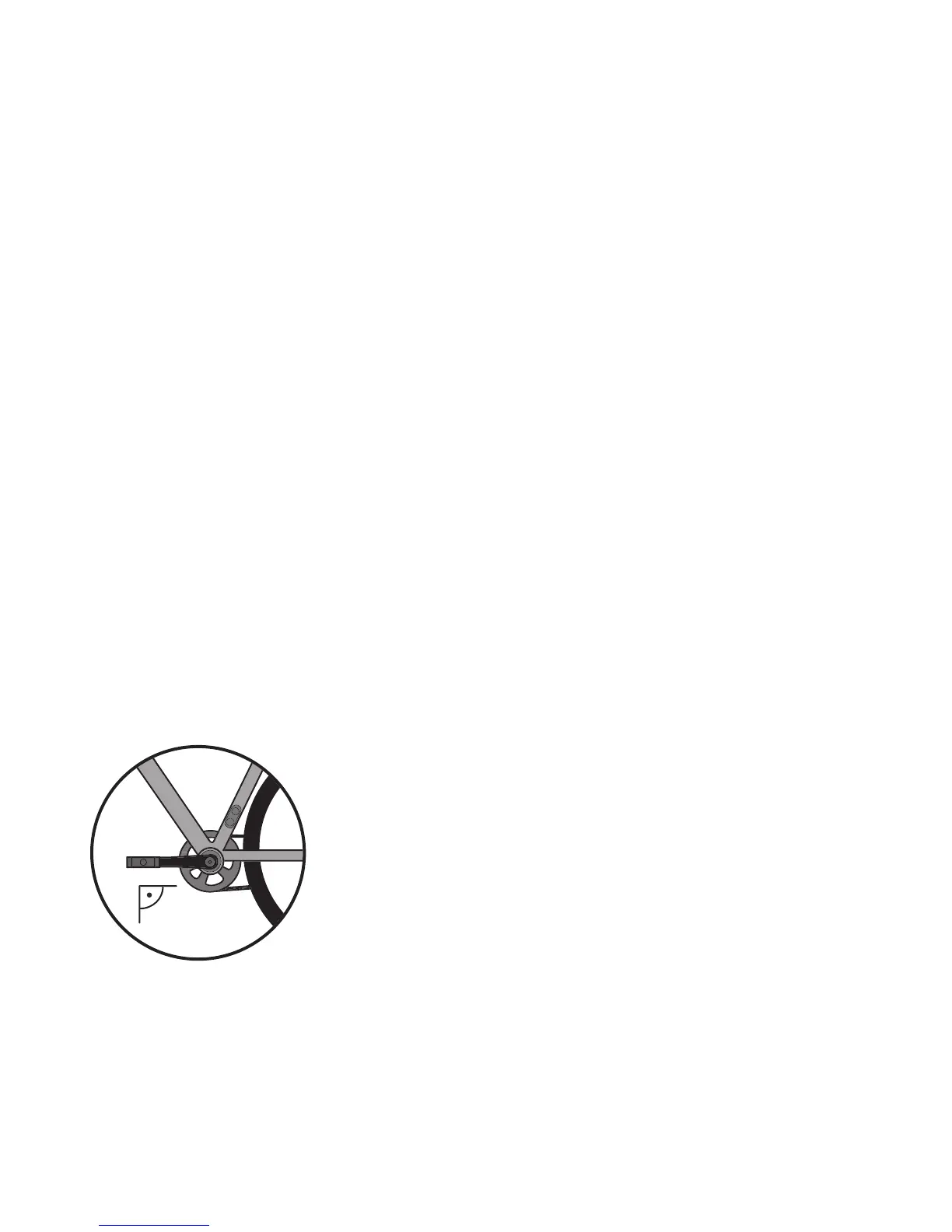
1. Adjust the le crank forward, parallel to the
ground.
2. Connect the Ampler app with your bike via
Bluetooth
3. Open ‘Vehicle’ seing from the menu
4. Click on ‘torque sensor calibration’
5. The LED blinks in orange
6. The LED will turn green once the calibration is
successful
Re-adjusting the sensor signal helps to improve your
bike’s responsiveness and power to its original
gures.
Every Ampler has a motor controller – the so-called
brain of your bike that connects all the elctronics and
makes sure everything runs smoothly. The motor
controller is managed by Firmware (the soware that
Soware restart
Torque sensor calibration
Electric system support
Firmware update


 To Next Page