EasyManua.ls Logo

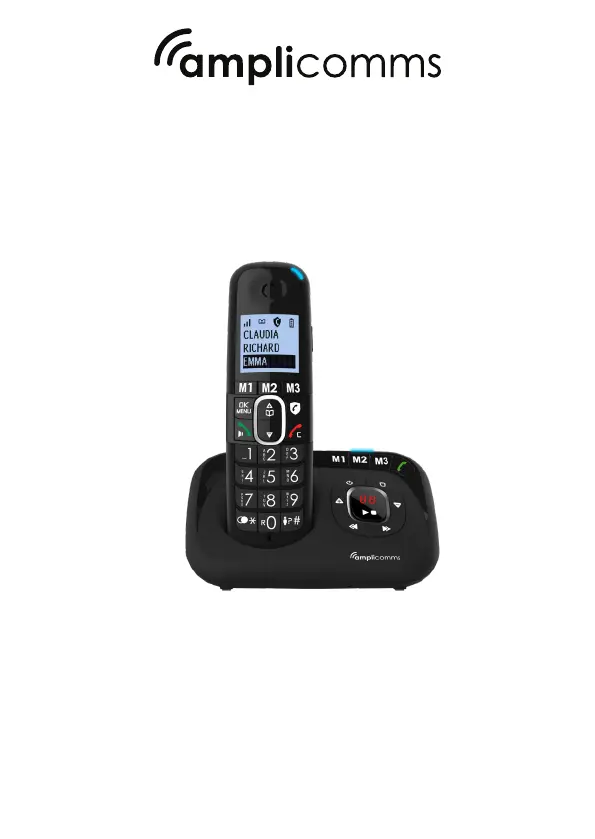
Amplicomms BigTel 1582 - User Manual

Amplicomms BigTel 1582
28 pages
Print Icon
To Next Page IconTo Next Page
Loading...
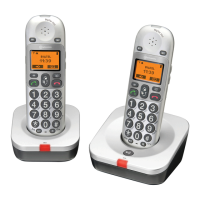
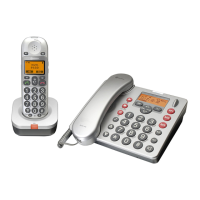
BigTel 1580 / BigTel 1582 / BigTel 1583
User Guide

Table of Contents

Questions and Answers

  • M
    migueljonesAug 10, 2025
    How to fix no dialing tone on my Amplicomms BigTel 1582 Cordless Telephone?
    • A
      amandaowensAug 10, 2025
      If there's no dialing tone when you press a key on your Amplicomms Cordless Telephone, it could be due to a few reasons. First, check that the connection cord of the base station is properly plugged in, including the mains and the telephone line cord. Unplug and plug them back in to ensure a secure connection. Second, make sure the adapter cord is correctly plugged into the base station, removing and re-plugging both the base station plug and the 220V plug. Finally, the line might be busy because another handset is in use; in this case, use the original connection cord.
  • P
    Phillip MillerAug 15, 2025
    What to do if my Amplicomms Cordless Telephone has no display?
    • R
      riley89Aug 15, 2025
      If your Amplicomms Cordless Telephone has no display, the battery is likely empty. To resolve this, recharge the battery.
  • N
    Natalie CarlsonAug 21, 2025
    Why does my Amplicomms Cordless Telephone say 'Out Of Range'?
    • L
      Louis WeberAug 21, 2025
      If your Amplicomms Cordless Telephone displays 'Out Of Range', it could be due to two main reasons. Either the base station is out of range, or it is not connected to the mains. To solve this, try reducing the distance between the handset and the base station. Also, ensure that the base station is properly connected to the mains.
  • T
    Travis LeonAug 27, 2025
    What to do if callers can't leave messages on my Amplicomms Cordless Telephone?
    • D
      Dr. Mark FreemanAug 27, 2025
      If callers are unable to leave a message on your Amplicomms Cordless Telephone, there are a couple of potential causes. First, the answering machine might be turned off; if so, turn it on. Second, the message memory might be full; in that case, erase any unnecessary messages to free up space.
  • D
    Daniel ScottSep 3, 2025
    How to fix remote access to my Amplicomms Cordless Telephone answering machine?
    • D
      Diana ClarkSep 3, 2025
      If you cannot operate the answering machine on your Amplicomms Cordless Telephone remotely, several factors could be the cause. You might be entering the wrong remote access code; if you've forgotten it, reset to the default settings. You may also be pressing the dial keys too quickly; press each key firmly. Also, the answering machine might be turned off; if so, turn it on. Finally, you might be using a pulse telephone; try again using a touch tone phone.

Summary

PRECAUTIONS

Installation and Usage Precautions

Provides essential safety and environmental guidelines for using the telephone.

INSTALLING YOUR PHONE

USING YOUR PHONE

PHONEBOOK AND CALLER ID

CALL LIST AND PHONE SETTINGS

HANDSET AND BASE SETTINGS

Answering Machine Operation

Basic Functions and Message Playback

Instructions for turning the machine on/off, listening to messages, and controlling playback.

Answering Machine Advanced Operations

Answering Machine Settings and OGM

Configuring Answer Mode and OGM

Setting the answer mode, OGM language, and recording own OGM.

Answering Machine Configuration

REGISTRATION

CALL BLOCK FEATURES

Call Block Overview and Modes

Explanation of the Call Block feature and its various modes.

Manual Call Block

Enabling and Managing Blacklist

How to enable manual call blocking and manage the blacklist.

Automatic Call Blocking

VIPs Only and Contacts Only Modes

Configuration for automatic call blocking using VIP or contacts lists.

Anonymous Call Blocking

Troubleshooting Common Issues

Safety Guidelines

Amplicomms BigTel 1582 Specifications

General IconGeneral
BrandAmplicomms
ModelBigTel 1582
CategoryCordless Telephone
LanguageEnglish

Related product manuals